
Grant writer on the go
Writes longer pieces at a small café table and wants a portable device with a compatible physical keyboard. The Consumers’ Association identifies word processing as an important consideration when using a tablet.


Mostly writing text at a small café table? Start with a compact tablet and a keyboard designed for that exact model. If you need to view several documents side by side or use specific desktop software, a larger model or a Windows 2-in-1 may be a better fit. The Consumers’ Association notes that a laptop can be more convenient for word processing, while Microsoft says that mobile editing capabilities depend on factors such as screen size and subscription.
Writes longer pieces at a small café table and wants a portable device with a compatible physical keyboard. The Consumers’ Association identifies word processing as an important consideration when using a tablet.
Wants to view the application, budget and guidelines side by side, and therefore values screen space and document editing more than having the smallest possible device. Lenovo describes a 13-inch Idea Tab Pro Gen 2 bundle with a pen and QWERTY keyboard.
Needs to complete a specific software or portal workflow before submitting an application and wants to check first whether a mobile operating system will do the job. Microsoft says that the editing features available on mobile devices depend, among other things, on the subscription.
First choose between a compact writing setup, more room for documents and a Windows device for desktop workflows. Then check the keyboard, software and every step of the submission process.
A good fit if: you mainly write and edit, and want a smaller setup for a café table. Apple lists keyboard support for the 11-inch iPad Air and iPad A16.
The trade-off: there’s less screen space for viewing sources alongside your application. Check whether the keyboard is included with the configuration you choose.
A good fit if: you want to view your application and source material on a larger screen. Lenovo describes a Dutch 13-inch Idea Tab Pro Gen 2 bundle with a pen and QWERTY keyboard.
The trade-off: the larger screen takes up more table space. Test with your own account to see whether the mobile apps can handle the editing you need.
A good fit if: your application portal or document workflow requires desktop software. Microsoft positions the Surface Pro as a 2-in-1.
The trade-off: check the exact configuration and whether it includes a keyboard. Microsoft describes the keyboard as optional.
| What to consider | What should you check? | Who is this important for? |
|---|---|---|
| Long typing sessions | Check model compatibility, keyboard layout, what’s in the box and how stable the setup is. | If I’m writing an application at a small café table, I want to type comfortably without the setup taking up too much room. Around 42% of consumers give long typing sessions top priority. |
| Document software and submission portal | Test a representative document and the submission process using the intended app, account and licence. | If my application needs specific Word editing features or a particular portal, I want to try the whole workflow in advance. Around 33% of consumers prioritise software compatibility. |
| Portability and power | Compare the weight of the tablet and keyboard together, and check the battery details for the exact configuration. | If I take my tablet between locations or want to work without a power socket, a lightweight setup matters more to me than extra screen space. Around 17% of consumers prioritise portability and working without a power socket. |
| Room for documents | Open your own application, budget and guidelines side by side, and check that they remain readable. | If I want to refer to figures and sources at the same time, I’d rather accept a larger setup than keep switching between documents. Around 8% of consumers make workspace their top priority. |
Microsoft says that mobile editing capabilities can vary depending on screen size and subscription. Being able to open a document doesn’t necessarily mean you’ll have access to all the editing features you need.
Using your own account, try the necessary edits in a representative document and test the final submission step too.
Keyboard support doesn’t mean the accessory is included with every configuration. Lenovo describes a specific Idea Tab Pro Gen 2 bundle that includes a QWERTY keyboard.
Check what’s in the box and the keyboard layout for the exact model you’re considering.
The Consumers’ Association notes that a laptop can be more convenient for word processing. Mobile apps may also offer different editing features from the desktop software your application requires.
Test the application form, source files and portal before relying on the tablet for the entire submission process.
Apple offers iPadOS models in a range of screen sizes for portable writing.
The Idea Tab Pro Gen 2 is available in a Dutch 13-inch Android bundle with a pen and keyboard.
The Galaxy Tab S series includes Android tablets in a range of screen sizes, including the 11-inch Galaxy Tab S11.
Surface Pro offers a Windows 2-in-1 option when desktop software is part of your application workflow.
These Joybuy product picks are relevant for writing at a table and viewing application documents on a tablet. Check whether a keyboard is included with each configuration and that the software workflow you need works.
 No image available
The screen size may suit viewing application text and sources on one tablet.
12.7-inch screen with 3K resolution and 144 Hz; 8 GB RAM and 256 GB storage. The product title doesn’t mention a keyboard bundle, so check what’s included with the configuration you choose.
 No image available
The 12.1-inch screen may suit viewing documents on a tablet.
The title lists a 12.1-inch 2.5K tablet with 120 Hz and 256 GB, plus a Watch X5i smartwatch. Check whether the keyboard setup you want is included with this configuration.
 No image available
The 14-inch screen may suit viewing application materials on a larger tablet.
14-inch screen with 2.2K resolution (2240 × 1400), Android 15 and 128 GB storage. The title doesn’t mention a keyboard, so check what’s included with the configuration if you want to type on it.
 No image available
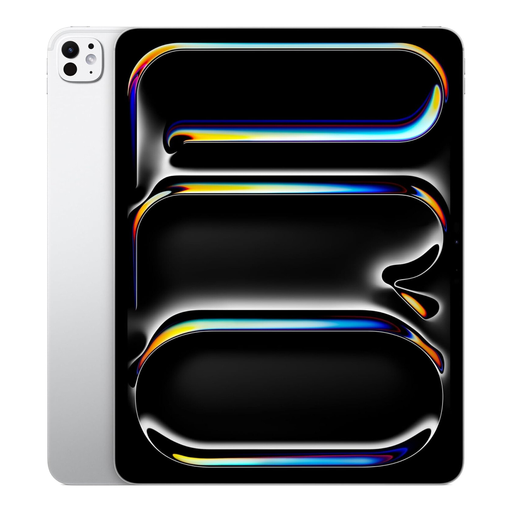
The 13-inch screen may suit viewing application materials and sources side by side.
13-inch iPad Pro with M5 chip, Wi-Fi and 2 TB storage. The product information lists Magic Keyboard support. Check whether the keyboard is included with this configuration.
 No image available
The title lists a Bluetooth keyboard and stand, making it suitable for typing at a table.
10.1-inch screen and 64 GB storage. The stated 9 GB RAM consists of 3 GB RAM and 6 GB of virtual expansion. The bundle lists an English Bluetooth keyboard, mouse, stand, case and other accessories.
No. Having the app doesn’t mean that all the editing features you need will be available. Microsoft describes differences based on screen size and subscription. Before choosing, test a representative application document and the submission portal using your own account.
Pair it with a keyboard that fits the exact tablet configuration, then test that editing and submission work. If you may be working without a reliable connection, check in advance that your chosen app can open the files you need offline and sync them later.
Check what’s in the box for the exact model and configuration. Keyboard support doesn’t automatically mean one is included. For example, Lenovo explicitly lists a keyboard with the Idea Tab Pro Gen 2 bundle described.
If you process personal data on behalf of an organisation, that organisation must put appropriate security measures in place. The Dutch Data Protection Authority stresses that security should be proportionate to the risks. Keeping your screen, device and files secure helps prevent unauthorised access.