Start by checking that the apps, software and submission portal you need for your application will work, then see whether a suitable physical keyboard feels comfortable for writing longer documents. An iPad or Android tablet may be a good fit if your application works in the apps and browser you plan to use. If your workflow requires desktop software, a Windows tablet may be worth considering, but check that the software and portal are compatible too. A larger screen gives you more room for text and reference materials, while a more compact tablet is easier to carry around.
Who is this useful for?
Applicants who write a lot
If you’re drafting lengthy proposals and making revisions, it’s worth focusing on a comfortable physical keyboard and a stable writing setup. The Consumers’ Association and Tweakers discuss keyboards and word processing as factors to consider when using a tablet.
Applicants with specific software requirements
If you need specific document features or have to follow a particular submission process, it’s a good idea to check the apps and browser on the configuration you’re considering first. Microsoft Support explains the requirements for features in the mobile Microsoft 365 apps.
Applicants who read reference materials alongside their work
If you switch between a draft and background material, weigh up screen space against how easy the tablet is to carry with its keyboard. The Consumers’ Association discusses screen size as a factor to consider; Apple offers the iPad Air in 11- and 13-inch versions.
What should you look for when choosing?
iPad with a suitable keyboard
A good fit if: your application, reference materials and submission steps work in the iPad apps or browser you plan to use.
Check: that the keyboard fits your version and is included.
Android tablet with a suitable keyboard
A good fit if: you can create documents and use the portal in the Android apps or browser you plan to use.
Check: that the case or keyboard fits your exact tablet model.
Windows tablet with a keyboard
A good fit if: your application process requires desktop software or a Windows workflow.
Check: that the required programmes work with your chosen configuration, including any ARM compatibility requirements.
When applying for a grant at the library, your choice mainly comes down to typing for long periods, reliable document and submission features, and having enough room to read reference materials alongside your draft.
| What to consider |
What should you check? |
Who should prioritise this? |
| Typing for long periods |
Try the keyboard layout and setup; check that the keyboard fits the tablet and is included. |
If I’m writing long documents, I want to type and edit comfortably. Around 36% of consumers put typing comfort first. |
| Software and submission |
Test a typical document and the features you need in the apps, browser and portal you plan to use. |
If my application requires specific document features or a particular portal, I want to check the workflow in advance. Around 29% of consumers put software and submission first. |
| Reference materials and portability |
Compare screen sizes with your documents open side by side, and consider how easy the complete setup is to carry. |
If I want to read reference materials alongside my draft but also take my tablet to the library, I’m looking for the right balance. Around 21% of consumers prioritise reading space and portability. |
| Complete writing setup |
Check which accessories are included and what else you need for your workflow. |
If I want a clear overview of everything I need for my workspace, I want to know exactly what’s in the box. Around 14% of consumers prioritise a complete setup. |
Common pitfalls
-
Focusing on the tablet and not the writing setup
Without a suitable keyboard, a tablet may be less suitable for writing a lengthy application. A bundle doesn’t necessarily include every accessory you need, either.
Compare the tablet, the exact keyboard and the required software as one complete configuration. If you’re buying a bundle, check which items are actually included.
-
Assuming every tablet can handle the same application process
The operating system, app features and submission portal all raise separate compatibility questions. A tablet that’s comfortable to type on won’t necessarily meet your document formatting requirements or support the final submission step.
Where possible, try editing a representative document and go through the submission steps on the device and browser combination you plan to use before buying.
-
Not preparing cloud files for offline use
Microsoft recommends opening cloud files while you’re online if you want to work on them later without an internet connection.
Open the files you need before going offline, then check that your changes have synced once you’re back online.
Brands to consider
Apple
Apple says the iPad Air is available in 11- and 13-inch versions and supports a Magic Keyboard.
- The screen sizes let you choose between a more compact tablet and extra room for text and reference materials.
- Check that the keyboard fits your version and that the application steps you need work in the apps or browser you plan to use.
Samsung
Samsung describes a Book Cover Keyboard with touchpad and DeX support for the Galaxy Tab S10 FE.
- The keyboard cover mentioned is designed for specific Galaxy Tab models.
- Check that the cover is compatible with your exact tablet model and that your documents and portal work with it.
Microsoft
The Surface Pro 11 is a Windows tablet. Microsoft lists a 13-inch screen and Windows 11 among the features of the configurations described.
- A Windows configuration may be a good option if your application workflow requires Windows software.
- Check that your preferred software works with the specific configuration, including any ARM compatibility requirements, and that the keyboard you need is included.
Lenovo
Lenovo describes an Idea Tab Pro Gen 2 bundle with a 13-inch Android tablet, pen and keyboard.
- The bundle mentioned combines a larger screen with a keyboard and pen.
- These details apply to the specific Gen 2 bundle; check which items are included with the version you choose and whether the setup suits your workspace.
Products at Joybuy for writing and document work
Below are tablets for typing, viewing documents and working at a library table, plus a convertible laptop with tablet mode for anyone who wants a built-in keyboard and Windows.
 No image available
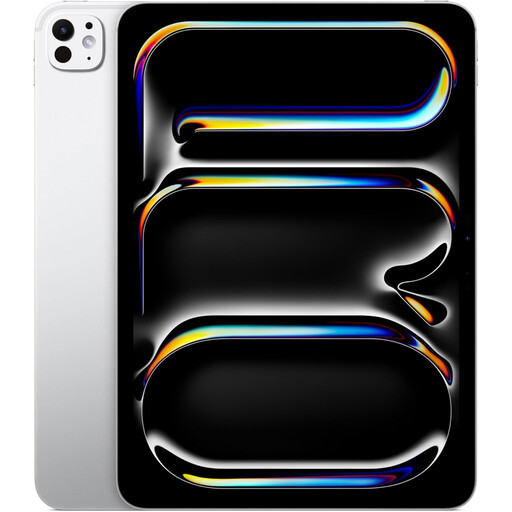
Apple iPad Pro M5 (2025), 11-inch, 1TB, Wi-Fi, silver
A good fit if you’re looking for a compact iPad setup; check in advance that the application steps you need work in your chosen apps or browser.
11-inch screen; 1TB storage; Wi-Fi.
View at Joybuy
 No image available
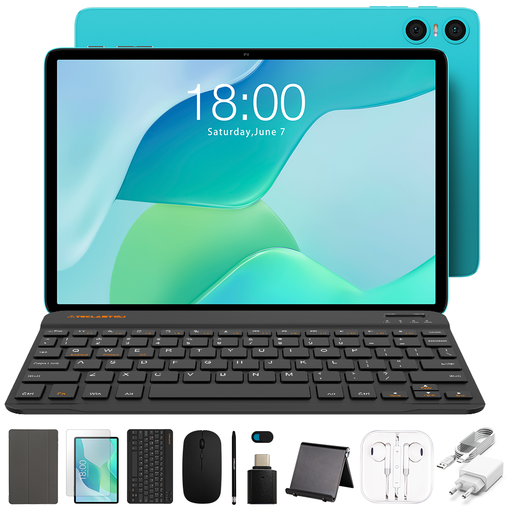
Teclast P33 Case, 10,1-inch, 64GB
The product name lists a case, English-language Bluetooth keyboard, mouse and tablet stand for use at a table.
10,1-inch screen; 9GB* RAM (3GB + 6GB virtual expansion); 64GB storage.
View at Joybuy
 No image available
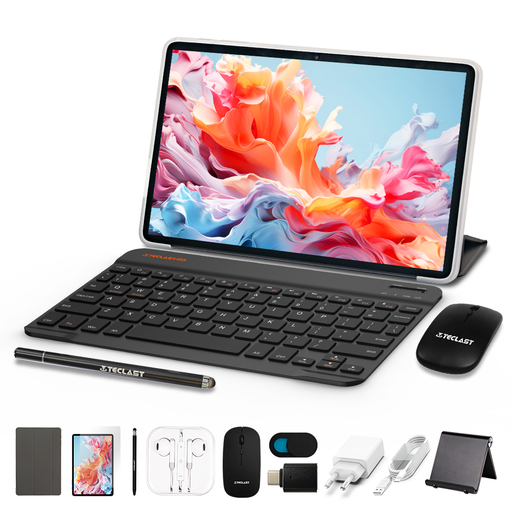
TECLAST P30TCase, 10,1-inch Android 16, 128GB
The product name lists a keyboard, mouse, stylus and case; check that the Android apps you need for your application will work.
10,1-inch screen; 16GB RAM (3GB + 13GB virtual expansion); 128GB storage.
View at Joybuy
 No image available
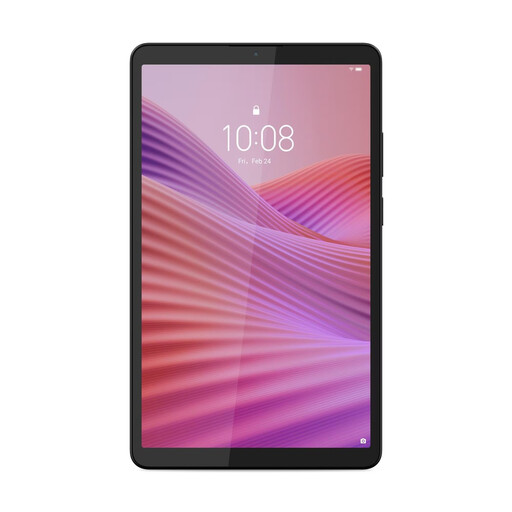
Lenovo Tab One, 8,7-inch, Wi-Fi, 4GB RAM, 128GB
A good fit if you want to take a compact Android tablet with you; check in advance which physical keyboard will suit your needs.
8,7-inch screen; 4GB RAM; 128GB storage; Wi-Fi.
View at Joybuy
 No image available
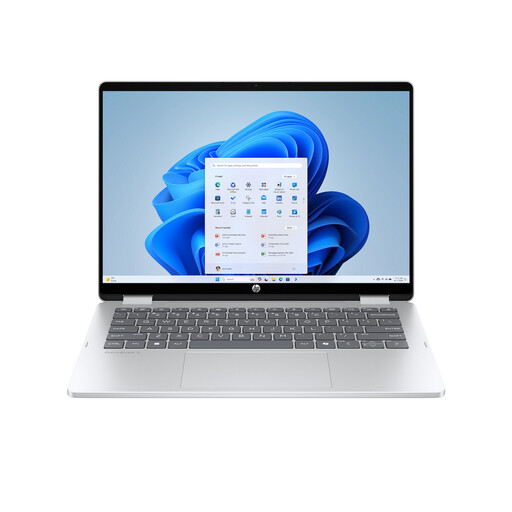
HP OmniBook 5 Flip 14-fp0250ndx, 2-in-1 laptop
This is a convertible laptop with tablet mode, rather than a tablet as its primary form; it may suit you if you’re looking for a built-in keyboard and Windows.
14-inch 2K touchscreen; Intel Core 5 120U; 8GB RAM; 512GB SSD; Windows 11 Home.
View at Joybuy
Frequently asked questions
Can I work on my application without Wi-Fi?
Yes, if the files are available offline. Microsoft recommends opening cloud files online in advance; any changes can sync once you’re connected again.
Do I need Microsoft 365 to use Word on a tablet?
It depends on the device and the features you need. Microsoft says that basic editing is free on Android devices with a screen of 10,1 inches or smaller; check the requirements for your model and the document formatting you need.
How can I protect application documents containing personal data?
If you process personal data on behalf of an organisation, the organisation must determine appropriate security measures based on the risks, according to the Dutch Data Protection Authority. Access controls, updates and backups are examples; the measures that are appropriate depend on the data and how it is handled.
What are my rights when I buy a tablet online in the Netherlands?
For eligible distance purchases, you’ll generally have a 14-day cooling-off period, although there are exceptions. Consumer products must also be of satisfactory quality; the Dutch Government states that there is no fixed statutory guarantee period in the Netherlands.
Does the new EU energy label apply to every tablet?
No. According to the European Commission, energy labelling requirements have applied since 20 June 2025 to eligible slate tablets placed on the EU market; the specific rules for tablets do not apply to tablet computers. Check the product category and its product information sheet.


