
For annotating maps and PDFs
You look at research documents between lectures and want to write on maps, diagrams and PDFs. Check that the stylus is compatible with the exact tablet model and that your usual maps remain easy to read on screen.


Start by considering the software and files your course actually uses. For notes and maps, stylus compatibility, screen space and portability matter. For fieldwork, make sure your projects and files are available offline in advance. If your assignment requires ArcGIS Pro to run on the device itself, check that you have a suitable Windows configuration and meet the full system requirements.
You look at research documents between lectures and want to write on maps, diagrams and PDFs. Check that the stylus is compatible with the exact tablet model and that your usual maps remain easy to read on screen.
You often take your device with you and want to use maps or field data when there’s no internet connection. Weight, screen size and transferring projects in advance all play a part in your choice.
You may need to run GIS software locally rather than just view a map or field project. First, find out which software and version you need, then check the operating system and hardware requirements.
Best for: anyone who mainly wants to annotate PDFs, lecture notes and maps, and often takes their device with them.
Bear in mind: check which stylus is compatible and whether it’s included with your chosen model. iPadOS doesn’t replace the Windows installation required for ArcGIS Pro.
Best for: anyone who wants to take notes with a compatible stylus and may also use prepared projects in QField.
Bear in mind: QField projects need to be prepared in QGIS and transferred to your device in advance. An Android tablet isn’t a complete desktop GIS workstation.
Best for: anyone who needs to install ArcGIS Pro locally and can choose a device that meets Esri’s requirements.
Bear in mind: Windows 11 Pro alone doesn’t guarantee compatibility with every GIS app or plug-in. Microsoft lists the weight of the described Surface Pro for Business model with Snapdragon as 686 grams.
| What to consider | What to check before buying | Who should pay particular attention? |
|---|---|---|
| Annotating maps and documents | Check stylus compatibility with the exact model and whether the stylus is included. Make sure maps and notes will be easy to read. | If I want to annotate maps and PDFs, I look at the stylus and screen space. Around 33% of shoppers say annotation is their main buying concern. |
| Taking it between lectures | Compare the weight and dimensions of your chosen model with the case you plan to use. | If I take my tablet with me every day, portability matters more to me than extra screen space. Around 27% of shoppers prioritise carrying and using a tablet between lectures. |
| Offline maps and field data | Check which fieldwork platform your course uses and test a project with its associated files offline in advance. | If I want to work outdoors without a reliable connection, I prepare my projects and map layers in advance. Around 20% of shoppers prioritise offline fieldwork above all else. |
| Local GIS software | Find out which application, version and plug-ins are required, then compare these with the device’s full system requirements. | If my assignment requires desktop GIS to run locally, I check software compatibility first. Around 20% of shoppers say desktop GIS is their main buying concern. |
Stylus compatibility and what’s in the box are two different things. Apple lists stylus support for the iPad (A16), but the stated box contents are the iPad and a USB‑C cable.
Before buying, check the exact model name, compatible stylus and box contents for the version you’ve chosen.
You may need to buy a stylus or keyboard separately, so check what’s included in the bundle.
QField is designed to work with a prepared QGIS project, whereas ArcGIS Pro has its own Windows and hardware requirements.
First, find out which software, version and plug-ins your course requires. Then decide whether you need a tablet as a companion device or a suitable Windows computer.
If your course requires desktop software to run locally, you may also need access to a computer that can run it.
An internet connection won’t make missing local project files or map layers available when you’re offline.
Transfer the complete project in advance and open it without an internet connection to check that the required layers work.
Samsung’s IP68 rating for the Galaxy Tab S10 FE and S Pen applies under specified laboratory conditions. The stated brightness of up to 800 nits applies in High Brightness Mode.
Read the conditions for the exact model and protect your device during wet-weather fieldwork. Don’t assume a rating guarantees protection against every type of water damage.
The iPad (A16) offers an iPadOS option for portable annotation. Apple also says the iPad Air supports Apple Pencil Pro.
The Galaxy Tab S10 FE is an Android option for taking notes on a 10.9-inch screen. Samsung says the FE+ is the larger model.
The Dutch version of the Idea Tab Pro reviewed here has a 12.7-inch screen for anyone who wants more room for maps and documents.
The Pad 7 is an Android alternative with an 11.2-inch screen. Xiaomi lists the Focus Pen as compatible.
A Windows tablet such as the 12-inch Surface Pro for Business is worth considering if you need to run Windows software locally.
These product selections focus on tablets for taking notes and viewing maps and study materials. The product information alone doesn’t confirm that they’re suitable for desktop GIS software running locally.
 No image available
The included stylus makes this version worth considering for taking notes and sketching.
The product title lists an 11.1-inch 3.2K touchscreen, Android 15 and 256 GB of storage. Tab Pen Pro is included.
 No image available
The product title says a Lenovo Tab Pen is included, making this version worth considering for writing and drawing.
The title lists an 11-inch IPS screen, MediaTek Dimensity 6300, Android 15 and a 90 Hz refresh rate.
 No image available
This 11-inch model is worth considering for reading maps and documents on the go.
The product title lists Android 16, a 90Hz IPS screen, 128 GB of storage and 4G LTE.
 No image available
The product title lists a stylus, making this version worth considering for notes and annotations.
The title lists a 12.7-inch 2K screen, 256 GB of storage and 20 GB RAM, comprising 8 GB physical and 12 GB virtual memory.
 No image available
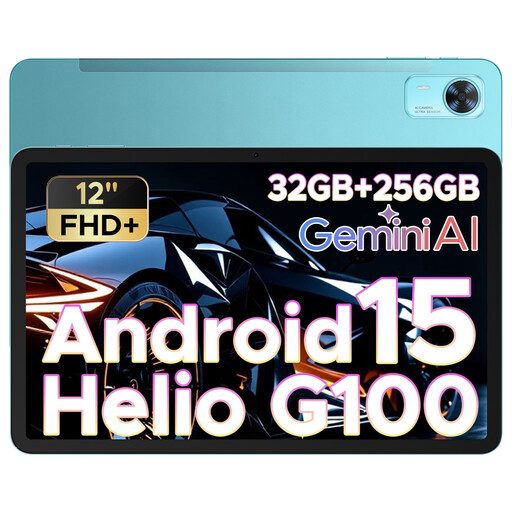
The product title lists a 12-inch screen for viewing digital maps and study materials.
The title lists an FHD+ screen, a SIM card slot and a 90 Hz refresh rate.
It depends on the software you need. QField can open a project prepared in QGIS and collect field data. For local installation of ArcGIS Pro, Esri lists supported Windows systems and additional hardware requirements. Ask your course which application and version you need.
Prepare the project in QGIS, transfer it and its associated datasets to your device, then open it in QField beforehand. The QField documentation describes local transfers and offline editing. Check that all the required layers are available in your own project.
Not necessarily: according to Consumentenbond, you can also use a smartphone as a Wi-Fi hotspot for a Wi-Fi tablet. Consider this alongside your need for a standalone connection. A hotspot won’t provide offline files that aren’t already stored on the device.
According to ACM ConsuWijzer, you’re entitled to a product that meets reasonable standards, in addition to any commercial guarantee. If it breaks sooner than you could reasonably expect during normal use, the seller must put things right at no cost, for example by repairing or replacing it. In some cases, you may be entitled to a refund. In the Netherlands, there isn’t simply one fixed statutory guarantee period for all tablets.
For a standard online consumer purchase, ACM ConsuWijzer says you generally have a statutory cooling-off period that ends 14 days after delivery. Check the official exceptions and conditions before assuming that you can use or return the tablet beyond this period.