
Readers who need larger text
You want to be able to enlarge the text in your book clearly. Whether you can do so depends partly on the file and reading app, so test a sample page rather than relying on the screen specifications alone.


Choose based on the book file and reading app: text settings won’t automatically enlarge text in every PDF, and you may still need to zoom in on a fixed-layout page. A colour tablet is practical for viewing text, maps and legends together. An E Ink model is mainly an alternative if reading text is your priority and you’ve checked that your books are available on it.
You want to be able to enlarge the text in your book clearly. Whether you can do so depends partly on the file and reading app, so test a sample page rather than relying on the screen specifications alone.
You switch between explanations, maps and small legends. A colour screen and a useful page view are important so you can see these elements together.
You want to know whether a specific borrowed title can be opened on your device and in the app you need. Check that the title is available and confirm the required app version.
| What to consider | What should you check? | Who is this important for? |
|---|---|---|
| Large text and page layout | Test your preferred text size in the reading app, both on a text page and in a fixed-layout PDF. | If I want to enlarge the text in a book without losing the page’s layout, I want to see how the app handles my file first. Around 31% of consumers put text enlargement first. |
| Maps and legends | Check colour contrast and small legends on the screen size you’re considering, in the lighting conditions you’ll be reading in. | If I want to view maps alongside their colours and legends, I focus on the page as it appears on screen, not just the screen size. Around 25% of consumers prioritise maps and legends. |
| Book and reading app | Check the file format, whether the title is available on the device, and whether the reading app offers the text settings you want. | If I want to open my own or borrowed books, I want to know in advance whether the specific title will work in the app I choose. Around 25% of consumers prioritise access to their books. |
| Portability and extras | Hold the device and compare reading at a table with reading on the go. Also check whether a pen or case is included if you need one. | If I’ll be holding the device for a long time or taking it with me, I weigh up its size against the space available for a full map page. Around 19% of consumers prioritise portability and avoiding unnecessary extras. |
The screen specifications don’t tell you whether a legend in your book will be easy to read. You may still need to zoom in on a fixed-layout page.
Test an actual map page and legend at the size you want, in the reading app you plan to use.
A geography book may include image-heavy pages and colour maps. The Online Library doesn’t offer every image-rich book for e-readers.
Check which devices each title is available on before choosing an e-reader.
A model name can refer to versions with different RAM, storage or accessories.
Compare the full model name, memory and storage capacities, and included accessories before choosing a version.
The iPad (A16) is an 11-inch colour tablet available with 128, 256 or 512 GB of storage. Apple’s Dutch Wi-Fi specifications list a weight of 477 grams and a resolution of 2360 × 1640 pixels.
The Galaxy Tab A9+ is an 11-inch Android option. When comparing models, check the exact combination of storage and RAM.
The Lenovo Tab Plus ZADX0011SE has an 11.5-inch screen and 256 GB of storage.
The NXTPAPER 11 Plus is a colour tablet with an 11.5-inch screen and matte display technology, as described by TCL.
The Kobo Elipsa 2E is a 10.3-inch E Ink e-reader for anyone who mainly reads text and is considering an e-reader as an alternative.
This selection includes colour tablets around 11 inches, a larger colour screen and an E Ink model. Compare each version with the size and display your books need.
 No image available
The 11.1-inch colour screen is an option for viewing text and map pages on one device.
According to the product information: 3.2K screen, 256 GB of storage, Android 15 and an included Tab Pen Pro.
 No image available
The 11-inch screen offers a colour tablet option for viewing text and maps.
According to the product information: 2.5K resolution, IPS screen, 8 GB of RAM, 256 GB of storage and Android 15. The description lists a Lenovo Tab Pen.
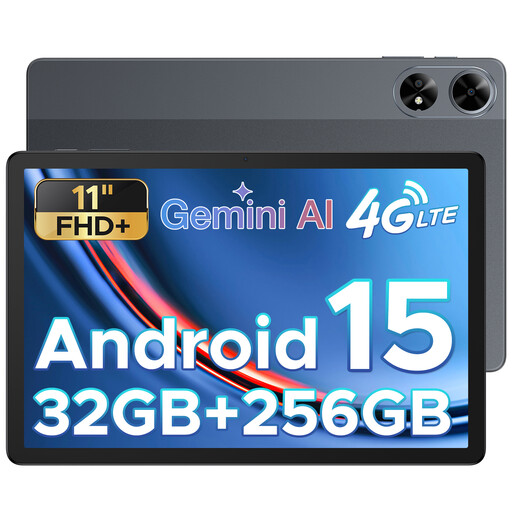 No image available
An 11-inch colour tablet for viewing geography pages.
The product title lists FHD+, 256 GB of storage and Android 15.
 No image available
An E Ink model to consider if reading and taking notes matter more to you than colour maps.
The product information lists a 10.65-inch E Ink screen, along with reading and handwriting features. Check whether your books and any PDF annotations are supported.
 No image available
The 12.1-inch screen gives you more room to view a map page; a larger device may be less practical to hold for long periods.
According to the product information: 2.5K resolution, 8 GB of RAM, 256 GB of storage and an included pen.
No, don’t assume it will. Apple Support says the text setting applies only to apps that support dynamic text; Google notes that Android text scaling depends on how text is set up in an app. So test your PDF in the reading app you plan to use.
No, availability varies by title and device. The Online Library lists the devices each e-book is available on its information page. Check that page before choosing a device.
Open a text page and a page with a map and legend in the reading app you plan to use. Increase the text size if the app offers that option for the title, then check how much of the page remains visible. The options can vary by app and file.
Online purchases by consumers generally come with a statutory cooling-off period of up to 14 days after delivery, subject to legal exceptions. ACM ConsuWijzer explains this period; before you buy, check how the returns process applies.
No. According to ACM ConsuWijzer, the seller is responsible if a product doesn’t meet what you could reasonably expect under normal use. An additional warranty plan has its own terms, so compare those separately with your statutory rights.