
Map and atlas readers
You read illustrated geography books or PDFs and want to view map details and a full page. The Consumers’ Association notes that tablets are suitable for many illustrated books and PDFs.


For geography textbooks with maps and PDFs, a colour tablet is a sensible choice. The Consumers’ Association notes that tablets are better suited than e-readers to many illustrated books and PDFs. Check a sample page from your own book: a larger screen may give you a better view, but it also takes up more room on the table and in your bag. If you want to make notes or read offline, check the pen and app options, as well as the terms for the specific title.
You read illustrated geography books or PDFs and want to view map details and a full page. The Consumers’ Association notes that tablets are suitable for many illustrated books and PDFs.
You take your tablet to a café and weigh up screen space against weight, size and the space available on the table. The Consumers’ Association points out that smaller tablets can be handy when you’re out and about.
You want to highlight terms or map keys, so check pen support, whether a pen is included with your chosen version, and what your reading app can do.
Start with a sample page from your own book, then decide how important portability, annotation options and offline access are to you.
| What to consider | What should you check? | Who is this important for? |
|---|---|---|
| Maps and fixed-layout pages | Look at a sample from your own book and check map labels, colour and how much you need to zoom in. | If I want to see map details and the whole page at a glance, I prioritise map visibility. Around 36% of consumers put an overview of the map first. |
| Taking it to a café | Compare the weight and dimensions of the exact version, and view a page both in your hand and on a table. | If I’ll be taking the tablet out often and need it to fit on a small table, I weigh up its size against how much of a map page I can see at once. Around 29% of consumers prioritise portability. |
| Making notes | Check whether a pen is included with your chosen version, then try annotating in the app or file you use. | If I want to highlight map keys or passages, I check both the pen and the reading app. Around 21% of consumers prioritise annotation. |
| Reading without café Wi-Fi | Check whether your specific title is available, which devices and app are supported, and whether the book opens offline. | If I want to read my book without an internet connection, I check the title and download options in advance. Around 14% of consumers prioritise offline access to books. |
You may still need to zoom in a lot to read small labels on a map or view a fixed-layout page.
View a representative page from your own book on the screen you’re considering, then weigh readability against the space it will take up in your bag and on the table.
Tablet support for a pen doesn’t automatically mean one is included with every version. Your app must also allow annotation.
Check what comes with the exact version you’re buying and try annotating in your own book file or app.
The Online Library states that availability and compatible devices can vary from one e-book to another.
Check the specific title and the supported devices before choosing a tablet.
The 11-inch iPad (A16) is an option if you’re looking for a colour tablet and want to stay within the Apple ecosystem.
The Galaxy Tab S10 FE range gives you a choice between a more compact model and the larger FE+ if you want more screen space.
The Tab M11 is an Android option if you want to combine reading with note-taking and compare different versions or bundles.
The Redmi Pad 2 is an Android option if you’re weighing up map detail and expandable storage against the device’s weight.
This selection includes tablets for reading map pages and PDFs. Compare screen sizes in particular, along with note-taking options where relevant.
 No image available
An option to compare if you’re looking for a larger screen for map pages and PDFs.
12.1 inch; 2.5K; 8 GB RAM; 256 GB storage; pen according to the product name.
 No image available
An 11-inch option to include when comparing screen space for reading in a café.
11 inch; Wi-Fi; 256 GB storage.
 No image available
An 11-inch option to compare if you want to read map pages and weigh size against portability.
IPS screen; 90 Hz; 500 nits; Android 15; 8 GB RAM; 128 GB storage.
 No image available
A larger screen to include in your comparison if having a good overview of maps matters to you.
12.7 inch; 2K; 20 GB RAM (8 GB + 12 GB virtual); 256 GB storage; stylus pen according to the product name.
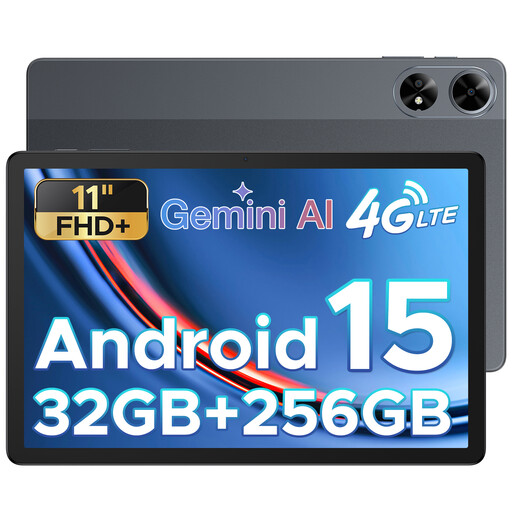 No image available
An 11-inch model to compare if you’re weighing up screen space against taking it to a café.
FHD+; SIM card slot; 32 GB RAM; 256 GB storage.
It depends on the book’s content. The Consumers’ Association says tablets are better suited to many illustrated books and PDFs with A4 layouts. If you mainly read continuous text, see whether an e-reader works for your title. If possible, try a sample page before you choose.
First, check with the Online Library whether the specific title is available and which devices you can use to read it. Open the book on your own device before you leave, and check that you can access it without an internet connection.
According to ACM ConsuWijzer, online purchases generally come with a statutory 14-day cooling-off period after delivery; check in advance whether an exception applies. The statutory guarantee is separate from any manufacturer’s warranty. If a product is faulty, the seller is responsible for providing an appropriate solution under the applicable terms.