
Reviewing plans at a small desk
You want to discuss layouts and measurements without a large device taking up a permanent amount of space on your desk. Consumentenbond notes that larger tablets are less easy to carry around.


For garden sketches on a small desk, an 11-inch tablet with a compatible pen is a sensible starting point if you mainly want to mark up PDFs. If you work with DWG files, first check which app you need and whether you have access to it. A larger screen gives you a better overview, but takes up more desk space. Bear in mind that you may need to buy a compatible pen separately.
You want to discuss layouts and measurements without a large device taking up a permanent amount of space on your desk. Consumentenbond notes that larger tablets are less easy to carry around.
You want to add notes directly beside paths, borders or planting, then share the marked-up sketch. Samsung Notes explains how to import and mark up PDFs; Adobe covers PDF comments and sharing.
You don’t always receive the same file type, so you want to check in advance that your PDF, image or DWG workflow will work on the tablet. Autodesk explains how to view and annotate DWG files on mobile devices.
A good fit if: you have limited desk space and mainly want to view and mark up PDF sketches by hand. Samsung lists a 10.9-inch screen and S Pen support for the Galaxy Tab S10 FE; Samsung Notes explains how to import and mark up PDFs.
Trade-off: a large plan will be less easy to view at a glance than on a bigger screen. Also check whether the pen is included with the version you choose.
A good fit if: you use, or want to use, iPadOS apps and are looking for a compact tablet that supports Apple Pencil Pro or Apple Pencil (USB-C).
Trade-off: Apple lists the iPad and a USB-C cable as box contents, but not a Pencil. Check the pen, app and sharing options for annotations separately.
A good fit if: you often want to see drawings all at once and have enough space for a 13-inch device. The Lenovo Idea Tab Pro Gen 2 bundle reviewed here lists a 13-inch screen and a pen.
Trade-off: the bundle reviewed here also includes a keyboard and adapter. Think about which accessories you’ll actually use and want on your desk.
A good fit if: the garden plans you receive are DWG files rather than just PDFs or images. Autodesk explains how to view and annotate DWG files on mobile devices.
Trade-off: having a pen or a particular screen size doesn’t guarantee access to CAD features. Check the app, account permissions and syncing with a sample drawing of your own.
| What to consider | What to look for | Who is this important for? |
|---|---|---|
| Screen and desk space | Measure the free space on your desk and compare the tablet’s overall dimensions, not just its screen size. View one of your own plans at the size you’re considering. | If my desk is small, I want to view a sketch without the tablet taking up the whole surface. Around 36% of consumers give available desk space top priority. |
| Pen annotations | Check which pen is compatible with the exact tablet, whether it’s included, and whether the app can save and share an annotated copy. | When I want to add feedback beside a path or border, I look for pen input that suits my app and workflow. Around 29% of consumers prioritise adding pen annotations to PDF sketches. |
| File compatibility | Ask which format you’ll receive and test a representative file, including saving and sending back comments. For DWG, check what Autodesk access you’ll need. | If I don’t know in advance whether the drawing is a PDF, image or DWG, I want to be able to open and return that particular file. Around 21% of consumers give certainty about file format top priority. |
| Outdoor use | Check the brightness specifications for the version you’re considering and the protection conditions listed by the manufacturer. | When I want to view a design during a visit to the garden, I look for a screen that’s easy to read in changing light and check the conditions of use. Around 14% of consumers prioritise outdoor use. |
More screen space can make it easier to see a drawing at a glance, but the tablet will also take up physical space on a small desk.
Mark out the tablet’s overall dimensions on your desk, then view a representative sketch at the screen size you’re considering.
Apple lists Pencil compatibility for the iPad Air, but the box contents reviewed here include the iPad and USB-C cable. The Lenovo models reviewed are specific bundles with their own accessories.
Compare the contents of the exact version you’re buying and check that the pen works with your tablet model before deciding.
Samsung Notes explains how to mark up imported PDFs; Autodesk separately describes mobile DWG features and access, which may depend on your account permissions.
Ask for the original file format and test the whole process with a sample file before choosing based on pen or screen specifications.
The Galaxy Tab S10 FE is a compact Android option for marking up PDF sketches with an S Pen; the FE+ has a larger screen.
The 11-inch iPad Air (M4) is a compact iPadOS option for combining compatible apps with pen input.
The Idea Tab bundle reviewed here offers an 11-inch Android alternative with a pen; the Idea Tab Pro Gen 2 bundle has a 13-inch screen.
This selection of Joybuy products focuses on 10.1- or 11-inch tablets for viewing sketches. Check the pen, app and file format you need for each model.
 No image available
A compact option for viewing sketches. Apple lists support for Apple Pencil Pro and Apple Pencil (USB-C) on the 11-inch iPad Air.
Apple doesn’t list a Pencil in the box contents, so check which pen and app you’ll need.
 No image available
A compact option for viewing sketches. Apple lists support for Apple Pencil Pro and Apple Pencil (USB-C) on the 11-inch iPad Air.
Apple doesn’t list a Pencil in the box contents, so check which pen and app you’ll need.
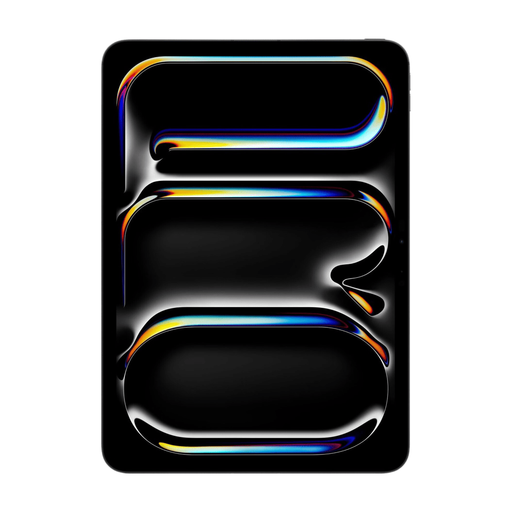 No image available
The 11-inch size suits a desk with limited space. Check pen compatibility and which app you’ll need to annotate and share your sketches.
The product name lists Wi-Fi + Cellular and 512 GB of storage.
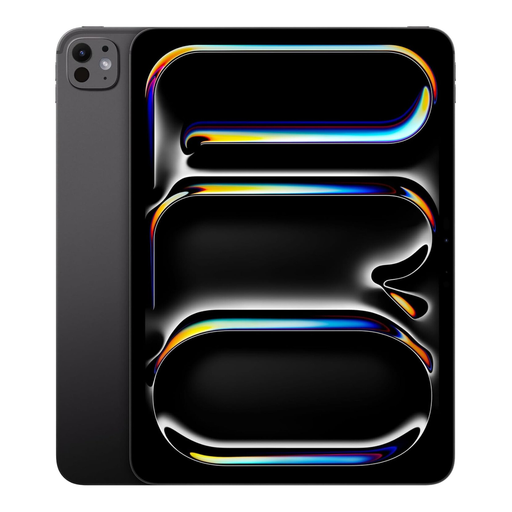 No image available
The 11-inch size suits a desk with limited space. Check pen compatibility and which app you’ll need to annotate and share your sketches.
The product name lists Wi-Fi + Cellular and 1 TB of storage.
 No image available
This may suit you if you’re looking for a 10.1-inch tablet with a stylus included. Check that your chosen app can open your file and send back comments.
The title lists 9 GB* RAM (3 GB + 6 GB virtual expansion) and 64 GB storage. The bundle lists a case, Bluetooth keyboard, mouse, stand, charger, cable, stylus, earphones and OTG adapter cable.
Around 11 inches is a practical starting point if you mainly want to zoom in, discuss and mark up a sketch. A larger screen can give you a better overview of the full plan at a glance. Try your own sketch on both sizes.
Test the whole process in advance: import a copy, add a test comment, save it, share the file and open it again. Samsung describes these PDF steps for Samsung Notes; for other apps, check how they save and share files.
Autodesk explains how to view and annotate DWG files through AutoCAD Web on mobile devices. Test your own file and check which features your account includes; don’t assume that a PDF app can also handle DWG files.
Check whether the pen, accessories you want and required software are included. ACM ConsuWijzer explains that statutory guarantees for consumer purchases in the Netherlands are not tied to one fixed general period: if a product develops a fault sooner than you could reasonably expect with normal use, contact the seller.
According to ACM ConsuWijzer, for a typical online consumer purchase you generally have up to 14 days after delivery to change your mind; check the relevant terms and exceptions. The European Commission states that energy labelling rules have applied since 20 June 2025 to slate tablets covered by the regulation and placed on the EU market from that date. The regulation distinguishes these from exempt tablet computers.