
Those who often write by hand
You regularly take longer field notes during library visits and want to know how the stylus works and whether it comes with the model you choose.


A standard tablet with a compatible stylus is a good fit if you want to use apps and online sources while writing. A paper-like writing tablet is worth considering if focused writing and reading documents are your priorities. For each model, check whether the stylus is included, how you can exchange documents and notes, and whether features such as search require a subscription. A larger or more versatile screen isn’t automatically more comfortable to hold for long periods or use without distractions.
You regularly take longer field notes during library visits and want to know how the stylus works and whether it comes with the model you choose.
You switch between documents, sources and your own notes. Importing, exporting and the apps available all help determine which way of working suits you.
You mainly want to focus on reading and writing in the library. A tablet with fewer other functions may suit you, as long as your documents remain easy to use.
A good fit if: you want to combine handwriting with online sources, note-taking apps and other tablet tasks.
The trade-off: apps give you more options, but can also be more distracting than a dedicated writing tablet.
A good fit if: you want to use an iPad for writing and other apps, and choose the right Pencil.
The trade-off: the Apple Pencil (1st generation) requires a USB‑C to Apple Pencil Adapter to pair and charge with this iPad; check what’s included in the box too.
A good fit if: writing, organising notes and reading documents matter more to you than a wide range of tablet apps.
The trade-off: reMarkable lists searching handwritten notes as a Connect subscription feature; check whether the way you need to work depends on it.
| What to consider | What should you check? | Who is this important to? |
|---|---|---|
| Stylus and handwriting | Check which stylus is compatible and what’s in the box for the exact model you’re choosing. | If I want to write by hand straight away in the library, I need to know whether the stylus comes with my tablet. Around 36% of consumers put the stylus and writing first. |
| Sources and notes | Try importing, annotating, organising and exporting the documents you use; check whether search requires a subscription. | If I want to find and use notes from sources later, my documents and notes need to fit the way I work. For around 29% of consumers, handling sources and documents is their main concern. |
| Reading in peace and portability | Compare the screen type, size and weight with the way you read and how you carry the tablet to the library. | If I mainly want to read and write with focus, I weigh portability against having enough room to work. Around 21% of consumers prioritise reading in peace and portability. |
| Complete writing setup | Check which stylus and any document or search features you need, and whether they involve extra purchases or a subscription. | If I want a complete setup without unexpected extras, I look beyond the tablet itself. Around 14% of consumers make the total cost of use their top priority. |
For the Lenovo Idea Tab model ZAFR0405SE, the Dutch product page mentions the stylus in the title, but also says it’s optional and sold separately. So the title alone doesn’t confirm what’s included in the bundle.
Before buying, ask for confirmation of the item number you’ll receive and exactly what’s in the box.
A shortened model name doesn’t always make it clear which version is being sold. For the Galaxy Tab S10 Lite listing we checked, one screen specification wasn’t confirmed.
Compare the full model number and product specifications with the manufacturer’s information before choosing a model.
For the reMarkable Paper Pure, reMarkable lists searching handwritten notes as a Connect feature. Writing on the iPad (A16) requires a compatible Apple Pencil.
Make a list of the features you’ll actually use and check which stylus or subscription terms apply to each device.
The Galaxy Tab S10 Lite is an Android tablet option for anyone who wants to combine note-taking with a stylus and other apps.
The iPad (A16) is a general-purpose tablet for anyone who wants to combine writing with an Apple Pencil and other apps.
The Paper Pure is designed for a black-and-white way of working with notes and documents.
Idea Tab models are Android tablets worth comparing if you want to combine writing with other tablet tasks.
This Joybuy selection includes Android tablets that, according to the product information, are sold with a stylus for taking notes. Check the exact model details and what’s in the box for each version.
 No image available
An option for combining handwritten notes with reading and other tablet tasks; the product information lists a Lenovo Tab Pen as included.
11.1-inch touchscreen; 3.2K; 144Hz; Snapdragon 8 Gen 3; 12GB LPDDR5X; 256GB UFS 4.0; Wi-Fi 7; Android 15.
 No image available
An Android tablet option for anyone who wants to combine notes with apps; the product information lists a Lenovo Tab Pen Plus as included.
12.7-inch screen; 3K; 144Hz; MDT 8300; 8GB RAM; 256GB; Wi-Fi 6E.
Check what’s included in the box for the model you choose.
 No image available
An option for combining handwritten notes with online sources; the product information lists a Lenovo Tab Pen as included.
11 inches; 8 GB; Wi-Fi 5 (802.11ac); Android 15.
Check the stylus and other bundle details for the exact model.
 No image available
A larger-screen option for anyone who wants to combine notes and document annotations on an Android tablet; the product information lists a Lenovo Pen as included.
12.1 inches; 2.5K; 8GB RAM; 256GB.
Before buying, check which stylus comes with the model you choose.
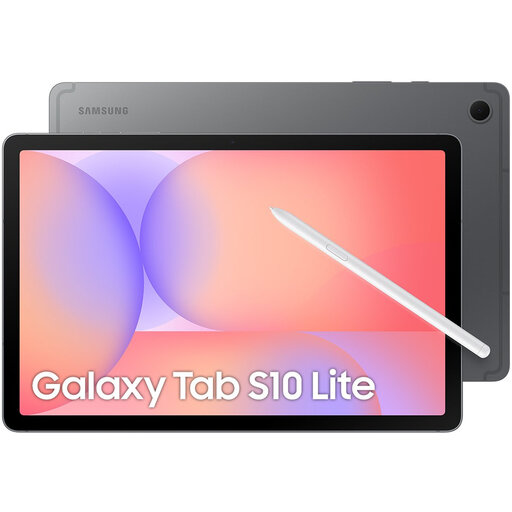 No image available
An Android tablet option for anyone who wants to combine notes with other tablet tasks; the product information lists an S Pen as included.
Wi-Fi; 128 GB.
Check the full model number and screen specifications of the version on offer.
It depends on the model. Samsung says the Galaxy Tab S10 Lite comes with an S Pen. Apple lists which Pencil models work with the iPad (A16); check separately what’s included with your purchase. The Lenovo page for the Idea Tab ZAFR0405SE we checked gives conflicting information about the stylus, so ask for confirmation of what’s in the bundle.
Try using one of your own documents to see whether you can import, annotate and export it. For the Paper Pure, reMarkable lists PDF and EPUB import and PDF, PNG and SVG export; searching handwritten notes is listed as a Connect subscription feature.
The Dutch government states that you can make a private copy of copyright-protected material for your own use, but you can’t distribute or publish it without permission. Also check the relevant library’s rules on photographing materials.
According to ACM ConsuWijzer, online purchases usually come with a statutory cooling-off period of up to 14 days after delivery, subject to legal exceptions. If the product develops a fault, the Dutch government says the seller remains your point of contact for your statutory guarantee; the expiry of a manufacturer’s warranty doesn’t automatically end that statutory right.
No. Don’t assume the rules apply to every writing device without checking. According to the European Commission, energy labelling rules have applied since 20 June 2025 to ‘slate tablets’ placed on the EU market from that date, with exceptions and product categories that fall outside the definition. So check the category and label for the specific model.