
Reader of illustrated criticism
You read designed articles or PDFs with film stills and want to see the page without constantly zooming in. The Consumers’ Association explains the trade-off between more screen space and portability.


For film criticism with designed layouts or PDFs, a larger screen of around 11 inches is a sensible choice if you want to see the whole page at once. If you often read without a table, prioritise portability and weight. The Consumers’ Association notes that larger tablets can quickly become heavy and awkward to hold for long periods. If you take notes, check both the stylus and what’s included in the bundle, as well as the annotation features in your reading app. For borrowed titles, check device availability for each title and the online Library app requirements.
You read designed articles or PDFs with film stills and want to see the page without constantly zooming in. The Consumers’ Association explains the trade-off between more screen space and portability.
You take your tablet to the library and often read without a table or stand, so a portable device matters more than the largest possible screen. The Consumers’ Association points out that larger tablets can be less comfortable to hold for long periods.
You want to keep passages alongside your own observations, so you’re considering both stylus support and what your reading app can do with the files you use. Lenovo lists a stylus bundle for the specific Tab M11 version, ZADA0134SE.
Start by thinking about how you want pages to look, then weigh that against how often you’ll be holding the tablet. Next, check stylus support and access to the titles you want to read.
Choose this if: you often read designed film criticism or PDFs with images and want to view the whole page.
Bear in mind: more page space can come at the cost of comfort when holding the tablet for longer periods; the Consumers’ Association highlights this trade-off.
Choose this if: you often take your tablet with you or hold it while reading, and mostly read standard web articles.
Bear in mind: PDFs with small text may require more frequent zooming on a compact screen.
Choose this if: you mainly read titles explicitly available for the device, and illustrated pages aren’t a priority.
Bear in mind: according to the online Library, some books with lots of images can only be read in the app or online.
| What to consider | What to check before buying | Who is this important for? |
|---|---|---|
| Readability of designed articles and PDFs | Try one of your own PDFs and web pages at your preferred text size; compare the screen size and resolution of the exact version. | If you read film criticism with stills, you’ll want to view the page without constantly zooming in. Around 33% of consumers prioritise readability of designed articles and PDFs. |
| Portability when reading without a table | Compare the dimensions and weight of the exact version, and try holding it while reading both an article and a PDF. | If you take your tablet with you and often read without a table, portability may matter more than seeing a full page at once. Around 27% of consumers prioritise portability when reading. |
| Taking notes on the criticism you read | Check the exact model and what’s included in the bundle; try annotating in the app and with the files you use. | If you want to keep passages alongside your own observations, check that the stylus, app and file work together in the way you need. Around 20% of consumers prioritise taking notes. |
| Access to digital texts | Check device availability for each title. For the online Library app, the organisation specifies at least Android 10 or iOS 16; check the requirements when you install it. | If you want to read specific digital or borrowed titles, first check that those particular titles are available on your device. Around 20% of consumers prioritise access to the texts they want. |
A larger screen gives you more room to view a page, but may be less comfortable to hold for long periods. On a small screen, a designed PDF may require more frequent zooming.
Try a sample page of your own and check the weight in the position you usually read in.
A stylus included with one version doesn’t automatically mean you can annotate a borrowed title in your reading app.
Check the bundle, app and file separately before choosing accessories.
Depending on the version, you may need to buy a stylus or a suitable app separately.
According to the online Library, some books with lots of images can only be read in the app or online.
For the titles you want to borrow, check which devices are supported.
The 11-inch iPad (A16) is an option if you’re looking for a screen for articles and PDFs and may want to use a compatible Pencil.
The Galaxy Tab A11 is a more compact option for reading, while the Galaxy Tab A11+ has a larger screen if you want more room for each page.
The Tab M11 version ZADA0134SE is worth considering if you’re looking for a specific version with a stylus bundle for taking your own notes.
The Redmi Pad 2 is an 11-inch option to compare if you read designed pages and images.
This Joybuy selection features tablets of 11 inches or larger for readers who want more room to view film criticism and PDFs. Size alone doesn’t determine whether a tablet is comfortable to hold for long periods.
 No image available
Ideal for readers who want to view designed articles or PDFs on a larger screen.
Version: 11 inches, Wi-Fi, 256 GB.
 No image available
An option for readers who want to view film criticism and PDFs on a larger screen.
Version: 11 inches, Wi-Fi, 128 GB.
 No image available
An 11-inch option for readers who value extra page space for articles and PDFs.
Listed version: 6 GB RAM + 26 GB virtual RAM, 128 GB ROM, 90 Hz IPS screen, 8000 mAh and 4G LTE.
 No image available
Ideal if you want to view film criticism with designed layouts on a larger screen.
Version: 11 inches, Wi-Fi, 256 GB.
 No image available
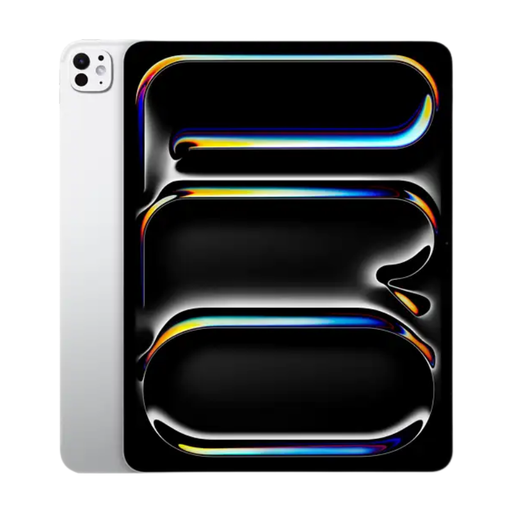
The 13-inch version is an option if you want more screen space for designed pages.
Version: 13 inches, Wi-Fi, 128 GB. A larger size may be less practical to hold for long periods.
No. Check whether the specific title is available. The online Library lists the devices each e-book is available on; according to the organisation, some books with lots of images can only be read in the app or online.
If the app says you still need to accept the terms and conditions, the online Library advises you to sign in on its website first and accept them there. On 28 October 2026, the online Library listed Android 10 or iOS 16 as the minimum requirements for the app; check the requirements again when you install it.
According to ACM ConsuWijzer, for a standard online tablet purchase you generally have up to 14 days to change your mind after the product has been delivered; exceptions may apply. In addition, if a product doesn’t do what you could reasonably expect during normal use, the seller must resolve the issue under the legal guarantee. This doesn’t mean every tablet has a fixed two-year guarantee period.