
Fieldworker in wet terrain
You regularly check notes outdoors and need controls and protection suited to rain, dirt or gloves. Panasonic Connect and Samsung describe models designed for tougher field use.


If you’ll be using your tablet outdoors in the rain or while wearing gloves, choose a model designed for those conditions and check the protection and controls specified for the exact version. For reading on the move, a compact size matters more, while a larger screen can be more comfortable for annotating. People talking in the background don’t automatically make a tablet suitable for speech recognition; decide separately whether you simply want to read, play audio or record something yourself.
You regularly check notes outdoors and need controls and protection suited to rain, dirt or gloves. Panasonic Connect and Samsung describe models designed for tougher field use.
You want to open existing notes quickly while out and about, and prioritise portability over a large screen. Apple and the Consumers’ Association highlight the benefits of a compact size on the move.
You add text, highlights or sketches, so you’re mainly looking for enough room to write and a suitable stylus. Samsung and Lenovo offer a range of screen and stylus options to compare.
First, decide whether the tablet needs to cope with wet conditions and use with gloves. Then choose between a compact size for taking on the go and more room for annotations. Treat background speech as a separate audio requirement.
| Key consideration | What to look for | Who is this most important for? |
|---|---|---|
| Use in wet field conditions | Check the protection rating and whether the exact version is explicitly designed for use in rain and with gloves or a stylus. Don’t assume that IP65 means it can be submerged. | If I need to check notes outdoors in wet terrain, I want to know whether the protection and controls suit my conditions. Around 36% of consumers make wet-weather operation their top priority. |
| Screen and stylus | Try the screen size with your own documents and check that the stylus is compatible and included in your chosen bundle. | I want to add to maps or notes without working on a small screen. Around 29% of consumers prioritise space for annotations. |
| Background conversations and audio | Decide whether you simply want to read, play audio or record conversations. If you need a recording or transcription feature, check that it works with your own app. | If people are talking while I work, I first want to know whether I need to read in peace or use audio too. Around 21% of consumers give dealing with background conversations top priority. |
| Portability and offline access | Compare the weight and screen size of the exact version, and test in advance whether you can open and edit files stored locally. | I want to refer to notes while on the move and open them without needing a fixed workstation. Around 14% of consumers prioritise mobile access. |
Screen size and stylus support alone don’t prove that a tablet is suitable for use in the rain.
First, establish whether you’ll be using the tablet outdoors without shelter. Then compare the protection and controls specified for the exact version.
What’s in the box can vary by model or bundle. The Lenovo page we consulted names a stylus in the product title, but also says it’s optional and sold separately.
Check what’s included with your chosen version and make sure it’s compatible. Samsung says the Galaxy Tab S10 Lite comes with an S Pen.
A product title that says “waterproof” doesn’t tell you which protection rating or usage conditions apply.
Check the exact model code and protection information with the manufacturer before using a tablet in wet terrain.
The TOUGHBOOK G2 is worth comparing if you want to combine rugged outdoor controls with a Windows workflow.
Compare the Galaxy Tab Active5 Pro for tougher field use and the Galaxy Tab S10 Lite for a larger screen when working in more sheltered conditions.
The iPad mini suits a compact reading setup, but has less screen space than a larger model.
The Idea Tab is an 11-inch Android option to compare if you want to add to notes using a stylus.
Surface Pro is a Windows option for anyone who works with field notes in existing PC software and also wants to use a stylus or keyboard.
These product picks cover compact reading, annotating on a larger screen and a tablet positioned as rugged. Check a tablet’s protection separately before using it in wet terrain.
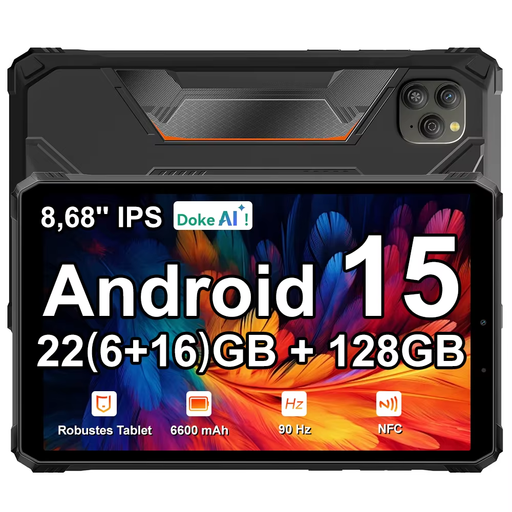 Image unavailable
The listed screen size is suitable for viewing digital notes; check the protection rating before using the tablet outdoors in wet terrain.
The product title lists an 8.68-inch IPS screen with 90 Hz, Android 15 and 128 GB ROM. It also describes the tablet as “hardened” and “waterproof”, but doesn’t give a protection rating.
 Image unavailable
The larger screen and listed stylus are suited to adding to notes; check in advance that the accessories are included in your chosen bundle.
The product name lists 9GB RAM, comprising 3GB plus 6GB of virtual expansion. The bundle description lists a case, keyboard, mouse, stand and stylus, among other items.
 Image unavailable
The compact size is suited to checking notes on the move, but not to use in wet terrain.
The product name lists 4GB RAM, 128GB storage and model code ZAF00221GR. The product description recommends keeping the device away from water.
 Image unavailable
The large screen and stylus are useful if you want to view and add to notes in detail; don’t use this model if rain resistance is essential.
The product name lists 20GB RAM, comprising 8GB plus 12GB of virtual expansion, 256GB storage and an included stylus. The safety information advises against using it in damp conditions.
No. Check the protection rating and the usage conditions specified for the exact version. Panasonic lists IP65 and operation in the rain for the TOUGHBOOK G2, but that doesn’t support use underwater.
It varies by model and bundle. Samsung says the Galaxy Tab S10 Lite comes with an S Pen. For the Lenovo Idea Tab, check your chosen bundle, as the product information we consulted gives conflicting indications about the stylus.
Before you set off, test whether you can open, search and, if necessary, edit your notes and files without a network connection. A Wi-Fi or 5G label doesn’t prove that your files will be available offline.
No, you don’t need to record conversations to read and annotate notes. If you do record identifiable people and process personal data, the Dutch Data Protection Authority says you must establish an appropriate GDPR legal basis in advance; the assessment depends on the purpose and circumstances.