
Fieldworkers without regular access to a charger
If you spend long days reading and writing notes, it’s worth checking battery life in advance and planning how you’ll charge the tablet or carry a spare battery.


If you regularly work outdoors in wet conditions and have few opportunities to charge, start by looking at a rugged model with a removable battery, and check the protection rating for the exact version. For sheltered use, a standard tablet may be enough, but check that it supports your fieldwork software and download maps and notes for offline use in advance. Manufacturer specifications do not guarantee how long a tablet will last during your working day.
If you spend long days reading and writing notes, it’s worth checking battery life in advance and planning how you’ll charge the tablet or carry a spare battery.
If you regularly use your tablet outdoors, check the protection rating and how easy it is to operate in the rain for the exact version you’re considering.
If you need to work without a mobile connection, it helps to test your offline workflow for documents and map data in advance.
A good fit if: you regularly work outdoors and can carry a charged spare battery.
Bear in mind: check battery compatibility and the protection rating for the exact version; any spare battery will also need to be charged.
A good fit if: you want a screen and stylus for taking notes, and protection against occasional water exposure matters to you.
Bear in mind: IP68 applies under the stated test conditions and does not mean you can use the tablet without limits in marsh water.
A good fit if: you mainly read or take notes somewhere dry, and the operating system supports the app you need.
Bear in mind: a case is not proof of an IP rating; also check which stylus is included with the version you choose.
A good fit if: you need field software that runs on Windows, or rain and glove operation are important to you.
Bear in mind: check the configuration, software and power supply separately; IP65 is not the same as IP68.
| What to consider | What should you check? | Who should prioritise this? |
|---|---|---|
| Battery life away from a power socket | Where applicable, compare battery life per charge on the EU energy label. The European Commission points out that apps, screen brightness and signal strength affect real-world battery life. If the battery is removable, check compatibility too. | I can’t charge while I’m out and want to know in advance how I’ll get through a long working day. Around 33% of consumers put battery life first. |
| Protection and operation in wet weather | Read the IP rating conditions for the exact model and check whether operation in the rain or with gloves is specified. | I regularly work in wet conditions and need protection and controls suited to my circumstances. Around 27% of consumers prioritise protection against wet conditions. |
| Offline notes and maps | Test whether notes, attachments and map layers can be opened and edited without a network connection. Check that your fieldwork app supports the operating system. | I want to be able to carry on working on site when there’s no connection. For around 20% of consumers, offline access is the most important factor when choosing a device. |
| Readability and annotation | Check the screen version and stylus support, and test readability in the lighting conditions you’ll be working in. | I want to be able to read and mark up field notes clearly, even when I need to hold the screen regularly. Around 20% of consumers prioritise readability and annotation. |
A battery rating in mAh doesn’t tell you how many hours you can work with maps and notes. The European Commission lists apps, screen brightness and network signal among the factors that affect battery life.
Where possible, compare battery life using the same test basis, and try out your own offline workflow at the screen brightness you want to use.
Samsung’s IP68 test for the Galaxy Tab S10 FE and included S Pen has conditions covering factors such as fresh water, depth and duration. It is not a general guarantee for other conditions.
Read the test conditions for the exact version and don’t assume it is protected beyond those conditions.
Online data sources are not automatically saved to the tablet. The QField documentation explains that a project package must be copied to the device in advance.
Before you set off, test without a connection to make sure the full project, including attachments and map layers, works.
The Galaxy Tab Active5 Pro is a rugged Android option with a swappable battery, while the Galaxy Tab S10 FE focuses on its screen, stylus and specified water resistance.
The TOUGHBOOK G2 is a Windows option if you rely on existing field software or need to operate the device in the rain and while wearing gloves.
The 11-inch iPad (A16) may suit reading and annotation in a sheltered place, provided the app you need runs on iPadOS.
The Tab M11 could be a standard Android option for taking notes; check the exact screen version and stylus bundle.
These tablets are worth considering for field notes, with options that offer features such as a rugged design, a larger screen or a stated battery capacity. For fieldwork in wet conditions, always check the exact product version and test conditions. A listed specification does not guarantee battery life or suitability for every situation.
 No image available
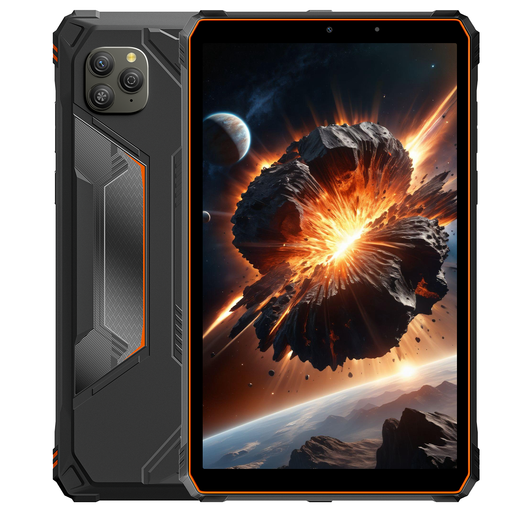
An option to consider if you’re looking for a tablet for field notes with limited charging opportunities; the stated battery capacity does not guarantee battery life.
The product name lists a 22.000 mAh battery, a 10.36-inch HD screen, dual-SIM 4G and Android 13.
 No image available
This version may appeal if you’re considering a smaller tablet; check the protection rating of the exact model before using it in wet conditions.
The product name lists an 8.68-inch 90 Hz IPS screen, a 6.600 mAh battery and Android 15. Its water resistance is a product claim, not an independent test result.
 No image available
An option to consider if you want to read and annotate field notes on a larger screen; also check that your chosen software works on this tablet.
The product name lists a 12.1-inch 2.5K screen, 8 GB RAM and 256 GB storage. The product description says that a Lenovo Pen is included.
 No image available
A larger-screen option to consider if readability and annotation are important to you; the stated screen and protection specifications do not guarantee suitability for every outdoor environment.
The product name lists a 12.2-inch 2.4K 120 Hz screen, a 10.000 mAh battery and IP69K.
 No image available
This option is worth considering if the stated RAM and storage capacity suit your work files; on their own, these figures say nothing about battery life or protection against wet weather.
The product name lists 12 GB RAM and 512 GB storage.
Yes, if you prepare your project and data for offline use in advance. QField explains how to package a QGIS project and copy it to your device, so you can sync it later. Before you set off, also test attachments and map layers without a connection.
Where the relevant EU energy label is available, use the stated battery life per charge as a standardised point of comparison. The European Commission points out that real-world use depends on factors including apps, screen brightness and network signal. Allow some extra capacity, and assess any spare battery separately.
Not automatically. The IP68 rating Samsung lists for the Galaxy Tab S10 FE and included S Pen applies under specified test conditions involving fresh water. Check those conditions and don’t assume protection in circumstances beyond them.
It depends on the version and bundle. Apple lists a USB-C cable in the box with the iPad (A16) and names compatible Apple Pencils separately; Lenovo offers the Tab M11 version reviewed with a stylus. Check the contents and charging equipment included with the exact pack you choose.
EU requirements for a common USB-C charging port have applied since 28 December 2024 to tablets within scope. The European Commission says energy labelling has applied since 20 June 2025 to slate tablets covered by those rules, but not to tablet computers such as those in the Windows category described here. Check whether the rules apply to the specific version.