What should you look for when choosing?
Start with the space available on your desk and a screen size that lets you read maps, tables and handwriting. Then check the pen and app you plan to use, and test how your files remain available offline.
| What to consider |
What should you check? |
Who should pay extra attention? |
| Annotating notes |
Check which pen works with the exact model and what’s included in the chosen package. |
If I often mark up or add to field notes by hand, I want to know in advance which pen and any adapter will work. Around 31% of consumers put annotation first. |
| Readability on a small desk |
Measure the available space, including a case or stand, and view one of your own notes on the screen. |
I want to be able to read maps, tables and handwriting without the tablet taking over my whole workspace. Around 31% of consumers focus mainly on desk-friendly dimensions. |
| Local files and connectivity |
Test sample files offline in the app you plan to use; check the storage and connectivity version. |
When I need field materials without a network connection, I want to know whether files will open, edit and sync later as expected. Around 23% of consumers prioritise local files. |
| Occasional outdoor use |
Check the specifications for the exact version and assess the screen in your own lighting conditions. |
If I also use the tablet outdoors, I want to check in advance whether the screen will be readable in my conditions. Around 15% of consumers prioritise outdoor use. |
Joybuy products for compact workspaces
These Joybuy products are tablets with a stated screen size of around 10 to 11 inches and listed storage capacities. Compare the exact version with the space on your desk, and separately check that it works with your pen and document app.
 No image available
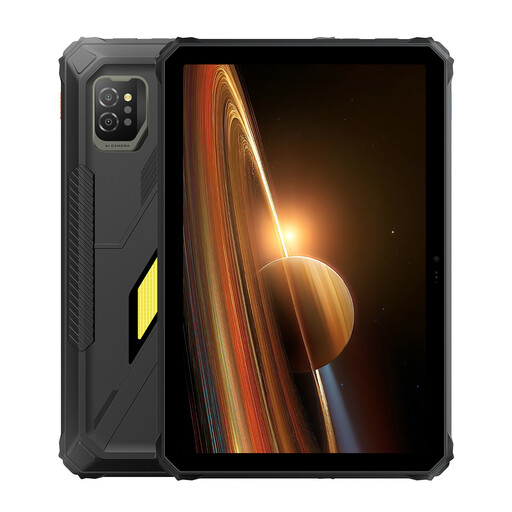
Blackview Active 8 Pro, 16 GB (8 GB + 8 GB) + 256 GB, 10.36-inch HD, black
The stated screen size and storage are useful to consider if you’re looking for a compact tablet for field notes and files.
The product name lists a 10.36-inch HD screen and 256 GB of storage.
View at Joybuy
 No image available
Blackview Active 7, 24 GB (8 GB + 16 GB) + 128 GB, 11-inch IPS, Android 15
The listed 11-inch screen size and storage can help you compare reading space and local file storage.
The product name lists an 11-inch IPS screen and 128 GB of storage.
View at Joybuy
 No image available
Lenovo Tab MediaTek, 128 GB, 10.1-inch, 4 GB, Wi‑Fi 5 (802.11ac), Android 14, grey
This version may be worth considering if you’re comparing tablets with a stated 10.1-inch screen size and local storage.
The product name lists 128 GB of storage, 4 GB of memory and Wi‑Fi 5 (802.11ac).
View at Joybuy
No image available
Lenovo Tab 4G MediaTek LTE, 128 GB, 10.1-inch, 4 GB, Wi‑Fi 5 (802.11ac), Android 14, grey
The stated screen size and storage are worth considering if you want to view and store documents locally on a compact screen.
The product name lists 128 GB of storage, 4 GB of memory and Wi‑Fi 5 (802.11ac). Check the exact connectivity version to make sure it suits your needs.
View at Joybuy
 No image available
Lenovo Tab K11 Gen 2, 11-inch, 2.5K, MediaTek Dimensity 6300, ZAFS0069CZ
The stated 11-inch screen size gives you a clear reference point to compare with the space available on your desk.
The product name lists a 2.5K screen and MediaTek Dimensity 6300.
View at Joybuy
Frequently asked questions
How can you check whether your field notes work without an internet connection?
Test a representative file in the app you plan to use: open it offline, add an annotation, then check that it saves correctly and syncs later. Storage capacity or a microSD slot alone doesn’t prove that a particular app supports this workflow.
Will any digital pen work with a tablet?
No. Check which pen works with the exact model. For the iPad (A16), Apple lists Apple Pencil (USB‑C) and Apple Pencil (1st generation), for which it specifies an adapter; Lenovo lists various Tab Pen accessories and notes that configurations can vary by region. Also check what’s included in your chosen package.
What can you do if the tablet doesn’t work properly after you buy it?
For a consumer purchase in the Netherlands, the seller must offer a solution if the product doesn’t meet expectations. According to the Dutch Government, there is no fixed statutory two-year guarantee period in the Netherlands; what you can reasonably expect depends, among other things, on the product and the sales information. For online purchases from a business, you will often also have a 14-day cooling-off period.
Does a tablet need an energy label in the Netherlands?
According to the European Commission, energy labelling requirements apply from 20 June 2025 to slate tablets placed on the EU market from that date. The Commission distinguishes this category from certain tablet computers with a desktop-style operating system and keyboard, so check which product category your tablet falls into.
Can you process personal data from field notes on a tablet without any restrictions?
If your notes contain personal data and the GDPR applies to how you process it, you need a valid legal basis. The Dutch Data Protection Authority lists consent as one of several possible legal bases, not as a requirement for every research project. This source does not establish a general consent requirement for notes that contain no personal data.


