
The handwritten observer
You mainly jot down observations as they happen and want the choice between a compact writing space and a larger screen.


Choose a general-purpose tablet if you want to use other apps or documents on the same device as your handwritten notes. A dedicated writing device is a better fit if focused writing is your priority. When choosing, check stylus compatibility, whether the size suits a small café table, and how you can export or sync your notes.
You mainly jot down observations as they happen and want the choice between a compact writing space and a larger screen.
You switch between notes, documents and other tablet features as you write. Stylus compatibility and the exact model are important here.
You read source material and add notes or annotations as you go. Being able to find them again and keep them safe matters too.
First decide whether you need general tablet apps as well as writing tools. Then compare the stylus, the size, and how you’ll store and transfer your notes.
| What to consider | What should you check? | Who is this important for? |
|---|---|---|
| Handwriting | Check that the stylus is compatible with the exact model and whether it is included. | If I mainly want to write by hand on the spot, a suitable stylus is essential. Around 36% of consumers prioritise the writing experience. |
| Focus and organisation | Compare the writing, search and organisation features you want with what’s available without a subscription. | If I mainly want to jot down and organise short observations in a café, extra apps matter less than a calm writing experience. Around 29% of consumers prioritise focused note-taking. |
| Size and portability | Compare the screen size and weight of the specific model with your bag and the space available at your table. | If I often write on the go or sit at a small table, I want a device that’s practical to carry, even if that means less writing space. Around 21% of consumers prioritise portability. |
| Storing and transferring notes | Test the export and backup options you plan to use, and check any subscription terms. | If I want to use my notes on another device later, I want to know in advance how I can save and find them. Around 14% of consumers prioritise transferring and keeping their notes. |
Stylus compatibility varies by model. Apple lists support for Apple Pencil (USB‑C) and Apple Pencil (1st generation) with the iPad (A16); Kobo lists the Stylus 2 for the Elipsa 2E.
Check the full model names of both the tablet and stylus, and see whether the stylus is included with the version you’ve chosen.
A compatible stylus may need to be bought separately, so check before choosing a version.
reMarkable distinguishes between features available without a subscription and the additional features included with Connect. Don’t assume, then, that every cloud feature you want is available without a subscription.
Decide which syncing and editing features you need, then check the terms for using the device without a subscription and with Connect.
A larger screen gives you more room to work, but the Dutch Consumers’ Association says that extra-large tablets are less easy to carry around.
Compare the writing space with the room in your bag and on the tables where you usually work.
Kobo warns that notebooks and annotations on the Elipsa 2E may be lost after signing out or resetting the device if they haven’t been backed up first.
Check your syncing and make a test export before keeping important notes only on the device.
The iPad range is an option if you want to combine handwritten notes with other tablet apps.
The Galaxy Tab S range is an option if you’re looking for a general-purpose Android tablet with a stylus for note-taking.
The Paper Pro Move is a dedicated writing device in a compact design.
The Elipsa 2E is an e-reader that also lets you write in notebooks and on reading material.
The Tab P12 is aimed at people who value a large Android screen for documents and notes more than compactness.
These product picks are aimed at handwritten field notes on a tablet. Several models list a pen or stylus, and some specifications are also well suited to working with documents.
 No image available
An option if you want to combine handwritten notes with documents on a general-purpose tablet.
The product description says it comes with a Lenovo Pen for note-taking. The title lists a 12.1-inch 2.5K screen, 8 GB RAM, 256 GB storage and the colour Rose.
 No image available
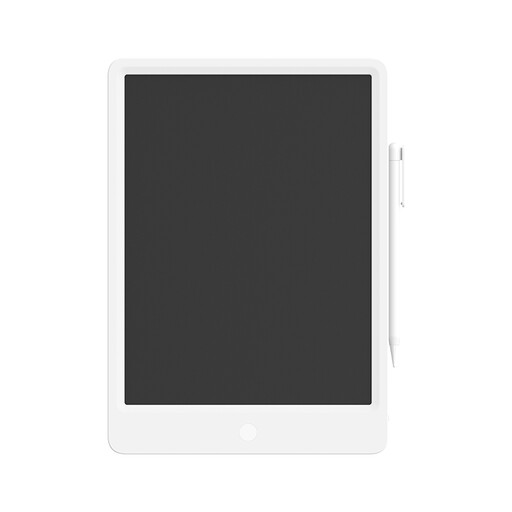
A digital writing tablet for making handwritten notes with a stylus.
The product name lists a 13.5-inch LCD screen and reusable functionality.
 No image available
A general-purpose tablet option if you want to use apps and documents as well as take notes.
The product information lists a Tab Pen included for note-taking and writing, 8 GB RAM and 256 GB storage. According to the product description, the charger isn’t included and must be bought separately.
 No image available
A tablet with a stylus for handwritten notes, supplied in a bundle that includes several accessories.
The product name lists a 10.1-inch screen, 9GB* RAM (3GB + 6GB virtual expansion) and 64GB storage. The bundle includes, among other things, a case, Bluetooth keyboard, mouse, stand, charger and stylus.
 No image available
A tablet with a stylus for taking notes alongside apps or documents; its large screen may make it less easy to carry around.
The product name lists a 12.7-inch screen with 2K resolution, 20GB RAM (8GB + 12GB virtual), 256GB storage and a stylus.
Yes. Apple lists Apple Pencil (USB‑C) and Apple Pencil (1st generation) as compatible, but the iPad box contents include a USB‑C charging cable and no Pencil. Check whether the right stylus is included with the version you’ve chosen.
Make a test note and check how to find, export and back it up. Kobo warns that notebooks and annotations on the Elipsa 2E may be lost after signing out or resetting the device if they haven’t been backed up first. With reMarkable, additional cloud features depend on Connect.
Be careful when carrying out sensitive online activities over unsecured public Wi-Fi. The Dutch information platform Veiliginternetten recommends using a VPN or mobile data instead. Also check the security rules of your employer or client, if applicable.
According to the Dutch government, you have a 14-day cooling-off period in many cases when buying at a distance; a purchase from a private seller isn’t automatically covered by the same rules as a purchase from a business. ACM ConsuWijzer also explains that, with normal use, you’re entitled to a product that meets reasonable expectations. In the Netherlands, the legal guarantee period isn’t a fixed two years for every product.