
For people who read quick notes on the move
You want to open a schedule or a short event note quickly while walking. A portable size is important, as the Consumers’ Association notes that small tablets are compact and convenient for travelling.


For quick notes you open while on the move, focus on portability and make files available offline in advance; Google Drive for Android offers a ‘Make available offline’ option. A larger screen gives you more room to read longer documents, while a rugged business tablet is better suited to regular use in demanding outdoor conditions. Also check the exact connectivity, what’s included in the box and how easy the screen is to read where you’ll be using it.
You want to open a schedule or a short event note quickly while walking. A portable size is important, as the Consumers’ Association notes that small tablets are compact and convenient for travelling.
You read longer documents or switch between a schedule and your notes. In that case, more screen space and files you can access in advance may matter more than choosing the smallest size.
You use the device repeatedly in conditions where knocks or exposure to the elements are a real risk. Check the protection and battery provision of the exact version; Samsung positions the Galaxy Tab Active5 Pro for demanding business environments.
When choosing a tablet for taking event notes on a day trip, your first priority depends on how you’ll use it: offline access, portability, readability or protection in harsh conditions.
| Feature to consider | What to look for | Who should prioritise this? |
|---|---|---|
| Offline access | Check whether your notes app offers offline access; save the running order in advance and try opening it once without an internet connection. | If I might lose signal while travelling, I still want to be able to open my running order. Around 29% of consumers rank offline access as their top purchasing priority. |
| Portability | Compare the screen size and weight of the exact version; if possible, try your own document on a screen of that size. | When I’m doing a lot of walking and mainly checking short notes, I want a tablet that’s comfortable to carry. Around 29% of consumers prioritise portability. |
| Readability | Compare the screen size and brightness of the exact version; if possible, check how your own document looks outdoors. | If I’m reading longer notes or documents, I want enough space to read and a screen that suits where I’ll be using it. Around 28% of consumers name readability as their top priority. |
| Outdoor protection | Consider the conditions you’ll use the tablet in and check the protection and battery provision of the exact version. | When I use the tablet regularly in a demanding outdoor environment, I want to account for knocks and exposure to the elements. Around 14% of consumers prioritise protection. |
If you lose your connection, you may not be able to open a file that isn’t available on your device.
Make the files you need available offline in advance, then test them with your connection switched off. Google Drive for Android offers a ‘Make available offline’ option.
The version you choose determines which accessories and connectivity options you get. Lenovo’s product information for the Idea Tab ZAFR0405SE includes both ‘+ Pen’ and a note that the pen is sold separately as an optional extra.
Before you buy, check exactly what’s included and which connectivity options the version offers.
A quoted brightness figure isn’t a real-world test with your document, in the place where you’ll be using the tablet.
Compare the stated screen mode and, where possible, try your own document in similar lighting conditions.
The Galaxy Tab A11 is a compact tablet option; Samsung positions the Galaxy Tab Active5 Pro for demanding business environments.
The 11-inch iPad (A16) is an option if you want to read event notes on a larger screen.
The 11-inch Idea Tab is an Android option for documents and, potentially, pen use.
The Redmi Pad 2 is an 11-inch Android option with a stated outdoor screen mode.
This selection includes compact and larger tablets for reading event notes while you’re out and about. Check offline access and how the screen performs outdoors with your app and in your location.
 No image available
The compact 8.7-inch size is well suited to quick notes you check while you’re out and about.
Wi-Fi version; 4 GB RAM and 128 GB storage as stated in the product name.
 No image available
The 10.1-inch screen gives you more reading space than a compact tablet; check the exact connectivity version to make sure it suits your needs.
The product name lists 4G LTE, Wi-Fi 5 and Android 14.
 No image available
The 11-inch size gives you more room for longer notes than a compact tablet.
The product name lists a 2.5K screen and a MediaTek Dimensity 6300 processor.
 No image available
The product name lists an 11-inch screen and mobile connectivity for anyone who needs to stay connected while out and about; check coverage along your route.
The product name lists a 90Hz IPS screen and 128 GB of storage. The product information advises against prolonged exposure to sunlight and use in damp or dusty conditions.
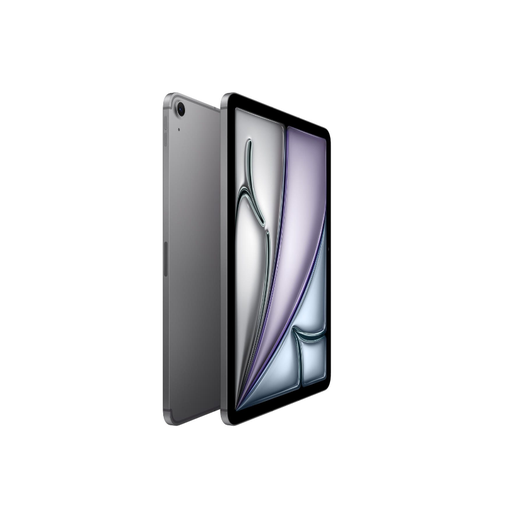 No image available
The 11-inch screen is well suited to reading longer notes; this version also offers Cellular for anyone who needs a mobile connection while out and about.
The product name lists 512 GB of storage.
Yes, as long as you’ve made the file available offline in advance. In Google Drive for Android, you can choose ‘Make available offline’; before you set off, check that your specific file and notes app open without a connection.
Not for files you’ve made available offline in advance. If you want to download new versions while travelling, check that the exact tablet version supports mobile data and that you’ll have coverage along your route.
For applicable slate tablets, the EU energy label provides information including battery life and repairability. According to the European Commission, the rules apply to products placed on the EU market in this category from 20 June 2025; some tablet computers fall into a different category.
For a consumer purchase in the Netherlands, the product must meet what you can reasonably expect; if there’s a fault, the seller is your point of contact, according to the Dutch government. For online purchases, you’re also entitled to a 14-day cooling-off period in many cases. Check the terms that apply to your purchase.