What should you look for when buying a tablet Ethernet adapter?
First, check your tablet’s port and compatibility. Then decide whether you want to charge while using it, and whether your network can make use of speeds above 1 Gbit/s.
| What to consider |
What should you check? |
Who is this important for? |
| Compatibility |
Note down your tablet’s exact model, connection type and operating system. Compare these details with the compatibility information for the specific adapter. |
I want to avoid an adapter that fits the port but doesn’t work with my tablet. Around 36% of consumers prioritise compatibility with their exact model. |
| Ethernet and charging |
Check whether the adapter has USB-C PD pass-through, what power supply it needs and whether your tablet supports charging with that combination. |
I want to keep my tablet charged during long wired sessions. Around 29% of consumers give simultaneous charging top priority. |
| Size and cables |
Compare the dimensions, cable length and connections with the space available for your tablet, adapter and network cable. |
I want to arrange my cables and equipment easily on a small desk. Around 21% of consumers prioritise a compact setup. |
| Network speed |
Check the speed of the network port at the other end and the cable before choosing 2.5 gigabit. |
I only want to pay for a faster adapter if my network can make use of the extra capacity. Around 14% of consumers prioritise faster network speeds. |
Joybuy products for wired internet on a tablet
These Joybuy products are USB-C networking options for wired internet, including compact RJ45 adapters, a hub and an adapter rated at 2.5 gigabit. Check the connection type and compatibility with your tablet for each version.
 No image available
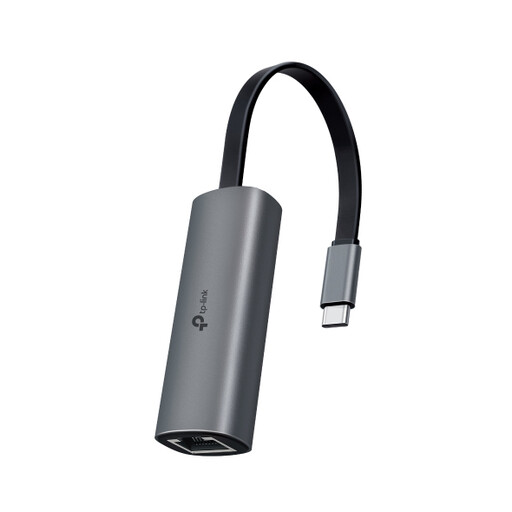
TP-Link USB Type-C to RJ45 Gigabit Adapter
Worth considering for a USB-C tablet if you want a wired RJ45 connection without extra ports; check support for your exact tablet model.
Joybuy
 No image available
HP USB-C to RJ45 Adapter G2
An option to look at if your tablet needs a wired connection via USB-C; check whether support for your tablet model is explicitly confirmed.
Joybuy
 No image available
Acer Type-C to Giga LAN Dongle
Worth considering if you want extra connections or charging pass-through as well as wired networking; check the ports and support for this version with your tablet.
Joybuy
 No image available
TP-LINK UE302C RJ-45 Adapter
Worth considering for a USB-C tablet if your network can make use of speeds above 1 Gbit/s. TP-Link lists a port speed of up to 2.5 Gbps for the UE302C; for peak performance, the brand recommends Cat5e or higher. Check compatibility with your exact tablet model, too.
Joybuy
Frequently asked questions
Can I connect a USB-C Ethernet adapter directly to any iPad?
No. First check which connection type your iPad has. Apple Support Netherlands describes USB-C connections for certain iPad models, and a connection method using a USB 3 Camera Adapter for supported USB-A Ethernet adapters on Lightning models. This doesn’t automatically confirm that every adapter combination will work.
What can I do if an adapter draws too much power through an Apple Camera Adapter?
For this connection method, Apple describes using an additional power source, such as a powered USB-A hub or the Lightning port on the USB 3 Camera Adapter. This advice doesn’t automatically apply to all USB-C tablets or adapter combinations.
Does 100 W PD mean my tablet will charge at 100 W?
No. Belkin lists 100 W as the maximum PD pass-through for the INC019btBK. Check which power supply you’re connecting and what charging power your tablet supports.
What are my rights if an adapter bought online isn’t suitable?
ACM ConsuWijzer says that online product purchases generally come with a statutory cooling-off period of up to 14 days after delivery, subject to exceptions. The Netherlands Authority for Consumers and Markets also explains that the seller is responsible for the statutory guarantee if a product doesn’t meet what the consumer could reasonably expect. Check the terms for your specific purchase and keep the product information.
What should I check for product safety when buying an adapter from outside the EU?
Check the product information and the requirements that apply to products sold in the EU. The Dutch government says electronic devices offered for sale in the EU must carry a CE marking. A marking alone doesn’t confirm that the adapter is compatible with your tablet.


