
Outdoor reader of text-based biographies
You mainly read long stretches of text in bright daylight and want to assess reflections and ease of handling first.


If you mainly read continuous text outdoors, an e-reader with a non-reflective E Ink screen is an obvious choice; Kobo, for example, describes the Clara BW as having this type of screen. If you also want to use reading apps, view photos and do other things you’d use a tablet for, compare tablets and assess them in the light you’ll be reading in: a stated brightness rating doesn’t guarantee comfortable reading in the sun.
You mainly read long stretches of text in bright daylight and want to assess reflections and ease of handling first.
You also look at photos, illustrations or documents, so you’ll want to consider screen size, colour and file formatting.
You want to borrow biographies or read them using different apps. The KB describes ways to read via an app, browser or e-reader; check which option works for each title.
Start with what matters most for the biographies you read: reading in bright light, page layout, access to books or portability. A brightness specification alone won’t tell you how a screen will perform in your outdoor surroundings.
| What to consider | What to look for | Who is this important to? |
|---|---|---|
| Reading in bright daylight | Compare screen technologies and reflections; if possible, view a tablet in similar daylight to where you’ll use it. | If I mainly read long texts outdoors, I want to minimise reflections. Around 38% of consumers give outdoor readability top priority. |
| Photos and fixed page layouts | View a sample page on the screen you’re considering and check whether enlarging it changes the layout. | For photos, illustrations or documents, I want to see how the page is displayed. Around 23% of consumers prioritise images and layout. |
| Access to books | Check the title you want, the reading app and any file protection or transfer requirements. | If I borrow books or read them using different apps, I want to know first whether I can access the titles I want. Around 23% of consumers give access to books top priority. |
| Portability and heat | Compare the weight of the exact model and check the user instructions for temperature guidance. | If I’m holding it for a long time or reading outdoors in warm weather, I consider the weight and how it handles heat. Around 16% of consumers prioritise portability and heat management. |
Samsung and Apple publish brightness specifications, but these aren’t a like-for-like real-world test of reflections or extended outdoor reading. Apple also says that an iPad may dim its screen if its internal temperature gets too high.
Assess screen technology, reflections and where you’ll be reading separately; don’t base your decision on a single brightness figure.
The KB describes reading via a tablet app, browser or e-reader. According to Kobo, some borrowed or DRM-protected books may require Adobe Digital Editions.
Check the title, provider and supported reading or transfer method you want to use before you buy.
Kobo’s product description for the Libra Colour says it supports the Kobo Stylus 2 and lists the stylus as an optional extra.
Check what’s included with the exact model if you want to take notes while reading.
A stylus sold separately may mean an additional purchase.
Reading-focused e-readers, from compact black-and-white models to colour screens.
Galaxy Tab tablets for reading alongside other Android tasks.
The 11-inch iPad (A16) for reading and other tablet tasks.
The Go Color 7 (Gen II), a compact colour e-paper option with Android apps.
The Kindle Paperwhite, a text-focused e-reader for books in the Kindle reading environment.
This selection includes tablets for reading and other tablet tasks, as well as a colour e-paper reader for reading with apps.
 Image unavailable
A compact tablet to consider if you want to read biographies using apps and use the device for other tablet tasks, too.
The product description lists an 8,7-inch TFT screen and a weight of 337 g.
 Image unavailable
A tablet to compare if you want to view larger pages and make notes while reading.
The product title lists a 12.1-inch 2.5K screen, 8GB RAM, 256GB storage and a pen.
 Image unavailable
A colour e-paper reader to consider if you want to view colour content and use reading apps on one device; check that your specific app and book will work.
The product information lists a 6.13-inch Kaleido 3 colour screen and Android 14. The compact screen makes it particularly important to check how scanned pages and images look.
 Image unavailable
A larger tablet to compare if you want to view illustrated pages and make notes while reading.
The product title lists a 12.7-inch 2K screen, 20GB RAM (8GB + 12GB Virtual), 256GB storage and an included stylus.
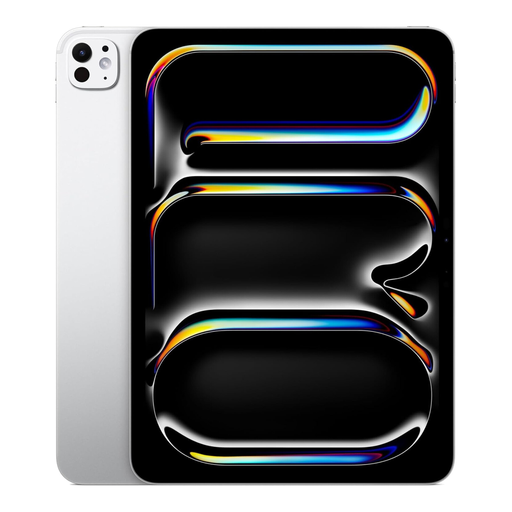 Image unavailable
A tablet to consider if you want to use apps and do other tablet tasks alongside reading biographies; assess the screen in the conditions where you’ll be reading outdoors.
The product title identifies this model as an 11-inch iPad Pro M5 with Nano Texture, 1TB and Wi-Fi.
The KB lists reading via an app on a phone or tablet, via a browser and on an e-reader. Check the available reading option for each title: according to Kobo, some borrowed or DRM-protected e-books may require Adobe Digital Editions.
Follow the setup process supported by Kobo for your model. Kobo says Kobo Desktop isn’t compatible with the Clara BW or Libra Colour and doesn’t work for customers in Europe; for some protected books, Kobo describes a separate Adobe Digital Editions process.
Apple says that an iPad may dim its screen if its internal temperature gets too high. Apple recommends an ambient temperature of 0–35 °C during use; bear this in mind when using it outdoors in warm weather.
When you buy something from a business at a distance, you’re often entitled to a 14-day cooling-off period, although exceptions apply. The product must also meet the terms of the agreement, and you can contact the seller if there’s a problem. The Dutch government states that the Netherlands doesn’t have one fixed statutory guarantee period for all products.
No, you don’t need to pay extra for a guarantee to have statutory rights. The Dutch government recommends checking the terms and seeing whether the additional guarantee offers more than the rights you already have.