What should you look for when choosing?
First check that the book club book works on the device. Then weigh readability in sunlight against PDF display, apps and portability.
| What to consider |
What to look for |
Who should pay extra attention? |
| Readability in bright daylight |
Check whether the exact model is described as non-glare; don’t judge how well it will work outdoors by its brightness rating alone. Consumentenbond warns that reflections on standard tablets can make reading in direct sunlight difficult. |
If I read for long stretches outdoors, I want reflections not to get in the way of the text. Around 36% of consumers prioritise readability in bright daylight. |
| Access to the book |
Check the title, file format and DRM with the provider. The Online Library says its Adobe DRM loans don’t work on Kindle e-readers. |
If I need to be able to open a borrowed book, I check the title and borrowing method first. Access to the chosen book is the top priority for around 29% of consumers. |
| PDFs, colour and apps |
Consider whether your selection is standard book text or a fixed-layout, richly formatted PDF. Compare screen size and the apps you need; Apple says the 11-inch iPad (A16) has an IPS display. |
For a fixed-layout PDF, I want enough screen space and access to apps, even if that makes reading in bright sunlight less comfortable. Around 21% of consumers put PDFs and apps first. |
| Portability and outdoor use |
Compare the size, weight and stated protection of the exact model. Follow the usage instructions if you read outdoors or near water. |
If I often take my device with me, its size and the conditions I read in both matter. Portability and outdoor use are the top priority for around 14% of consumers. |
Joybuy products for reading and reading apps
This selection includes e-readers for reading books and tablets for a larger screen or app use. Before buying, check the exact book title and the warnings and usage conditions for your chosen device.
 No image available
Bigme B751C S e-reader, 7-inch colour E Ink
An e-reader option for reading books; the product information advises avoiding prolonged exposure to sunlight.
The product name lists 4+64GB, 300 ppi and a front light with 36 levels.
View at Joybuy
 No image available
Bigme HiBreak Pro Color Display, 6.13-inch e-reader
An e-reader option for reading books that also lets you use apps; the product description mentions app installation.
The product description lists a Kaleido 3 colour screen, Android 14 and 8GB+256GB.
View at Joybuy
 No image available
Lenovo Idea Tab, 11-inch, 256 GB, Android 15
A tablet option for reading on a larger screen and using reading apps. The product information advises avoiding prolonged exposure to direct sunlight; Consumentenbond also highlights reflections on standard tablets as something to consider.
The product description lists a 2.5K IPS screen with 500 nits and Android 15. The product name lists 8 GB of memory and Wi-Fi.
View at Joybuy
 No image available
TECLAST P50, 11-inch tablet, Android 16
A tablet option for reading books on a larger screen and using reading apps. The product information advises avoiding prolonged exposure to direct sunlight; Consumentenbond says reading on standard tablets in direct sunlight is usually difficult.
The product name lists a 90Hz IPS screen, 32GB (6GB+26GB virtual) RAM, 128GB ROM and 4G LTE.
View at Joybuy
 No image available
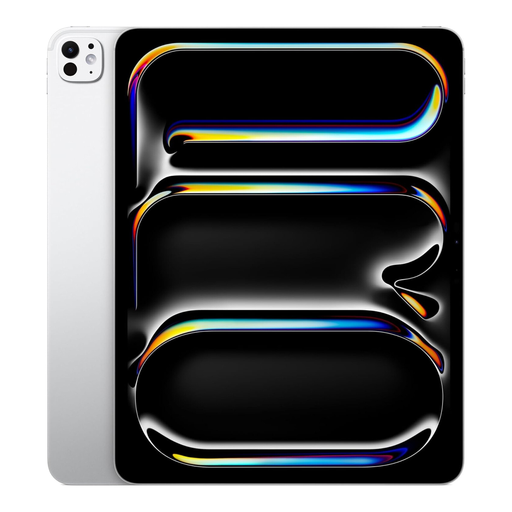
Apple 13-inch iPad Pro (M5), Wi-Fi, 2 TB
A tablet option if you need a large screen and other apps; according to Consumentenbond, reflections remain a consideration when reading in direct sunlight.
The product description lists an OLED screen, iPadOS and a wide colour gamut. The product name lists 2 TB of storage and the colour Silver.
View at Joybuy
Frequently asked questions
Can I read a book club book from the Online Library on a Kindle e-reader?
Not as an e-reader loan from that service: the Online Library says Kindle doesn’t support its Adobe DRM protection. Also check that your chosen title is available in the format you want to read.
How do I put an e-book from the Online Library on a compatible e-reader?
For this borrowing method, the Online Library specifies an e-reader with Adobe DRM and EPUB or PDF support, as well as Adobe Digital Editions on a computer. New login instructions have been in place since 23 June 2026 for new users and anyone who needs to log in or authorise again; follow the library’s current ByteBooks instructions.
What if my book club mainly shares richly formatted PDFs?
A tablet may be a better choice, as Consumentenbond warns that A4 PDFs can be difficult to read on small e-readers and that reflowing them can disrupt the layout. If you read outdoors, bear in mind that a standard tablet screen may reflect light.
What are my rights if I buy the device online from a business in the Netherlands?
For an online distance purchase from a business, the Dutch Government generally allows a 14-day cooling-off period, subject to exceptions. You also have statutory rights against the retailer if a product is faulty; ACM ConsuWijzer explains that, with normal use, the retailer is responsible for providing an appropriate solution.
Should I allow for recurring costs for my book club book?
Check whether you’re buying or borrowing the title, or reading it through a subscription, and what terms apply to your library membership. The Online Library says that subscription terms may vary depending on the local library.


