If you mainly read continuous text, consider an e-reader. For biographies with lots of photos or PDF pages, a tablet may be worth considering. The Dutch Consumers’ Association points out that e-readers are less suited to image-heavy books and PDFs. With a tablet, weigh portability against screen space, and download your books before you leave so you can open them offline. A quoted battery life for video isn’t a measure of reading time.
Who is this choice relevant to?
Reader without onboard Wi-Fi
If you want to finish a biography without an internet connection, download it in advance and check that it opens in your reading app. Rakuten Kobo also sets out separate conditions for Kobo Plus books opened offline during a trial period.
Reader who holds their tablet
If you read for a long time with the device in your hands, compare the weight and screen size of the exact model. The Dutch Consumers’ Association says compact tablets are handy for travelling.
Reader of image-heavy biographies
If your book contains lots of photos or PDF pages with a fixed layout, pay extra attention to the available screen space. The Dutch Consumers’ Association discusses tablets as an option for reading PDFs.
What should you consider when choosing?
Start with the type of book you’re taking with you. Then decide whether you’d rather have a portable device or more room for pages and images.
Compact tablet
Ideal for: anyone who wants to hold their tablet while reading and use other apps too.
Trade-off: a smaller screen gives you less room for pages with a fixed layout, so you may need to zoom in.
Larger tablet
Ideal for: anyone who wants to view photos, scans or PDF pages more clearly.
Trade-off: larger models can be heavier. Apple lists the 11-inch iPad (A16) Wi-Fi model at 477 g, while Xiaomi lists the Redmi Pad 2 at 510 g.
E-reader
Ideal for: anyone who mainly reads continuous e-book text during the flight and doesn’t need many other tablet features.
Trade-off: according to the Dutch Consumers’ Association, e-readers are generally less suited to A4 PDFs and image-heavy books. Also check that your specific title and file format will work.
| Concern |
What to look for |
Who is this important for? |
| Carry on reading offline |
Download the title in advance and check that it opens with your connection switched off. If you have a subscription, check the offline terms. |
I don’t want to rely on Wi-Fi during the flight, so I’ll download my biography beforehand; around 33% of consumers prioritise offline access. |
| Comfortable to hold |
Compare the weight and screen size of the exact model with a sample page from your book. |
If I’m reading for a long time with the device in my hands, I want to know how its size feels; around 27% of consumers prioritise portability. |
| Photos and PDF pages |
View a full page from the biography you’ve chosen and try the zoom function on the screen you’re considering. |
I want to view photos and scans without making the fixed page layout difficult to read; around 20% of consumers prioritise image-heavy pages. |
| More than just reading books |
Check that your reading app works on the device and that the media you want is available locally. |
I want to use other tablet features during the same trip; around 20% of consumers prioritise versatility. |
Common buying mistakes
-
Assuming a battery figure guarantees reading time
A battery life figure for video streaming or a battery capacity in mAh doesn’t tell you directly how long your reading app will last. Lenovo lists up to 12.5 hours of YouTube streaming for the Tab One; that isn’t a reading-time measurement for a flight.
Check which activity was tested for any quoted battery life, and charge your device before you leave.
-
Choosing based on screen size alone
A4 PDFs and image-heavy pages may be less suited to an e-reader, while a small tablet may require you to zoom in. The Dutch Consumers’ Association discusses these trade-offs for e-readers and tablets.
Before buying, look at a page from the specific biography and weigh readability against the size of device you want to hold.
-
Assuming every reading app can open your book
The online Library lists which devices each e-book is available on. A title or file format won’t necessarily work with every reading app you choose.
Check where your biography is available and whether the app you’re considering supports the title and file format.
-
Packing a power bank in your checked luggage
EASA says that power banks and spare batteries must be carried in hand luggage, not checked baggage.
Before you leave, also check your airline’s rules for carrying and using spare power supplies.
Brands to consider
Samsung
The Galaxy Tab A11 model SM-X130NZAAEUB is a compact Wi-Fi tablet worth comparing for reading and light use.
- For this model, Samsung specifies a screen resolution of 1340 × 800 pixels and a 3.5 mm jack.
- These specifications don’t tell you how comfortable it is to read on. Check how the text in your biography appears on screen.
Lenovo
The Lenovo Tab One, model ZAF00255SE, is a compact Android tablet with a stated screen diagonal of 8.7 inches.
- Lenovo lists a weight of around 320 g and 64 GB of storage for this model.
- The quoted battery life of up to 12.5 hours is for YouTube streaming, not reading.
Apple
The iPad mini is a compact tablet option, while the 11-inch iPad (A16) offers a larger screen for anyone who also wants to view image-heavy pages.
- Apple lists Wi-Fi models weighing 293 g at 8.3 inches and 477 g at 11 inches.
- The larger iPad offers more screen space, but is also heavier according to those specifications. Check the exact model you’re choosing.
Xiaomi
The Redmi Pad 2 is an 11-inch Android tablet option for anyone who wants to combine image-heavy pages with other tablet uses.
- Xiaomi specifies a resolution of 2560 × 1600 pixels, a weight of 510 g and a battery capacity of 9000 mAh.
- Battery capacity alone doesn’t tell you how long it will last when reading.
Rakuten Kobo
The Kobo Libra Colour is an e-reader to consider if you’ll mainly be reading continuous e-book text during the flight; it isn’t a tablet.
- Kobo lists a non-reflective 7-inch E Ink screen and physical page-turn buttons.
- Check that your title and reading service work on the device you choose. For Kobo Plus books opened offline during a trial period, Kobo sets a limit of fifteen books before you need to sync again.
Tablets on Joybuy
These Joybuy tablets include options for anyone who wants a compact device to hold, as well as models with more screen space for photos or pages with a fixed layout.
 No image available
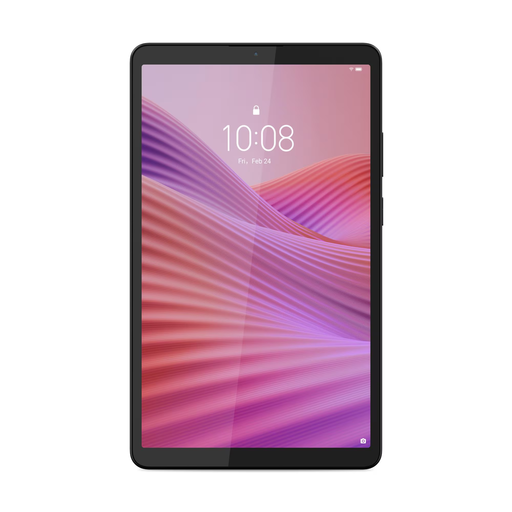
Lenovo Tab One 8.7-inch Wi-Fi tablet, 4 GB RAM, 128 GB, Luna Grey
The compact 8.7-inch size is ideal if you want to hold your tablet while reading.
HD IPS touchscreen; 4 GB RAM; 128 GB storage; Clear Case. USB power adapter not included.
Joybuy
 No image available
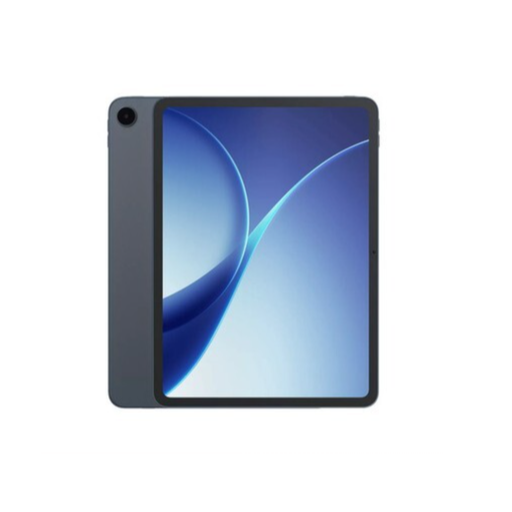
OPPO Pad 5
A tablet option if you want to use other apps as well as reading biographies. Check in advance that your reading app supports the title you want and can open it offline.
Joybuy
 No image available
Samsung Galaxy Tab A11 X135, 8.7-inch, LTE, 4 GB RAM, 64 GB, grey
The 8.7-inch LTE model is a compact option if you want to hold your tablet while reading.
Check that the LTE model suits your travel and connectivity needs, and that your book is available offline in advance.
Joybuy
 No image available
Lenovo Tab Mediatek, 10.1-inch, 4 GB RAM, 128 GB, Wi-Fi 5, Android 14, grey
The 10.1-inch screen offers more viewing space than compact models if you’re reading biographies with photos or a fixed page layout.
4 GB RAM; 128 GB storage; Wi-Fi 5 (802.11ac); Android 14.
Joybuy
 No image available
Lenovo Tab K11 Gen 2, 11-inch 2.5K, MediaTek Dimensity 6300, ZAFS0069CZ
The 11-inch screen is an option if you want more space for photos and PDF pages. Weigh the larger size against how you plan to use the tablet during the flight.
128 GB storage; microSD slot.
Joybuy
Frequently asked questions
Is an e-reader or tablet better for a biography?
An e-reader is worth considering if you’ll mainly be reading continuous text. A tablet may be a better fit for books with lots of photos or PDF pages. The Dutch Consumers’ Association says e-readers are less suited to image-heavy books and PDFs. For your specific title, also check the file format and which devices it’s available on.
How can I make sure my biography opens without an internet connection?
Download the title before you leave, then switch off your connection and check that it opens in your reading app. For Kobo Plus books during a trial period, Rakuten Kobo sets a limit of fifteen books opened offline before you need to sync again. This condition doesn’t automatically apply to other services or regular purchases.
What screen size is useful for photos and PDF pages?
More screen space can help with image-heavy pages and fixed layouts, while a compact screen may be easier to hold. View a full page from your biography at the size you’re considering and try zooming before you choose.
Can I use a tablet to read during a flight?
EASA says tablets can normally be used for reading on board. Switch your device to aeroplane mode and always follow the instructions of the airline and cabin crew.
Does a quoted video playback time mean the tablet can be used for reading for the same length of time?
No, video playback time isn’t a measure of reading time. Lenovo lists up to 12.5 hours of YouTube streaming for the Tab One; reading time depends on the activity tested and how you use your device.


