
Designer meeting a client
Wants to show a proof to one client and weigh up screen space against weight and the room available on the train. The Consumers' Association notes that larger tablets are harder to carry.


For a one-to-one meeting with a client, a tablet around 11 inches is a handy starting point. A larger screen gives you more room to view a full layout, but can be harder to carry. Apple lists the 11-inch and 13-inch Wi-Fi iPad Air models at 464 g and 616 g respectively. Also check your own file, whether any stylus you plan to use is compatible, and whether you can open the proof offline before setting off. Screen specifications alone do not prove colour accuracy compared with print.
Wants to show a proof to one client and weigh up screen space against weight and the room available on the train. The Consumers' Association notes that larger tablets are harder to carry.
Wants to add comments or notes during the meeting. Apple lists Pencil support for the iPad Air, while Samsung describes the S Pen as part of the Galaxy Tab S11 series. Also check that your chosen stylus works with the app you use for your files.
Wants to have the proof ready in advance and not rely on Wi-Fi during the journey. NS says free Wi-Fi is available on almost all Intercity trains, so open a locally saved file before you set off.
First, decide how much of the page needs to be visible at once, then weigh that against how easy the tablet is to hold and the space available at your seat. Next, consider whether pen annotations or offline access matter for your meeting. The Consumers' Association points out that larger tablets are harder to carry, so compare the weight of the exact model you’re considering.
| What to consider | What should you check? | Who might this matter more to? |
|---|---|---|
| Proof readability | Open your own file on the screen you’re considering and check the text and details in the lighting you’ll be travelling in. Don’t treat a screen specification as proof of colour accuracy for print. | If I want to discuss a full page or small details, I want to assess my own file on the size I’ve chosen. Around 36% of consumers who prioritise readability and display quality choose based on this. |
| Ease of carrying on the train | Compare the weight and dimensions of the exact model, including the case you plan to take with you. Decide whether you want to see the whole page at once or are happy to zoom in. | If you’ll be holding the tablet often or passing it around, weight and seat space may matter more than seeing the whole page at once. Around 29% of consumers prioritise portability. |
| Making annotations with a stylus | Check stylus compatibility and what’s included with the exact model. Test whether your app can save and share comments in the file format you use. | If I want to point out or note changes during the meeting, my stylus and file app need to suit the way I work. Around 21% of consumers prioritise annotation. |
| Offline access | Save the final version locally in advance and open it once without a connection. Check that images, fonts and annotations remain available in your chosen app. | If you don’t want to rely on a connection during your journey, you can have the proof ready in advance. NS says Wi-Fi is available on almost all Intercity trains, but not every train. Around 14% of consumers prioritise offline readiness. |
A larger screen can show more of a layout, but the Consumers' Association says larger tablets are harder to carry. The stated weight also varies by model and configuration.
View your own page size on the screen and compare the weight of the complete set-up you plan to take with you.
Support does not necessarily mean the stylus is included or that it will work with your annotation app.
Before you buy, check what’s in the bundle, the exact stylus model and the file app you use.
You may need to buy a suitable stylus separately, so check the bundle you choose.
A screen specification alone does not show how your file will compare with the final print.
Use the screen to discuss the design, and agree separately how to assess the proof if you need to make a definitive judgement about colour.
According to Apple, the iPad Air range comes in 11- and 13-inch sizes, giving you a choice when weighing up screen size and weight.
The Galaxy Tab S11 series is worth considering if writing or drawing with a stylus is part of the discussion.
According to OnePlus, the Pad 3 has a 13.2-inch LCD screen, making it an option if you want to view more of a design at once.
The Tab P12 is an alternative with a 12.7-inch screen and a listed Tab Pen Plus.
These tablets are suited to showing a proof on a portable screen, with options for anyone who also wants to make notes or keep files stored locally.
 No image available
An option if you want to take notes during a client meeting: the product description says a Lenovo Tab Pen is included.
The product name lists 8 GB, Wi-Fi 5 (802.11ac) and Android 15. According to the product description, the charger must be purchased separately.
 No image available
A handy size for a one-to-one meeting; Apple lists the 11-inch Wi-Fi iPad Air at 464 g.
Apple lists support for Apple Pencil Pro and Apple Pencil (USB‑C). Check whether the Pencil you want is included in your chosen bundle.
 No image available
The 11-inch model is designed for anyone who wants to show a proof on a handy screen and have files ready on the tablet in advance.
The product name lists 128 GB of storage and Wi-Fi.
 No image available
An 11-inch model for discussing a design and keeping files on the device while you travel.
The product name lists Wi-Fi + Cellular and 256 GB of storage. Check which connection and file preparation will suit your journey.
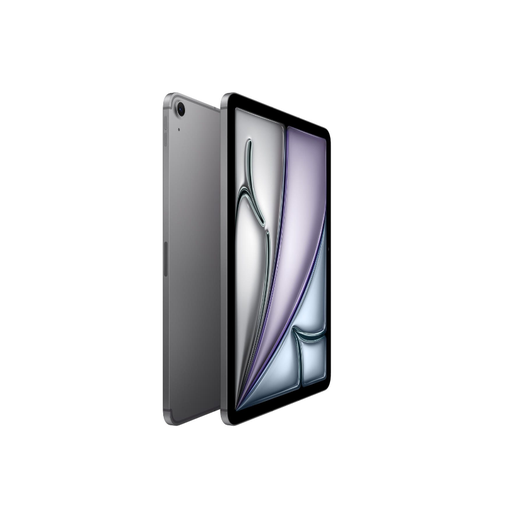 No image available
An 11-inch option if you want to show a proof while travelling and keep the files stored locally.
The product name lists Wi-Fi + Cellular and 512 GB of storage. Before you set off, check that you can open the proof in your chosen app without a connection.
Not on every journey: NS says free Wi-Fi is available on almost all Intercity trains. Save the proof locally and open the file before you set off, so you don’t have to rely on a connection during your presentation.
Open your own proof file on the screen size you’ve chosen and check that the text and details are legible. If you want to record comments, test the combination of file, app and exact stylus you plan to use in advance.
Check whether the stylus and case you want are included in your chosen bundle, and whether you’ll need mobile connectivity while travelling. The product description for the Lenovo Idea Tab in this selection says that the charger must be purchased separately.
For an eligible distance purchase by a consumer in the Netherlands, ACM ConsuWijzer says you generally have 14 days from delivery to change your mind. The statutory warranty is separate from any manufacturer’s warranty and depends on what you could reasonably expect from the product.
If the proof contains personal data that can identify someone, viewing and showing it may count as processing personal data, according to the Dutch Data Protection Authority. Keep the content away from unauthorised viewers and follow the arrangements you have with your client; the specific assessment depends on the content and the agreements in place.