
For colour-critical design reviews
If you assess photos or video against a defined colour standard, check whether a suitable display mode fits your workflow. Apple Support Netherlands describes Reference Mode for certain iPad Pro models.


For colour-critical reviews, it’s worth considering a suitable 11-inch iPad Pro with Reference Mode. For viewing together and making notes, a tablet with a compatible stylus may be more practical. Apple Support Netherlands lists Reference Mode for 11-inch iPad Pro models from M4 onwards, but check whether it suits your workflow on the exact device and current software. Measure the available desk space, and allow for any stylus or stand you need: a screen specification alone doesn’t prove that a design will look colour-accurate.
If you assess photos or video against a defined colour standard, check whether a suitable display mode fits your workflow. Apple Support Netherlands describes Reference Mode for certain iPad Pro models.
If you want to show a design on a small desk, compare the device’s full dimensions with your preferred setup, not just the screen size. Apple Support Netherlands and Xiaomi Netherlands publish dimensions for specific models.
If you want to point things out or annotate during a discussion, check both stylus compatibility and what’s included with the version you’re considering. Samsung Netherlands says the Galaxy Tab S11 comes with an S Pen; Lenovo Netherlands gives conflicting information about the stylus included with one Idea Tab version.
First decide whether colour assessment, desk space or live annotation matters most for your review. Then compare what you’ll need for the complete setup.
| What to consider | What to check before buying | Who is this important for? |
|---|---|---|
| Colour reproduction | Define the colour standard and check the display mode on the exact model; view one of your own files. | If I need to assess a design against a colour standard, I want to know whether the display mode suits that workflow. Around 33% of consumers prioritise colour assessment. |
| Space and viewing position | Compare the device’s dimensions with the available space, and allow room for a stand if needed. | When my desk has limited space, I want to position the tablet without crowding my other equipment. Around 27% of consumers prioritise the space it takes up. |
| Live annotation | Check that the stylus works with the model and the app you plan to use, and whether it’s included with the version you’re buying. | I want to point things out or make notes during the discussion, without having to check stylus compatibility afterwards. Around 20% of consumers prioritise live annotation. |
| Complete setup | Check which essential stylus, stand and other accessories are included with the version you’re buying. | If I’m using the tablet for a review, I want to know in advance what else I’ll need. Around 20% of consumers focus mainly on the complete setup. |
A screen specification such as P3 or OLED doesn’t, by itself, confirm that your file will be displayed according to the colour standard you need.
Define your review requirements and colour standard before choosing based on screen specifications, and check a representative file of your own.
Tablets with a similar screen size can have different body dimensions, and a stand will take up extra space too.
Measure the available space and compare it with the device’s dimensions and the setup you have in mind.
Compatibility and box contents vary by version. On the same Idea Tab product page, Lenovo Netherlands lists both ‘+ Pen’ and says the stylus is optional and sold separately.
Check the exact model code, stylus compatibility and the stated box contents before you choose.
The 11-inch iPad Pro (M5) is worth considering for colour-critical workflows; the 11-inch iPad Air (M4) is suited to general presenting and annotation.
The Galaxy Tab S11 is a compact Android option for viewing designs together and taking notes with a stylus.
The Pad 8 is an Android option to consider when weighing screen space against the device’s overall dimensions.
The Idea Tab 11 is an Android option where the exact version and stylus bundle matter.
These Joybuy products are designed for showing and discussing designs on a tablet, with options for drawing or annotation.
 No image available
An option to consider if you want to show a design as well as draw or annotate.
The product name lists an 11.45-inch screen, 8GB RAM, 128GB storage, Android 14 and a Wacom Pro Pen 3.
 No image available
An 11-inch tablet to consider if you want to show a design on a compact device.
The product name lists a 2.5K Android tablet with a MediaTek Dimensity 6300 processor.
 No image available
An option to consider if you want to show a design and annotate it with a stylus.
The product name lists 256 GB storage, Wi-Fi, Android 15 and a stylus. The product information says the charger must be bought separately.
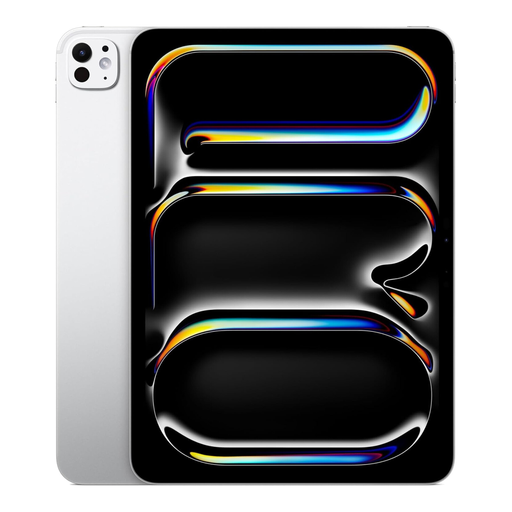 No image available
An option to explore if you’re looking for a compact tablet for a colour-critical workflow. Check whether Reference Mode is available for your device, software and way of working.
The product name lists 1 TB storage, Wi-Fi and nano-texture glass.
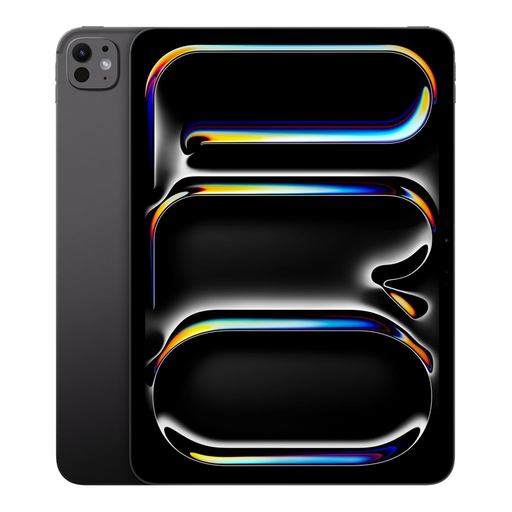 No image available
An option to explore if you’re looking for a compact tablet for a colour-critical workflow. Check whether Reference Mode is available for your device, software and way of working.
The product name lists 2 TB storage and Wi-Fi. The product information mentions P3 colour display; this isn’t an independent measure of colour accuracy.
No, it isn’t a requirement. First decide whether you’ll be viewing together or assessing a design against a specific colour standard. Apple Support Netherlands describes Reference Mode for compatible iPad Pro models, while Samsung lists an OLED screen for the Galaxy Tab S11. The panel type alone doesn’t confirm that your file will look like an accurate colour proof.
Open your own file in the app you plan to use beforehand, and check the text and details at your usual viewing distance. On a compatible iPad Pro, you can use Reference Mode for a suitable professional workflow. Apple Support Netherlands explains that this mode disables dynamic adjustments such as True Tone and Night Shift.
It depends on the model and version. Samsung Netherlands lists an S Pen in the box contents for the Galaxy Tab S11. Apple lists Pencil support for the iPad Air, but doesn’t list a Pencil among the stated box contents. Lenovo Netherlands gives conflicting information about the stylus for one Idea Tab version, so ask the retailer to confirm what’s included in the package you’re choosing.
For a qualifying distance purchase from a business, you generally have 14 days to change your mind; the Dutch government also describes some exceptions. You’re also entitled to a product that conforms to the contract. The Netherlands doesn’t have a fixed statutory warranty period of two years; if there’s a fault, contact the seller.
For consumers buying a new, similar device, the Dutch government describes a free one-for-one take-back scheme, including for online purchases. When arranging delivery, agree how the old device will be collected.