
A designer discussing a proof with a client
Wants to show details clearly at the table and point out changes when needed. Screen sizes and pen options vary by model; Apple and Samsung list different sizes and pen capabilities.


Start with how you’ll discuss the proof: choose a compact screen if you travel often or plan to pass the tablet around, and a larger screen if you’ll be looking at details together. Check pen support and what’s included in the box if you want to make notes. A tablet display is no substitute for a controlled print proof when colour-critical approval is needed.
Wants to show details clearly at the table and point out changes when needed. Screen sizes and pen options vary by model; Apple and Samsung list different sizes and pen capabilities.
Wants a tablet that’s easy to carry and to have the proof ready in case the café connection is unreliable. The Dutch Consumers’ Association describes tablets measuring 12 to 14 inches as less easy to carry around.
Wants to compare screens with a matte or anti-reflective finish, without treating these features as proof of colour accuracy. Apple and Lenovo describe these screen features for specific models.
Start with the screen space you need to look at details together. Then consider how often you’ll carry the tablet, whether you’ll take notes during the discussion and whether you need the proof available offline.
The Dutch Consumers’ Association notes that tablets measuring 12 to 14 inches are less easy to carry around. Apple, Samsung and Lenovo list different screen sizes, finishes and pen options for their models.
| What to consider | What should you check? | Who should give this more weight? |
|---|---|---|
| Screen and readability | View your own proof file in similar lighting, and compare screen size and finish. A screen feature doesn’t prove that colours will match the printed result. | If I want to look at small details with a client, I focus on having a screen that’s easy to discuss. Around 34% of consumers put screen readability first. |
| Portability | Compare the weight and dimensions of the exact model, including the case you plan to use. | If I’m travelling between appointments or want to pass the tablet around, I want it to be comfortable to carry. Around 20% of consumers give portability top priority. |
| Taking notes | Check which pen model works, whether it’s included in the bundle you’ve chosen and whether your app can annotate your proof file. | If I want to point out or note changes during the discussion, I check the pen and my app. Around 20% of consumers focus mainly on annotating. |
| File and connection | Open the final proof in the app you plan to use beforehand; test offline access if you don’t want to rely on the café’s Wi-Fi. | If I want to open my proof without any hassle, I get the file ready in advance and test access. Around 13% of consumers prioritise having their file and connection ready. |
| Bundle and useful life | Check what’s in the box, the update policy and, where applicable, the EU energy label. Also check which rights apply to the way you’re buying. | If I’m weighing up the purchase and long-term use together, I want to know which accessories and support are included. Around 13% of consumers prioritise overall costs and support. |
A colour gamut or matte finish doesn’t automatically tell you how your file will look under café lighting or on the final print material.
Use the tablet to discuss the content and changes. For critical print colours, arrange a suitable controlled proof.
Pen support doesn’t automatically mean one is included. Samsung lists an S Pen in the box with the Galaxy Tab S10 FE; Apple lists Pencil compatibility for the iPad Air M4.
Before ordering, check the exact model, what’s in the box and pen compatibility. If a pen isn’t included, you may need to buy a compatible one separately.
A larger screen gives you more room to look at details, but it’s less easy to carry and may take up more space at the table.
Compare the weight with the case on, and consider whether you and your client will be able to view the proof comfortably.
According to Apple, the iPad Air M4 is available in 11- and 13-inch models, for those who want a more compact screen or extra workspace with iPadOS.
The Galaxy Tab S10 FE and FE+ are Android options for those who want to annotate with a pen during the discussion.
The Tab P12 with Matte Display is an option to compare if you’re looking for a large, matte Android screen.
This selection includes more compact tablets for showing a proof and larger models with room to look at details together; check the pen and bundle for each model.
 No image available
A good fit if you want extra screen space to look at a proof together at the table.
12.7-inch 3K screen, 144 Hz, 8 GB RAM, 256 GB storage and Wi-Fi 6E. The product description lists an included Lenovo Tab Pen Plus.
 No image available
An option to compare if you want to look at a proof together and point out changes during the discussion.
12.1-inch 2.5K screen, 8 GB RAM and 256 GB storage. The product description lists an included Lenovo Pen.
 No image available
Could suit you if you want a larger screen at the table and need to make notes; check beforehand that your app and proof work as expected.
12.7-inch 2K screen and 256 GB storage. The title lists 20 GB RAM, made up of 8 GB RAM and 12 GB virtual memory, and an included stylus.
 No image available
A more compact option for showing and passing around a proof at the table. Apple lists an anti-reflective coating for the iPad Air M4.
11-inch screen and 128 GB storage. Apple lists support for Apple Pencil models; the product description notes that accessories are sold separately.
 No image available
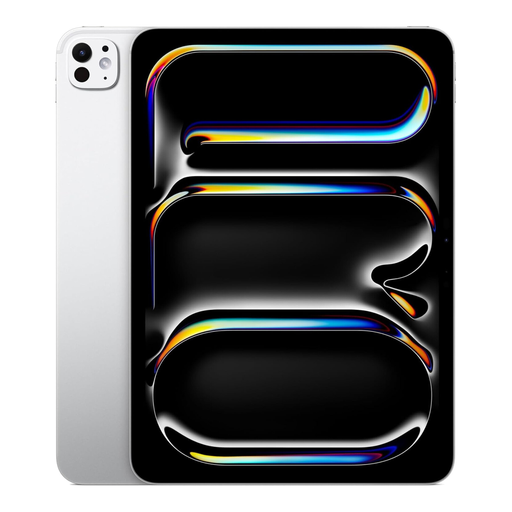
An 11-inch option to compare if you’re looking for a more compact screen for a discussion at the table.
The title lists 1 TB storage and a Nano Texture finish. The stated box contents don’t include an Apple Pencil; check pen compatibility and the bundle if you want to annotate.
For a proof that you’ll pass around, 11 inches is a sensible size to compare. If several people will be looking at small details at the same time, try a larger screen too; the Dutch Consumers’ Association describes larger tablets as more comfortable to look at, but less easy to carry around. Test your own file at the reading size you’ll need during the appointment.
Have the final proof ready and check that the pages, text and comments open correctly in your chosen app. Test offline access in advance if you don’t want to rely on the café’s Wi-Fi. Don’t base your decision on a 5G option alone: models vary, and mobile internet is no substitute for checking the app and file.
No. Pen support doesn’t automatically mean the pen is included. Samsung lists an S Pen in the box with the Galaxy Tab S10 FE. Apple lists Pencil support for the iPad Air M4, but no Pencil in the stated box contents; check the bundle for the exact Lenovo model.
Use the screen to show the design and discuss changes, not as a guarantee of the final printed colours. An anti-reflective coating, matte finish or stated colour gamut doesn’t prove how your file will look under different lighting or on printed material. For critical colours, arrange a suitable controlled proof.
Limit what people nearby can see and follow the arrangements for handling the client’s file. If your organisation processes personal data, the Dutch Data Protection Authority says it must determine appropriate security measures based on the risks. The measures needed depend on the file and the organisation.