What should you look for when choosing?
First, decide how much screen space you need for spreads and viewing together. Then compare the weight, and finally check which stylus, apps and files suit the way you work.
| What to consider |
What should you check? |
Who is this important for? |
| Screen for images and spreads |
Compare the screen diagonal, resolution and stated colour gamut of the exact configuration. Don’t treat colour gamut as a measurement of colour accuracy. |
If I want to review images and full spreads, I look at screen space and colour reproduction; around 36% of consumers prioritise reviewing images. |
| Portability |
Compare the weight of the specific configuration and take into account the things you carry with you. |
Anyone who often takes their tablet out of their bag between campus sessions will want to balance its weight against having enough screen space; around 29% of consumers prioritise portability. |
| Annotating with a stylus |
Check stylus compatibility for each model and whether the stylus is included with your chosen configuration. |
If I want to sketch or mark up work during feedback, the stylus needs to work with my tablet; around 21% of consumers prioritise annotation. |
| Tablet and accessories |
Check what’s included in the box and which storage configuration you need for your files. |
Anyone looking to buy a tablet with the accessories they need should compare the complete package; around 14% of consumers prioritise the total purchase cost. |
Brands to compare
These brand details can help you compare screen and stylus options with your own needs; they aren’t a verdict on an entire product range.
Apple
The iPad (A16) and iPad Air offer different screen sizes and stylus support.
- Apple lists P3 for the iPad Air and support for Apple Pencil Pro.
- The iPad (A16) supports Apple Pencil (USB-C) and the 1st generation model. So these models don’t all use the same stylus; colour support isn’t an independent measurement of colour accuracy.
Samsung
The Galaxy Tab S10 FE is an Android option with a 10,9-inch screen and S Pen support, according to Samsung.
- Samsung presents the S10 FE with an S Pen.
- Check the exact configuration and what’s included in the box; a similar product name doesn’t confirm that model codes or warranty terms match.
Lenovo
The Idea Tab Pro offers a larger-screen Android option; Lenovo lists a 12,7-inch screen for a Dutch configuration.
- For that configuration, Lenovo lists a resolution of 2944 × 1840 pixels and brightness of 400 nits.
- Lenovo lists both a configuration with a stylus and a Tab Pen Plus sold separately. Check which accessories are included with your chosen configuration.
Xiaomi
The Pad 7 is an Android option with an 11,2-inch screen and Focus Pen compatibility.
- Xiaomi lists a resolution of 3200 × 2136 pixels and DCI-P3 support.
- This colour support isn’t an independent measurement of colour accuracy. Xiaomi also states that a power adapter isn’t included.
Joybuy tablets for portfolios
These Joybuy tablets offer a range of screen sizes and stylus options to consider when viewing and annotating design portfolios.
 No image available
Lenovo Idea Tab Plus, 12,1-inch, 2.5K, 8 GB RAM, 256 GB, with stylus, pink
An option for viewing portfolios on a larger screen and making notes.
The product name lists a 12,1-inch screen, 2.5K resolution, 8 GB RAM and 256 GB storage.
According to the product description, a Lenovo Pen is included.
Joybuy
 No image available
Apple iPad Air 11-inch (M4), Wi-Fi, 256 GB, blue (2026)
A compact screen option for viewing portfolios when you often carry your tablet with you.
This configuration has an 11-inch screen, the M4 chip, Wi-Fi and 256 GB storage. Apple lists P3 colour reproduction and Apple Pencil Pro support for the iPad Air; this isn’t an independent measurement of colour accuracy.
Joybuy
 No image available
Lenovo IdeaTab with MediaTek Dimensity 6300, 11-inch, 8 GB RAM, 128 GB
An 11-inch option for portfolios, with a stylus included according to the product description.
The product name lists IPS, 90 Hz and Android 15. The product description mentions WQXGA resolution of 2560 × 1600 pixels, 500 nits and a Lenovo Tab Pen.
Joybuy
 No image available
TECLAST ArtPad Pro, 12,7-inch, 2K, 20 GB (8 GB + 12 GB virtual) RAM, 256 GB, with stylus pen
A larger-screen option for anyone who wants to view portfolios and annotate during feedback.
The product name lists a 12,7-inch 2K screen, 20 GB RAM (8 GB + 12 GB virtual), 256 GB storage and an included stylus pen.
Joybuy
 No image available
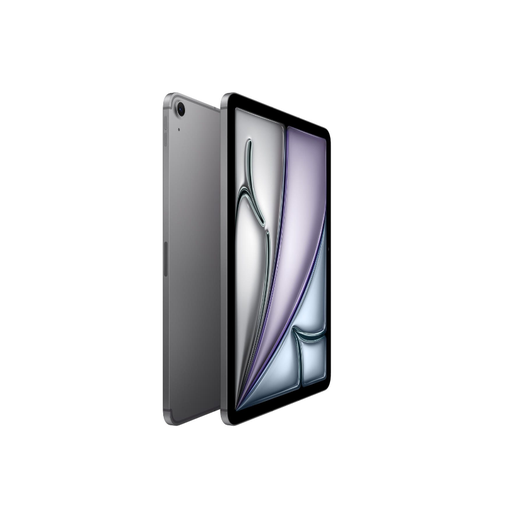
Apple iPad Air 11-inch (M3), Wi-Fi + mobile data, 512 GB, space grey (2025)
A compact option for portfolios if you also need Apple Pencil Pro support.
This configuration has an 11-inch screen, the M3 chip, Wi-Fi and mobile data, and 512 GB storage. Apple lists a Liquid Retina display and Apple Pencil Pro support for this iPad Air model.
Joybuy
Frequently asked questions
Is a bigger screen always better for portfolios?
No. A bigger screen can make it easier to view a full spread or discuss it together, but you’ll need to weigh that against the tablet’s weight. Apple lists the Wi-Fi 11-inch iPad Air at 464 grams and the Wi-Fi 13-inch version at 616 grams.
Can I use any digital stylus with these tablets?
No, check the stylus and tablet model together. Apple lists different supported Pencil models for the iPad (A16) and iPad Air; Xiaomi states that the Focus Pen is compatible with the Pad 7.
What should I check before opening portfolios on the go?
Before you set off, open a representative file in the app used by your course and check that it’s available offline. Whether a specific app or file format works depends on the combination you choose.
Which Dutch product regulation is relevant to a wireless tablet?
Radio equipment must meet Dutch and European product requirements. According to the Dutch Authority for Digital Infrastructure (Rijksinspectie Digitale Infrastructuur), retailers may only sell equipment that meets these requirements; CE marking is one of them. This general rule does not independently confirm that a specific item complies.
What are my warranty rights in the Netherlands if a product is faulty?
When you buy as a consumer, you’re entitled to a product that meets legal requirements, and the seller must provide a solution if something goes wrong. According to the Dutch Government, a manufacturer’s warranty is in addition to your statutory rights and does not, by itself, determine how long those rights last.


