
Student working with a specific 3D file
You need to open and review a model in a specified file format. So first, find out which app supports that file and test it with a representative project.


First, choose a tablet that runs the app for your design file, then test whether the model and its attachments open locally using a real project file. A larger screen can be useful for viewing details and adding notes, but it’s less convenient to carry around. Also check whether you need to buy a pen, keyboard or software separately. Choose Windows only if the programme you need runs on that specific tablet and, for Windows on Arm, the required drivers are available too.
You need to open and review a model in a specified file format. So first, find out which app supports that file and test it with a representative project.
You’re taking a model and reference materials to a meeting where Wi-Fi isn’t guaranteed. Check in advance that both are actually available locally.
You want to highlight details and add comments or sketches. Screen space matters, as does pen compatibility with the exact tablet model.
First, check that the required app can open your file. Then make sure the model and its attachments are accessible without an internet connection.
| What to consider | What should you check? | Who is this important for? |
|---|---|---|
| File format and app | Check that the required app opens the exact file type, and try it with a representative project file. | I want to open my own design file before choosing a tablet; around 36% of consumers prioritise compatibility with their file and the app they need. |
| Offline access | Check that the model and its attachments are saved locally, then open them in advance without a network connection. | If I’m taking materials somewhere without reliable Wi-Fi, I want to know in advance that everything opens locally; around 29% of consumers give offline access top priority. |
| Screen and annotations | Compare screen sizes and check that the pen is compatible with the exact model and included. | I want to view details alongside my comments and annotate the design; around 21% of consumers prioritise screen space and annotation. |
| Complete set-up | Check the storage option and whether a pen, keyboard, charger and required software are included. | If I need to use the tablet with essential accessories and software, I want to compare complete set-ups; around 14% of consumers start by considering the total cost of buying and using the device. |
SketchUp distinguishes between files saved locally and bookmarks to external cloud services. So a cloud bookmark doesn’t automatically mean the file is saved locally on your iPad.
Save the version you need locally, then test the model and its attachments in advance without an internet connection.
Allow time to transfer files and updated versions before a meeting, too.
Support for one file format doesn’t mean the tablet can open other design files too. With Windows on Arm, you’ll also need to check that the apps and drivers you need work.
Ask your course provider which file format and app you need, and try a representative model before you buy.
If the required workflow doesn’t work on your chosen tablet, you may need different software or access to another device.
A pen, keyboard, charger or required software may vary by model, or may need to be bought separately.
Compare what’s in the box and check every essential item for the exact model.
Without suitable accessories, annotating or working with a keyboard as planned may take extra preparation.
An iPadOS option to consider if the design or viewer app you need is available for iPad.
An Android option where you’ll need to match the app and pen to the exact tablet model.
An Android option to compare if you’re looking for a larger screen and a model with a pen.
A Windows option if a confirmed compatible Windows programme is what determines your choice.
An Android alternative to compare for screen size and storage options.
This selection ranges from tablets to an LCD writing tablet. For each device, check that it supports your design file and the app you need, and that you can open files stored locally.
 No image available
The included pen and storage could be useful for annotating and keeping study materials locally; first check that your design app can open the file.
The product name specifies an 11.1-inch touchscreen, 256 GB of storage and Tab Pen Pro. Android 15 is also listed.
 No image available
The product name lists a pen and 256 GB of storage for annotating and keeping study materials locally; check that your design app is compatible.
Listed specifications: 12.1-inch screen, 2.5K, 8 GB RAM and 256 GB of storage. The product name includes a pen.
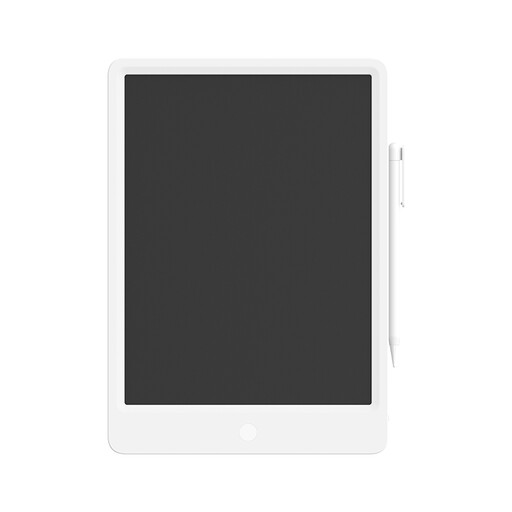 No image available
The product name describes a reusable LCD writing tablet with a stylus. It doesn’t list an app or viewer for design files, so check that the device can do what you need before choosing it.
The product name lists a 13.5-inch screen and a stylus.
 No image available
Consider this iPad if the design app you need runs on iPad; also test whether files open locally when you’re offline.
The product name lists an 11-inch screen and 256 GB of storage. Apple lists Apple Pencil Pro support for the 11-inch iPad Air (M4); check which pen you need.
 No image available
Consider this iPad if the design app you need runs on iPad; try a representative file and check offline access before using it.
The product name lists an 11-inch screen and 128 GB of storage. Apple lists Apple Pencil Pro support for the 11-inch iPad Air (M4); check which pen you need.
It depends on the file format and the app. SketchUp says a bookmark to an external cloud service isn’t the same as a file saved locally on an iPad. Open the model and its attachments in advance without a network connection. For BIM 360, Autodesk describes a process where you first download the model locally in the app.
According to SketchUp, updated on 29 September 2026, iPadOS 18 is the minimum requirement. Also check the current access or subscription requirements for the features you need.
Check the specific programme version and tablet. The Surface Pro 12-inch (1st Edition) uses an Arm processor; Microsoft says certain apps and hardware need suitable Arm drivers. Test the software required by your course before buying.
For a consumer purchase in the Netherlands, the seller is responsible for the statutory guarantee. ACM ConsuWijzer says the seller must offer an appropriate free solution if a product doesn’t meet what you could reasonably expect. A commercial guarantee doesn’t replace this right.
No. According to the European Commission, energy labelling rules have applied since 20 June 2025 to slate tablets placed on the EU market from that date; tablet computers with a desktop-style operating system are outside these specific tablet rules. Where the label applies, you can compare standardised information such as battery life and repairability, but it doesn’t predict how long a tablet will last when running your design app.