What should you look for?
Start with the project app and the tasks you need to do. Then compare the stylus, screen size, file access and the full set-up.
| What to consider |
What should you check? |
Who is this most important for? |
| App and file compatibility |
Make a note of the project app, file formats and tasks you need to carry out; check that they’re supported on the specific tablet version. |
If I want to view and work on designs between lectures, my app needs to support the tasks I need. Around 26% of consumers prioritise app and file compatibility. |
| Drawing and giving feedback |
Check which stylus is compatible, what’s included in the box, and whether the app can save and share annotations. |
If you prefer to point out changes directly on a design, you’ll benefit from a suitable stylus and an app with the right annotation features. Around 21% of consumers give drawing and targeted feedback top priority. |
| Screen space and portability |
Compare the size and weight of the exact version, including the case you plan to take with you, if applicable. |
For consumers who want to read on the go and often hold their tablet, the balance between screen space and size is crucial. Around 21% of consumers put this consideration first. |
| Access to project files |
Check which permissions, downloads and connection your project environment requires. |
If I need to open files during a break on campus, I want to know whether I can access them using my account and connection. Around 16% of consumers consider file access on the go their most important factor. |
| Overall set-up and lifespan |
Check which accessories you’ll need and whether the exact model is covered by an applicable EU energy label. |
Consumers who want to use their tablet for longer weigh up accessories alongside the available information about its lifespan. For around 16% of consumers, this is their main buying priority. |
Tablets on Joybuy
This selection includes tablets for viewing design files and capturing feedback, including Android models with a stylus and iPad Air models for iPadOS workflows. Check whether each app lets you review designs only or edit 3D models too.
 No image available
Lenovo Yoga Tab ZAG60028PL, 12 GB, 256 GB, Luna Grey
An Android tablet with a stylus included, for viewing project materials and adding annotations on the go.
11.1-inch 3.2K touchscreen; 458 g; Android 15; Tab Pen Pro included.
View on Joybuy
 No image available
Lenovo Idea Tab Plus WiFi, 12.1 inch, 8 GB, 256 GB, Rose, with stylus
An Android tablet with a stylus included, for viewing design details and making notes.
12.1-inch 2.5K screen; 8 GB RAM; 256 GB storage.
View on Joybuy
 No image available
Apple 11-inch iPad Air (M4), Wi-Fi, 256 GB, Space Grey (2026)
An iPadOS option for using a compatible stylus and apps such as SketchUp for iPad to give design feedback.
11-inch Liquid Retina display; 256 GB storage; supports Apple Pencil Pro. The stylus is sold separately.
View on Joybuy
 No image available
Lenovo IdeaTab, MediaTek Dimensity 6300, 8 GB, 128 GB, 11 inch
An Android tablet with a stylus included, for making notes or sketches on project materials.
11-inch WQXGA screen; Android 15; stylus included. The charger isn’t included and must be bought separately.
View on Joybuy
 No image available
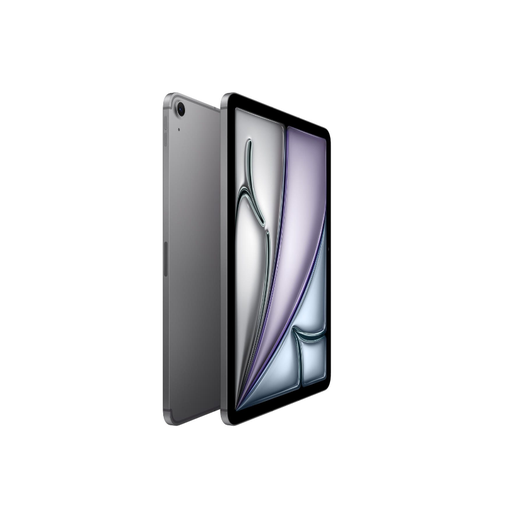
Apple 11-inch iPad Air (M3), Wi-Fi + Cellular, 512 GB, Space Gray (2025)
An iPadOS option for viewing project files on the go and using a compatible Apple Pencil to give feedback.
11-inch Liquid Retina display; Wi-Fi and mobile connectivity; 512 GB storage. Apple Pencil is available separately.
View on Joybuy
Frequently asked questions
Can I review a Fusion project and edit the 3D model on a tablet?
Not with Fusion for mobile: Autodesk describes the iOS and Android app as suitable for viewing and adding comments, but not for modelling. If you need to model, you’ll need to allow for a separate, suitable modelling environment.
How do I get started with annotating on an iPad?
First, check that the iPad and stylus are compatible with your workflow. In SketchUp for iPad, you can draw or annotate on a model using the Markup feature. Also check whether a stylus is included with the version you’ve chosen.
What extra costs and rights should I consider when buying online?
Compare the tablet with the accessories you need: Apple offers the stylus as a separate purchase for iPad Air, and Xiaomi says the Pad 8 doesn’t include a power adapter. According to the Dutch government, when you buy online from a business, you’ll generally have 14 days to change your mind. If a product is faulty, contact the seller; there’s no fixed statutory warranty period in the Netherlands.
Which energy label applies to tablets in the Netherlands?
According to the European Commission, EU energy labelling rules apply to eligible slate tablets placed on the EU market from 20 June 2025. Check whether the specific device falls within that category and date; the Commission distinguishes these from tablet computers in a separately defined category. The label provides information about battery life and repairability, among other things.


