
Pattern readers
You want to follow charts, photos and captions in their original page layout, perhaps with the tablet beside your craft project.


If you mainly read patterns, photos and small captions, start with a tablet around 11 inches. A compact model may be better if you want to hold it for long periods and don’t mind zooming in more often. Try your own magazines in the app you plan to use, and check that you can adjust the screen brightness and sound for a shared bedroom.
You want to follow charts, photos and captions in their original page layout, perhaps with the tablet beside your craft project.
You read while someone else is resting in the same room and want to be able to keep the brightness and sound down.
You mainly read in bed or one-handed, and are happy to zoom in more often if that means choosing a more manageable device.
Choose this if: you want to view patterns and colour photos at a larger size and can often prop up your tablet.
Bear in mind: a larger device may be less comfortable to hold in one hand for long periods. Adjust the brightness to suit you in the evening.
Choose this if: you mainly read lying down or one-handed, and are happy to enlarge small sections of a page.
Bear in mind: a full pattern page and small captions will appear smaller. The Consumers’ Association describes how a smaller screen shows less of a page at a time.
Choose this if: you want to consider a different type of screen and your magazine app works on the specific device.
Bear in mind: BOOX lists a 10.3-inch colour screen and Google Play access for the Note Air5 C. However, that doesn’t tell you whether your magazine title or its colour details will display as you’d like. Test your own issues before you decide.
| What to consider | What should you look for? | Who should give this extra thought? |
|---|---|---|
| Patterns and page layout | View a page from one of your own magazines at actual size and zoomed in; compare a screen around 11 inches with a more compact model. | If I want to follow patterns and small captions without constantly searching around, readability comes first. This is the top priority for around 36% of consumers. |
| Comfortable evening reading | Try the lowest brightness that still works for you with an actual page, and check whether your headphones are compatible with the model you choose. | If I want to read while my roommate is resting, I look for manageable screen brightness and sound. Around 29% of consumers put undisturbed evening reading first. |
| Comfort when holding it | Compare the dimensions and stated weight of the exact model, and try it in your usual reading position. | If I often hold my tablet, ease of handling matters more than seeing a whole page at once. This is the top priority for around 21% of consumers. |
| Access to titles and ease of use | Before choosing a device, check your titles, editions, app requirements, subscription terms and offline features. | If I want to know in advance whether my magazines are available in the app I’ve chosen, I start by checking access to my titles. Around 14% of consumers put access and its terms first. |
A compact screen shows less of a formatted page at a time, so you may need to zoom in and move around the page more often to read patterns and small captions.
Before choosing between a compact model and a tablet around 11 inches, try a full page and a detail from one of your own magazines.
Bear in mind that you may need to zoom in and move around the page more often.
An app listing or screen specification doesn’t confirm that your title and edition are available, particularly if you’re considering an e-reader.
Before buying, check the title, app, device compatibility and service terms.
In the Netherlands, there is no fixed statutory warranty period for every product. Your statutory protection depends, among other things, on what you could reasonably expect from the product.
Keep your proof of purchase and consider any additional warranty product alongside your statutory rights. The Dutch government explains statutory guarantees.
The Galaxy Tab A11+ is an 11-inch option; the 8.7-inch Galaxy Tab A11 is a separate, more compact choice.
The 11-inch iPad (A16) has a colour screen and supports an Apple Pencil, sold separately.
The Tab M11 is an 11-inch Android option for magazines and, if you like, making notes on patterns.
According to BOOX, the Note Air5 C offers a 10.3-inch colour e-paper screen, Android and Google Play.
The Libra Colour is a compact colour e-reader that’s most relevant if portability and your own e-books are top priorities.
These 11-inch tablets give you more screen space for viewing craft magazines.
 No image available
The 11-inch screen is a good option if you want to see more of a magazine page at once.
11 inches; Android; MediaTek Dimensity 6300.
 No image available
The 11-inch screen is a good option if you want to see more of a magazine page at once.
11 inches; Wi-Fi; 256 GB; space grey.
 No image available
The 11-inch screen is a good option if you want to see more of a magazine page at once.
11 inches; 128 GB; Wi-Fi; grey.
 No image available
The 11-inch screen is a good option if you want to see more of a magazine page at once.
11 inches; Android 16; 90 Hz IPS screen.
 No image available
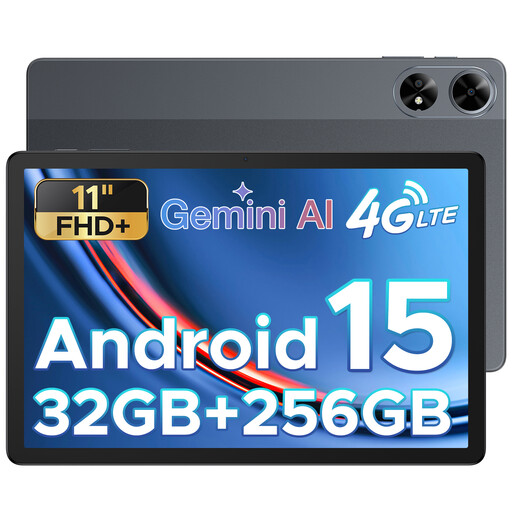
The 11-inch screen is a good option if you want to see more of a magazine page at once.
11 inches; Android 15; grey.
No. A larger screen shows more of a page at once, while a smaller screen may be more comfortable to hold in one hand. Try a pattern page from one of your own magazines on both sizes.
That depends on the service. Readly explains how to download magazines in the app for offline reading. Check how downloads work for your title and chosen app, and whether you have enough storage space.
Set the brightness as low as you can while still reading comfortably, and use suitable headphones for audio. Samsung lists a 3.5 mm socket for the Galaxy Tab A11+; check the connections on other models separately.
For consumer purchases in the Netherlands, the seller must put a faulty product right under the statutory guarantee. There is no fixed statutory guarantee period in the Netherlands; what you could reasonably expect from the product is taken into account. Online purchases from a business generally come with a 14-day cooling-off period, subject to statutory exceptions. The Dutch government explains these rules.