
Reading contracts on the move
You mainly read existing documents between appointments and want a screen that’s easy to read, without adding unnecessary weight to your bag.


Mostly reading and making brief notes between client visits? Start with a portable tablet of around 11 inches, then check that your document app, any stylus and connectivity suit the way you work. If you make lots of text edits or rely on Windows-only software, a Windows 2-in-1 may be a better fit. Bear in mind that the keyboard and stylus may be sold separately, and check your organisation’s security policy when handling confidential contracts.
You mainly read existing documents between appointments and want a screen that’s easy to read, without adding unnecessary weight to your bag.
You highlight passages and jot down questions for your next conversation. Check that your document app and a compatible stylus suit the way you work.
You regularly edit contract text or use specific work systems, so software compatibility and a suitable keyboard are important.
First decide whether you mainly need to read and annotate or make more extensive text edits. Then weigh up screen space, portability, file access and document security.
A good fit if: you mainly read contracts and add comments, and the document app you need works on iPadOS.
Bear in mind: the Wi-Fi model has no mobile data connection of its own; check stylus and keyboard compatibility separately.
A good fit if: you use Android and want to make notes on the move; check that your document app supports the tasks you need.
Bear in mind: Wi-Fi and 5G models differ, as do the accessories included with each model or bundle.
A good fit if: you do more than review documents and spend long periods typing, or need Windows-specific software.
Bear in mind: the keyboard and stylus may be sold separately, so consider the complete setup.
| What to consider | What should you check? | Who should pay particular attention? |
|---|---|---|
| Reading comfort and portability | Compare the screen size and weight of the exact model; view a contract on the screen size you’re considering. | If you often take your tablet between appointments, you’ll want enough screen space without unnecessary extra weight. Around 29% of consumers say portability is their main consideration. |
| Comments and handwriting | Test your document type in the app you’re allowed to use, and check stylus compatibility and which accessories are included with the exact model. | If you want to highlight passages or note down questions, the file, app and stylus need to work together as part of your workflow. Around 23% of consumers prioritise annotation. |
| Confidential documents | Check which passcode, software updates, storage and access controls your organisation’s policy requires. | If contracts contain personal data, you’ll want to handle them in line with your organisation’s security rules. Around 18% of consumers put document security first. |
| Files between appointments | Check whether your document app makes files available in advance or whether the model you choose needs mobile data. | If you need documents while travelling, you’ll want to know whether you can access them without Wi-Fi. Around 18% of consumers say access to files between locations is their main need. |
| Extensive text editing | Try the contract software you need with a representative file, and check whether your chosen setup includes a suitable keyboard. | If you make lots of text edits or rely on existing office software, you’ll want to continue working that way on your tablet. Around 12% of consumers prioritise full editing capabilities. |
More screen space can be helpful when reading long contracts, but it may make the tablet less convenient to carry between appointments. For the Wi-Fi models of the iPad Air M4, Apple lists weights of 464 grams for 11 inches and 616 grams for 13 inches.
Compare the screen size and weight of the exact models you’re considering.
A tablet’s stylus support alone doesn’t tell you whether your contract app can handle the highlighting, saving and sharing you need.
Test a representative contract in the app you’re allowed to use, and check that the stylus works with the exact model.
A stylus or document app that doesn’t suit the way you work may mean you need an accessory or have to adapt your workflow.
If you make lots of text edits, the keyboard can affect whether the overall setup suits your work. Accessories aren’t included with every model.
Check what comes with the model or bundle you’ve chosen, and make sure it works with the software you need.
The Dutch iPad Air M4 range includes 11-inch and 13-inch models, offering a more compact or more spacious screen respectively.
The Galaxy Tab S10 FE range includes a 10.9-inch tablet and a larger FE+ model, for those whose workflow suits Android and stylus input.
Surface Pro is a Windows 2-in-1 option for those who want to combine contract reviews with a laptop-style workflow.
The Idea Tab Pro Gen 2 is an Android option with a 13-inch screen for those who want more room for documents.
These tablets are suited to reading documents or taking them between appointments, with each model offering a different balance of screen size, stylus input and mobile connectivity. Check that the app, accessories and connection suit the way you work.
 No image available
The product description mentions document annotation with the included Lenovo Pen.
The product name lists a 12.1-inch screen, 2.5K, 8 GB RAM and 256 GB.
 No image available
The 11-inch model is a good fit if you want to review contracts on a portable tablet.
The product description lists support for Apple Pencil Pro; check that your document app supports the annotations you need.
Wi-Fi model; check separately which stylus or other accessories are included with your purchase.
 No image available
The product name lists 5G, making it an option to consider if you need a mobile connection on your tablet between locations.
The title lists 8G RAM and 256G ROM.
 No image available
The product title lists a stylus and 5G; check that the stylus is compatible with the document app you use.
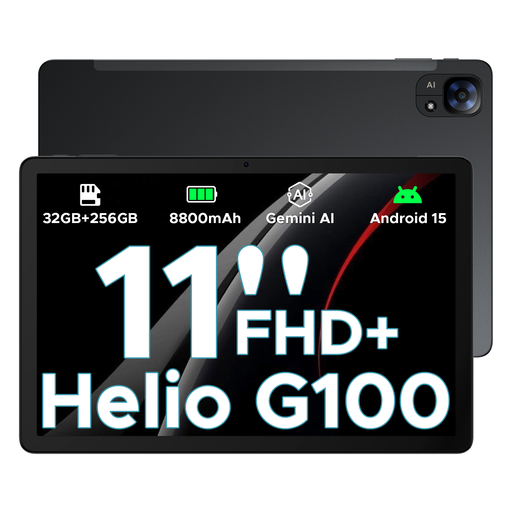
According to the product title, this model has an 11-inch FHD+ screen.
 No image available
The product title lists an 11-inch model with Wi-Fi + Cellular, an option to consider if you need mobile data on the move.
According to the title, this model has 256 GB of storage.
Yes, with a suitable app: Adobe documents how to add highlights and comments in Acrobat on mobile devices. Test it with your own file to check that the app you’re allowed to use also suits the way you save and share comments; features vary by app.
No, it depends on how and where you make your files available. Check whether the document app you’re allowed to use can make files available in advance, and whether the model you choose has its own mobile data connection for when you can’t use Wi-Fi.
The Dutch Data Protection Authority recommends, among other things, using a passcode and regularly updating software and apps. If contracts contain personal data, the organisation responsible must determine appropriate measures based on the risks involved in processing it.
It varies by model and bundle. Microsoft lists a separately available keyboard and Slim Pen for the Surface Pro model reviewed; Lenovo says accessories vary by bundle and region. So check what’s included with the specific model.
No. The Dutch government says there is no fixed statutory guarantee period for consumer purchases in the Netherlands: you’re entitled to a product that works properly, and the seller is your point of contact if something goes wrong. Don’t automatically assume the same terms apply to a purchase made in a company’s name; check the business terms and conditions.