Who is this workflow suited to?

Choosing photos between lectures

You want to import, zoom in on and select photos quickly without having to carry a laptop everywhere. Your camera, card reader and chosen app will determine which workflow is right for you; Apple Support and Adobe explain how to import from camera cards using compatible devices and apps.

Viewing photos on the coast

You want to view images outdoors too, and need to bear screen reflections in mind. Apple, Samsung and Xiaomi publish brightness specifications, but those figures alone don’t tell you how easy a screen is to read in direct sunlight.

Travelling between locations with a full bag

You’re weighing up extra screen space against portability. The Dutch Consumers’ Association notes that larger tablets are less convenient to carry; the size of the tablet and any accessories also matter.

What should you look for in a tablet for coastal bird photography?

Compact screen around 11 inches

Best for: people who mainly view photos in between activities and often take their tablet with them.

The trade-off: you get less screen space than with a larger model.

Larger screen around 13 inches

Best for: people who usually sit indoors or somewhere sheltered to view photos alongside their study materials.

The trade-off: a larger model is less convenient to carry, as the Dutch Consumers’ Association points out.

What to consider What to check before buying Who should pay particular attention?
Reviewing images in changing light Compare screen size, coating and the specific brightness mode; if possible, try the screen in similar lighting. If I’m viewing photos on the coast, I want to see the details without relying solely on a nits figure; around 33% of consumers say visibility is their main concern.
Importing photos Check the connection, card reader, file format and import steps with your camera and photo app. Don’t assume every file type is supported for RAW. I want to transfer photos from my camera or card into the app I use without unnecessary hassle; around 27% of consumers prioritise photo import.
Taking it between campus commitments Compare the weight of the exact model, screen size and space needed for a case or card reader. If I need to carry my tablet between lectures often, a compact size matters more to me than extra screen space; around 20% of consumers put portability first.
Storage and cost Check the internal storage, any microSD support, the card reader you’ll need and which accessories are included. I want to keep storage and essential accessories within my budget, especially if I save a lot of files; around 20% of consumers say storage and cost are their main concerns.

Common buying mistakes

  • Assuming a quoted nits figure guarantees visibility in direct sunlight

    Manufacturers use different brightness ratings and testing conditions. Reflections and where you use the tablet still matter.

    Compare the stated brightness mode and coating, and, if you can, try the exact model in conditions similar to those you’ll use it in.

  • Assuming IP68 means you can use it on a wet beach

    Samsung describes the Galaxy Tab S10 FE 5G’s IP68 rating as based on laboratory conditions using fresh water, and advises against beach use.

    Protect your tablet when visiting the coast, and don’t treat the rating as permission to expose it to seawater.

  • Comparing tablets without considering photo import

    A screen is only useful if you can transfer files from your camera or card using your photo app. Apple Support and Adobe explain import options with suitable accessories and apps.

    Check the connection, card type, file format and steps required by your photo app in advance.

Brands to compare

Apple

Worth considering if you’re comparing compact iPads and want to import photos using a suitable reader.

  • Apple lists an anti-reflective coating, P3 display, 500 nits and a weight of 464 grams for the 11-inch iPad Air Wi-Fi model.
  • Apple Support explains how to import using a compatible card reader, so check which reader and app will suit your workflow. Manufacturer specifications aren’t an independent outdoor test.

Samsung

The Galaxy Tab S10 FE is an Android option to compare for screen size, pen support and storage.

  • Samsung lists microSD expansion and up to 800 nits in High Brightness Mode for the S10 FE series.
  • The stated brightness mode doesn’t prove that photos will be easy to see on the coast in all conditions; check the specifications and exact model.

Lenovo

The Idea Tab Pro Gen 2 is a larger option if extra screen space matters more to you than a compact size.

  • Lenovo Netherlands lists a 13-inch screen, 256 GB of storage and a pen for model ZAHD0616SE.
  • According to the Dutch Consumers’ Association, a larger model is less convenient to carry; also check that your photo app and card reader are compatible with the model.

Xiaomi

The Pad 8 is another Android option to compare, with a screen around 11 inches and several storage configurations.

  • Xiaomi lists an 11.2-inch screen, up to 800 nits and storage options of 128 GB, 256 GB or 512 GB.
  • Check the conditions attached to brightness figures carefully, and separately confirm that your photo app and import workflow are suitable.

Joybuy tablets for reviewing photos between lectures

This selection focuses on tablets for viewing photos between lectures, mainly with compact screens, and also includes a 12.1-inch model.

Lenovo Yoga Tab ZAG60028PL, 11.1-inch, 3.2K touchscreen, 256 GB, Luna Grey, with Tab Pen Pro

Lenovo Yoga Tab ZAG60028PL, 11.1-inch, 3.2K touchscreen, 256 GB, Luna Grey, with Tab Pen Pro

A compact size for viewing photos between locations and storing files on your tablet.

The product title lists an 11.1-inch touchscreen with 3.2K resolution, 256 GB of storage and a Tab Pen Pro.

Joybuy

Apple 11-inch iPad Air (M4), Wi-Fi, 256 GB, Space Grey

Apple 11-inch iPad Air (M4), Wi-Fi, 256 GB, Space Grey

An 11-inch model that’s easy to take with you for viewing photos on the go.

The product title lists Wi-Fi and 256 GB of storage. Apple Support explains how to import photos to an iPad using a suitable camera adapter or USB-C to SD card reader; check which reader and app will work with your files.

Joybuy
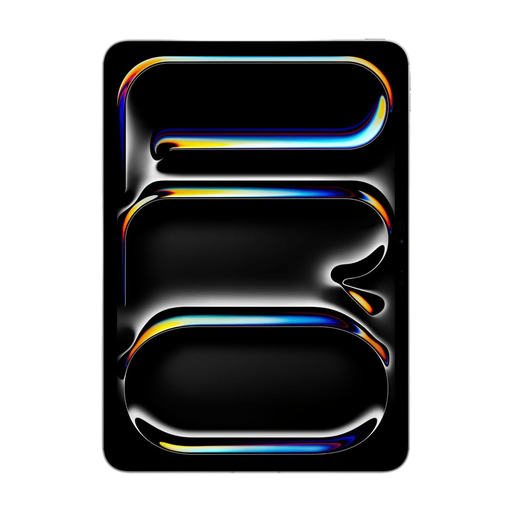
Apple 11-inch iPad Pro, Wi-Fi and Cellular, 256 GB, Silver

Apple 11-inch iPad Pro, Wi-Fi and Cellular, 256 GB, Silver

An 11-inch model for anyone looking for a compact size with 256 GB of storage.

The product details list Wi-Fi, Cellular, 256 GB of storage and an OLED screen. Check which card reader and app you’ll need to import photos from your camera.

Joybuy

Lenovo Idea Tab Plus WiFi, 12.1-inch, 2.5K, 8 GB RAM, 256 GB, with pen, Rose

Lenovo Idea Tab Plus WiFi, 12.1-inch, 2.5K, 8 GB RAM, 256 GB, with pen, Rose

The screen size gives you room to view photos alongside your study materials; weigh that extra space against how often you’ll carry the tablet with you.

The product title lists a 12.1-inch screen, 2.5K resolution, 8 GB RAM, 256 GB of storage and a pen. According to the product description, the charger must be purchased separately.

Joybuy

TECLAST P50, 11-inch, Android 16, 128 GB

TECLAST P50, 11-inch, Android 16, 128 GB

An 11-inch model for viewing photos on the go and storing files on your tablet.

The product title lists Android 16 and 128 GB of storage. The product information advises against prolonged exposure to sunlight.

Joybuy

Frequently asked questions

Can I view photos directly from an SD card on an iPad?

Yes. Apple explains how to import photos using a compatible camera adapter or USB-C to SD card reader. Check your iPad’s connection and try your card and files; a reader is a separate accessory, not built-in SD storage.

Does a RAW workflow work the same way on every tablet?

No, you shouldn’t assume that. Adobe documents the direct import of photos and RAW images into Lightroom on iOS, but that doesn’t confirm support for every camera format or Android model. Before buying, check your camera format, app and card reader.

Does a tablet have to come with a USB-C charger in the Netherlands?

Not necessarily. According to the European Commission, the USB-C rules have applied to tablets covered by the relevant regulation since 28 December 2024, and a device may be sold without a new charger. Check the packaging to see which charging equipment and accessories are included.

What are my rights if a tablet I bought online isn’t right for me or breaks too soon?

For online consumer purchases, you generally have a statutory 14-day cooling-off period after delivery, with some exceptions. You’re also covered by the statutory guarantee if the product doesn’t perform as you could reasonably expect under normal use; ACM ConsuWijzer identifies the seller as your point of contact.
