What should you look for in a tablet for chess puzzles?
Start by considering the screen size and how your puzzle app works. Then decide whether you can play offline or need mobile internet, and only then compare the model and accessories.
Compact Wi-Fi tablet
Choose this if: you mainly solve quick puzzles, often hold the tablet and can play offline or otherwise have a connection.
Bear in mind: there’s less room for the board, and Wi-Fi isn’t available on every train journey.
Compact tablet with mobile internet
Choose this if: you want to use online puzzles while travelling or need to keep your progress synchronised.
Bear in mind: the exact 4G or Cellular model, a suitable plan and mobile coverage along your route.
Larger tablet
Choose this if: you find the board too small on a compact screen and usually put the tablet down.
Bear in mind: the extra screen space comes at the cost of being less convenient to carry and hold.
The Consumers’ Association describes small tablets as handy for travelling. Lichess says puzzles are available online or offline in its mobile app. NS notes that Wi-Fi and charging facilities can vary by train type and route.
| What to consider |
What should you check? |
Who is this important for? |
| Holding and carrying |
Compare the screen size and weight of the exact model, and see how the board looks in your app. |
When I solve puzzles while holding the tablet, I want to be able to use the board without the device feeling awkward. Around 33% of consumers prioritise portability. |
| Solving puzzles offline |
Before you leave, open the app you want to use and test its puzzle mode without Wi-Fi or mobile data. |
If I don’t want to rely on train Wi-Fi while travelling, I want to know in advance whether my puzzles work offline. Around 25% of consumers prioritise playing offline. |
| Readability and controls |
View the board at full size in your own app and try making moves using your usual screen settings. |
If pieces or controls are difficult to see on a compact screen, I’d prefer more screen space. Around 25% of consumers prioritise readability. |
| Model and essentials |
Check whether you need Wi-Fi or mobile data and which accessories, such as an adapter or case, are included with the model. |
If I’m mainly using the tablet for chess puzzles, I don’t want to choose features or accessories I don’t need. Around 17% of consumers prioritise the total cost. |
Joybuy tablets for travelling and a clear view of the board
These Joybuy products include compact Wi-Fi and 4G tablets, as well as larger screens for anyone who wants more room to view the chessboard.
 No image available
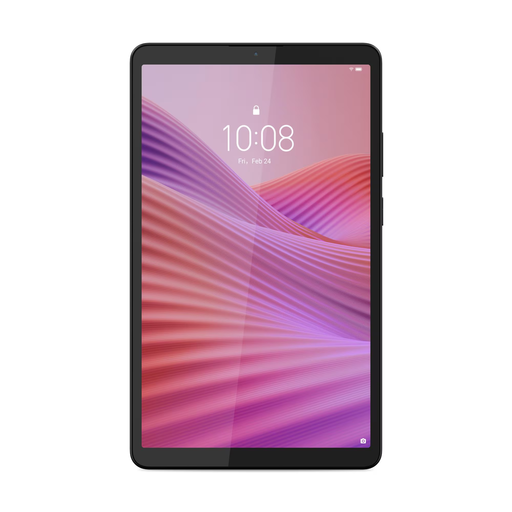
Lenovo Tab One 8.7-inch Wi-Fi, 4 GB RAM, 128 GB, Clear Case, Luna Grey
This compact Wi-Fi model is suited to journeys where you’ll often hold the tablet and don’t need mobile data.
The screen measures 8.7 inches; the description lists a resolution of 1340 × 800 pixels, a 60 Hz refresh rate and a weight of around 320 grams. A USB power adapter isn’t included.
Joybuy
 No image available
HONOR Pad X8b 128GB, Space Grey
The larger screen is a good fit if you’d like more room for the chessboard and its controls.
The description lists an 11-inch Android screen with a resolution of 1920 × 1200 pixels and a refresh rate of up to 90 Hz.
Joybuy
 No image available
Lenovo Tab Mediatek 10.1-inch, 4 GB RAM, 128 GB, Wi-Fi, Android 14, Grey
This tablet has a larger screen than the compact 8.7-inch models, making it a good choice if you want more room on the board.
The description lists a WUXGA resolution, 400 nits of brightness and a weight of 425 grams. A protective case is listed as an included accessory.
Joybuy
No image available
Lenovo Tab 4G Mediatek LTE 10.1-inch, 4 GB RAM, 128 GB, Android 14, Grey
The 4G model is designed for anyone who wants to go online while travelling without relying solely on train Wi-Fi.
The description lists a Nano-SIM slot with 4G LTE, a WUXGA resolution, 400 nits of brightness and a weight of 425 grams. A protective case is listed as an included accessory; mobile coverage depends on your route.
Joybuy
 No image available
Lenovo Idea Tab Plus Wi-Fi 12.1-inch, 2.5K, 8 GB RAM, 256 GB, with pen, Rose
The 12.1-inch screen is a good fit if screen space matters more to you than being able to use the tablet comfortably in your hands.
The product title lists a 2.5K screen, 8 GB RAM and 256 GB of storage; the description mentions an included Lenovo Pen.
Joybuy
Frequently asked questions
Does a chess puzzle app need to be online all the time on the train?
Not always: in its release announcement on 8 August 2025, Lichess described puzzles available online or offline in its mobile app. Test the puzzle mode you want to use without an internet connection beforehand. Offline puzzles aren’t the same as playing against the computer offline.
Can I rely on Wi-Fi and a power socket on every train?
No. NS says Wi-Fi is available on almost all Intercity trains; facilities on Sprinter trains and the availability of charging points can vary by train type and route. Check your journey and charge your tablet beforehand.
How can I test whether my puzzles work offline?
Open your chosen app and puzzle mode while you still have a connection, then try the feature without Wi-Fi or mobile data. Lichess lists offline puzzles, but that doesn’t mean every feature of the website is also available in the mobile app.
When buying online in the Netherlands, am I always entitled to exactly two years’ warranty?
No. ACM ConsuWijzer explains that your statutory guarantee depends on what you could reasonably expect from the product. The retailer is responsible for resolving the issue if the product is faulty; a two-year manufacturer’s or retailer’s warranty doesn’t automatically limit your statutory rights.
Can I return a tablet bought online if the board turns out to be too small?
For a standard online consumer purchase, ACM ConsuWijzer says you’ll generally have a statutory 14-day cooling-off period after delivery. There are exceptions and conditions on trying out and returning products, so check the terms for the specific purchase.


