
Your tablet as a dedicated work device
You use your tablet at your home-working desk and want a suitable charging connection within easy reach. Check your tablet’s charging requirements, not just the charger’s maximum wattage.


Choose a charger that matches your tablet’s connector and charging requirements. Extra ports are most useful if you want to charge other devices at the same time. Compare the power available from each port you’ll use, how the charger will sit on your desk and which cables are included. The NVWA states that CE marking is required for applicable electrical products, so check the information for the specific model too.
You use your tablet at your home-working desk and want a suitable charging connection within easy reach. Check your tablet’s charging requirements, not just the charger’s maximum wattage.
You might want to charge a tablet and a phone or laptop at the same time. So check both the number and type of ports, and the power available when several devices are connected.
You want ports within easy reach and as few separate adapters as possible. The station’s position, cable length and the number of ports you’ll actually use are all relevant factors when choosing.
Suitable if: you mainly charge one tablet and perhaps connect a second compatible device.
Bear in mind: the available power may change when you use a second port. A wall charger doesn’t have a separate housing designed to sit on your desk.
Suitable if: you want to connect your tablet and devices with different types of ports at the same time. Belkin lists four ports and a 2 m power cable for the BoostCharge Pro 108 W.
Bear in mind: 108 W is the stated maximum total output; it doesn’t mean your tablet will receive that much power.
Suitable if: you regularly connect several USB-C devices at once. Anker lists four USB-C and two USB-A ports for the Prime A2683; UGREEN lists six USB-C and two USB-A ports for its Nexode 200 W.
Bear in mind: having more ports doesn’t automatically determine how much power each one supplies. Check the specifications for the combination of ports you’ll use.
| What to consider | What should you check? | Who is this important for? |
|---|---|---|
| Tablet compatibility | Check your exact tablet model, its connector and charging requirements, and whether you have a suitable cable. | If I use my tablet at my desk every day, I want to know whether the connector and charging power are right for my model. Around 40% of consumers say this is their main concern when buying. |
| Charging several devices at once | Make a note of the devices you’ll connect, then compare the port types and available power for that combination. | If I charge other work devices as well as my tablet, I want enough suitable ports and power. Around 30% of consumers prioritise charging several devices at once. |
| Positioning on your desk | Check where the station will sit, whether the mains cable will reach the socket and whether the ports will remain accessible. | If my socket isn’t right next to my workspace, I look at the cable length and where I can conveniently place the station. Around 20% of consumers prioritise their desk layout. |
| Cable and aftercare | Check which cables are included, who the seller is and how they handle faults. | If I don’t already have a suitable cable, I want to know what I’ll need and who to contact if there’s a fault. Around 10% of consumers say this is their main concern when buying. |
With a multi-port charger, power may be shared between the ports in use. Belkin lists a maximum of 65 W through one USB-C port for the WCH013vfBK, or 45 W + 20 W when using two ports.
Compare the specifications for the exact combination of ports you plan to use at home.
An older tablet may have a different connector, and not every charger comes with a cable for your device.
Check your tablet model and what’s included in the box before ordering.
A general product description doesn’t, by itself, confirm the conformity information for every version. The NVWA states that CE marking is required for applicable electrical products.
Check the model designation, CE marking and related conformity information for the specific product you’re considering.
The products mentioned include both a compact two-port USB-C charger and a desk charger with USB-C and USB-A ports.
The Prime A2688 is a compact three-port option; the Prime A2683 is designed for a desk with more devices connected at once.
The Nexode 200 W desk charger is an option for a desk with several USB-C devices. Its number of ports alone isn’t a reason to choose it for one tablet.
This selection includes multi-port charging stations and desk solutions for charging a tablet alongside other devices. Before choosing, check that the connector, power distribution and conformity information suit your needs and the specific model.
 No image available
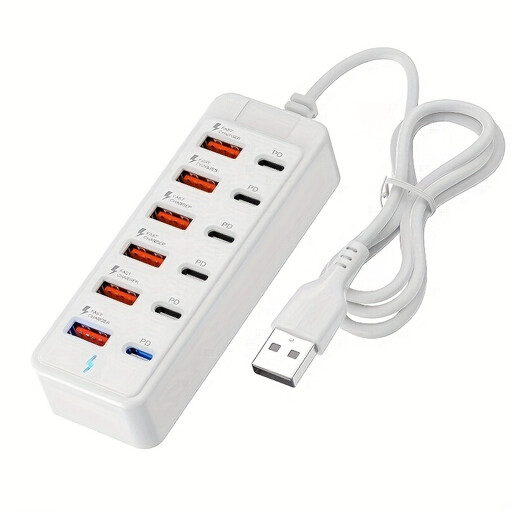
An option if you want to connect a tablet and several other devices at the same time.
The product title states a maximum of 25 W per port. Check the charging power your tablet needs and the ports you’ll use at the same time.
 No image available
According to the product title, this charging solution is designed to connect several devices, including tablets, in one place.
The title lists USB-C and USB-A ports. Check which ports and cables are right for your devices.
 No image available
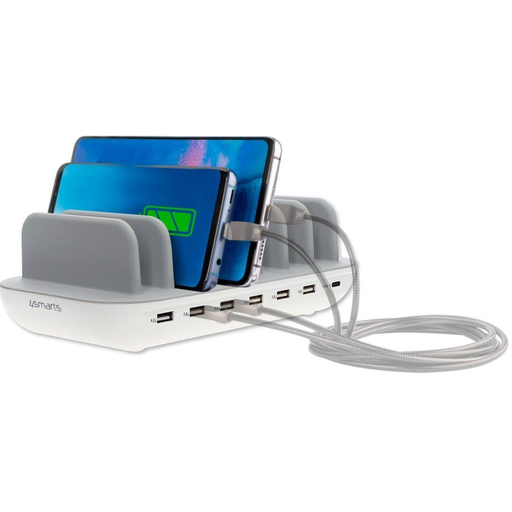
A desk station for connecting a tablet and other devices in one place.
The product description lists six USB-A ports, one USB-C port and a maximum total output of 60 W. It also states that the mains cable is 1,5 m long.
 No image available
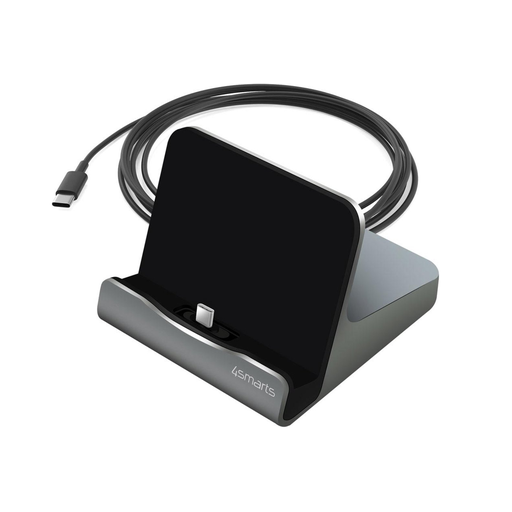
A dock for charging a compatible tablet on your desk while it rests in the stand.
The product title lists USB-C and a maximum of 60 W. Check your tablet’s connector and charging requirements.
 No image available
A desk solution if you want charging ports and power sockets in a fixed position on your worktop.
The product description lists two 20 W USB-C ports, one 18 W USB-A port and three Schuko sockets. It also states that the mains cable is 1,4 m long and that the unit is fitted with a clamp.
No. Don’t assume that an existing tablet has a particular connector just because of the EU rule. The European Commission states that the common charging requirements for the relevant category of new tablets have applied since 28 December 2024. Check the connector on your own model. The rule also doesn’t tell you how much power a particular charging station will supply to your tablet.
No. The stated total output isn’t automatically available to one tablet when several ports are in use. Belkin lists a maximum of 65 W through one USB-C port for the WCH013vfBK, and 45 W + 20 W when using two ports. Compare the specifications of the specific charger with your tablet’s charging requirements.
Check the CE marking and related conformity information for the specific model. The NVWA states that CE marking is required for applicable electrical products; a general claim from a brand isn’t, by itself, model-specific conformity information.
Place the charger in an open area so heat can escape, and don’t charge it under a cushion or duvet. The Netherlands Fire Service also recommends charging in a room with a working smoke alarm. This is safety advice, not a separate legal rule about where to place a charger.
First check that the cable and adapter are suitable for your tablet model and aren’t damaged. Samsung also lists dirt in the charging port as a possible cause for Galaxy Tab models. This model-specific advice isn’t automatically a diagnosis for other tablets.