Who is this guide for?

People sharing charging points

If several people want to charge a tablet, phone or other USB device at the same time, check the number of suitable ports and how power is distributed. Belkin, Anker and Bravour product information describes models designed for multiple devices.

Tablet users who want to keep the screen in view

If you want to use or view your tablet while it charges, check the position of its connector and whether it fits with any case you use. 4smarts says the VoltDock is suitable for a tablet with a USB-C port centred along the bottom edge.

People with different connectors

If you use a tablet alongside devices with different connectors, check each device’s ports and charging requirements individually. For example, Belkin and Bravour describe charging stations with both USB-C and USB-A ports.

What should you look for when buying?

Multi-port USB-C and USB-A charger

Best for: a shared desk where several devices need a charging point at the same time.

Keep in mind: the total power isn’t necessarily available from every port; check how it’s distributed when multiple ports are in use.

Tablet dock with a built-in charging connector

Best for: a tablet that needs a dedicated, easy-to-see place to stand while charging.

Keep in mind: the connector must be in the right position, and the tablet must fit in the holder with any case on. 4smarts describes the VoltDock as suitable for a USB-C port centred along the bottom edge.

What to consider What should you check? Who is this important for?
Charging several devices at once Check the number of USB-C and USB-A ports, and the power available from each port when multiple devices are connected. If I share a desk, I want to be able to connect my tablet and other devices at the same time. Around 33% of consumers prioritise having enough charging points for simultaneous use.
Connector and charging power Check your tablet’s connector, which cable is suitable, and the charging power supported by the tablet and charger. I want to make sure the charger connects to my tablet and is suitable for the power it supports. Around 27% of consumers prioritise compatibility and usable charging power.
A dedicated place for the tablet For a dock, check the connector position and whether the tablet fits with its case on; also check that the screen remains easy to see. If I want to view my tablet while it’s charging, it needs to stand securely and fit properly. Around 20% of consumers prioritise a suitable place where the screen stays in view.
Safe use on the desk Leave space around the charger to allow heat to dissipate, and don’t use damaged cables or chargers. When sharing a desk, I want to be able to check the cables and charger easily and keep them clear. Around 20% of consumers prioritise safe, tidy use.

Common buying mistakes

  • Confusing total wattage with power per port

    When several devices are charging at once, the available power may be shared between multiple ports. So the highest figure on the packaging doesn’t tell you on its own how much power your tablet will receive.

    Compare the stated power distribution for the ports you plan to use at the same time.

  • Choosing a tablet dock without checking the connector position

    According to the manufacturer, the 4smarts VoltDock reviewed here is designed for a tablet with a USB-C connector centred along the bottom edge.

    Check the port position and whether your tablet fits in the holder with its usual case on. Otherwise, choose a charger with a separate cable.

  • Assuming cables are always included

    Anker says the Prime A2688 reviewed here doesn’t include charging cables for compatible devices; the UGREEN Nexode bundle includes two USB-C cables.

    Check what’s included with the specific version and whether you already have a suitable cable.

  • Tucking the charger away or continuing to use damaged cables

    The Dutch Fire Service advises placing chargers in an open space so heat can dissipate, and not using damaged cables.

    Give the station a clear space and replace any damaged cable before anyone uses it again.

Brands to consider

Belkin

The BoostCharge Pro 108 W is a desk charger with two USB-C ports and two USB-A ports.

  • Belkin states a total power output of up to 108 W and a 2 m power cable.
  • Check the power available from each port when several are in use; the total power isn’t automatically supplied to every port.

4smarts

The Office station is designed for multiple devices; the VoltDock is made to hold a single tablet.

  • Office product information lists six USB-A ports, one USB-C port and up to 60 W total. 4smarts says the VoltDock is suitable for a tablet with a USB-C port centred along the bottom edge.
  • With the VoltDock, check the connector position and whether your tablet fits physically.

Bravour

Bravour describes charging stations with compartments, as well as models with multiple USB-A and USB-C ports.

  • For its specific five-port model, Bravour states a total output of 150 W and space for five devices.
  • Check the specifications for each port to make sure they suit your tablet; general claims about speed and efficiency aren’t independent measurements.

UGREEN

The European Nexode bundle combines a four-port charger with two USB-C cables.

  • UGREEN EU states up to 100 W for USB-C1 and USB-C2.
  • For USB-C3 and USB-A, UGREEN EU states up to 22.5 W per port; four connected devices won’t each receive 100 W.

Anker

The Prime A2688 is a compact charger with two USB-C ports and one USB-A port.

  • Anker states up to 100 W when one port is used and up to 89 W when three ports are in use.
  • Anker says charging cables for compatible devices aren’t included; this model isn’t a tablet stand.

Joybuy products for shared charging

This selection includes multi-port USB chargers and desk power strips for a tablet and other devices. For each model, check the port power distribution, the available connections and whether it will fit on your desk.

Lenovo Dual USB-C 65W GaN Charger, 2-Port USB-C Fast Charger

Lenovo Dual USB-C 65W GaN Charger

An option if you want to charge a tablet and another device via USB-C at the same time.

Joybuy product information states up to 65 W and two USB-C ports. When two devices are connected, it lists up to 45 W via USB-C1 and 18 W via USB-C2. A 1.5 m USB-C cable is also listed.

View at Joybuy
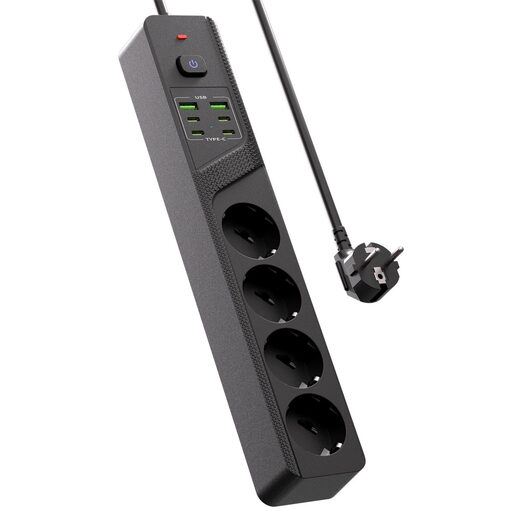
Power strip with four Schuko sockets, four USB-C ports, two USB-A ports and an on/off switch

10-in-1 power strip with four Schuko sockets

An option if you need standard power sockets as well as USB charging ports on your desk.

The product title lists four Schuko sockets, four USB-C ports, two USB-A ports and an on/off switch. Check the charging power specified for each port to make sure it suits the devices you want to connect.

View at Joybuy
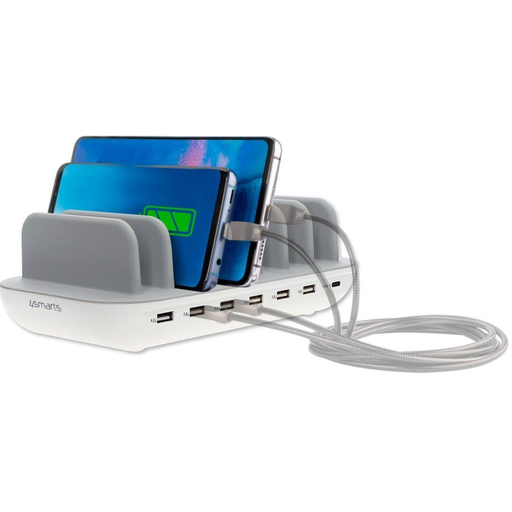
4smarts Charging Station Office 60W White

4smarts Charging Station Office 60W White

An option if several devices need a USB charging port at the same time.

Joybuy product information lists six USB-A ports, one USB-C port and up to 60 W total power. The description says it can charge up to seven devices at once and has a 1.5 m power cable. Don’t cover the station while it’s in use.

View at Joybuy

Neomounts DS22-840BL6 desk socket with clamp fitting and USB ports

Neomounts DS22-840BL6 Desk Socket

An option if you want to attach a charging point to the edge of your desk and need extra power sockets.

Joybuy product information lists two 20 W USB-C ports, one 18 W USB-A port and three Schuko sockets. The description mentions a clamp fitting and a 1.4 m power cable.

View at Joybuy
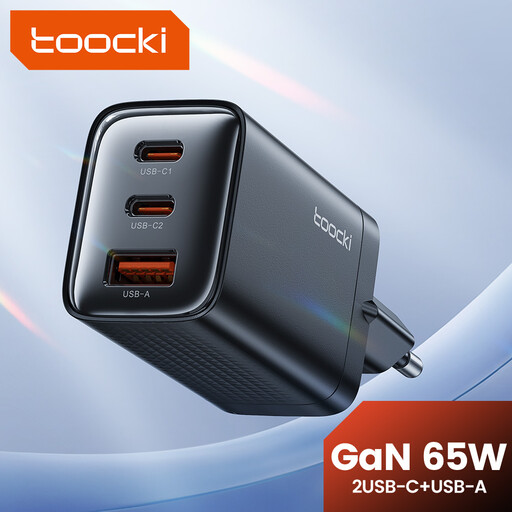
toocki 65W GaN USB C Wall Charger Black, 3-Port Fast Charger

toocki 65W GaN USB C Wall Charger, Black

An option if you want to charge a tablet alongside other devices using different USB connections.

The product title lists 65 W and three ports, including USB-C and USB-A. Joybuy product information lists two USB-C ports and one USB-A port, and describes charging three devices at once.

View at Joybuy

Frequently asked questions

Will any tablet fit a USB-C tablet dock?

No. The connector and physical fit both need to be right. 4smarts says the VoltDock is designed for a tablet with a USB-C port centred along the bottom edge; also check whether the tablet fits in the holder with its case on.

How can you use a charging station safely at a shared desk?

Place the charger in an open space so heat can dissipate, and don’t use damaged cables or chargers. This is the Dutch Fire Service’s safety advice; also follow the instructions for your chosen product.

What can you do if a charging station breaks too soon during normal use?

For a consumer purchase in the Netherlands, you can contact the seller if the product doesn’t meet what you could reasonably expect. ACM ConsuWijzer explains that there’s no general fixed two-year time limit; the circumstances of the purchase and how the product was used are also taken into account.

Does a new charging station in the Netherlands need a CE mark?

The Netherlands Food and Consumer Product Safety Authority states that electrical equipment covered by the Dutch Electrical Equipment (Commodities Act) Decree must carry a CE mark. Whether those rules apply to a particular product depends, among other things, on its electrical specifications.

Does a new tablet need to have a USB-C port?

The European Commission states that the rules on the common charging port have applied since 28 December 2024 to tablets covered by the rules and newly placed on the EU market. If you already own a tablet, check its actual connector rather than assuming it has one based on the date the rules came into effect.
