What should you look for when buying?
First, check whether your specific card game works offline. Then decide whether portability or a larger shared screen matters more. Only consider mobile data if Wi-Fi or a phone hotspot isn’t enough.
| Consideration |
What to look for when buying |
Who is this important for? |
| Card game and offline play |
Check whether the game is available for iPadOS or Android, then launch it before you leave without Wi-Fi or mobile data. |
If I want to play at the campsite without relying on a signal, I first want to know whether my particular game works offline. Around 25% of consumers give offline play top priority. |
| Screen at the table and outdoors |
Compare the screen size and stated brightness mode; where possible, assess the screen outdoors and bear in mind that you may be playing in the shade. |
If several people need to see the cards, I want enough screen space and good readability where we’re sitting. Around 20% of consumers prioritise a shared screen that’s easy to read. |
| Portability for solo play |
Compare the size with the bag you’ll carry the tablet in, and check that the cards in your game are readable on the smaller screen. |
If I mainly play alone and want to carry as little as possible, a compact device matters more than extra screen space. Around 20% of consumers choose portability as their main consideration. |
| Battery and charging options |
Use battery figures as specifications, not as a guaranteed playing time; also check whether you can charge at the campsite. |
If I’m playing for a long time without a power socket, I want to know how I can recharge and what the stated battery figures do and don’t tell me. Around 20% of consumers prioritise being able to play without a charging point. |
| Total costs and apps |
Check whether you need a mobile model, which apps you already own and whether a phone hotspot will be enough. |
If I want to avoid extra device, data or app costs, I first check what my current phone and game can already do. Around 15% of consumers give avoiding extra costs top priority. |
Tablets at Joybuy
These Joybuy products include compact models with mobile connectivity and larger Wi-Fi or mobile tablets. Check each model to make sure your chosen card game works and that the connection suits how you’ll use it.
 Image unavailable
Samsung Galaxy Tab A11 X135 64GB Silver
A compact option to take with you; its stated mobile connectivity may be useful if your card game needs to be online.
8.7-inch screen, 90 Hz and 5100 mAh. The product information lists Android, 4G LTE, Wi-Fi, a nano-SIM card slot and a weight of 337 g.
View at Joybuy
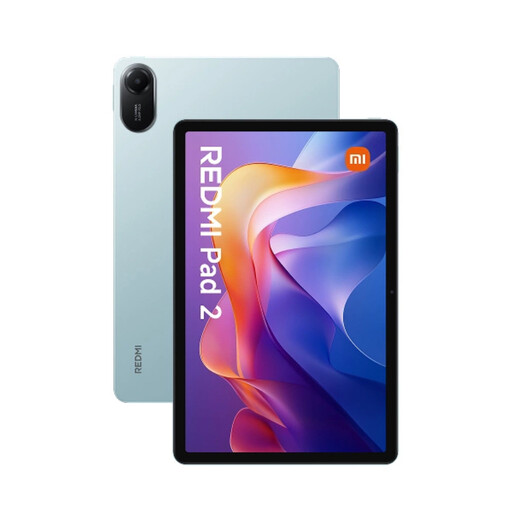 Image unavailable
Xiaomi Redmi Pad 2 4/128 WiFi Green
A larger Wi-Fi screen for viewing cards at the table; check beforehand whether your game works offline.
11-inch screen, 2560 × 1600 pixels and 500 nits according to the product information. The title specifies Wi-Fi.
View at Joybuy
 Image unavailable
Samsung Galaxy Tab A11 Plus 11-inch 128GB WiFi Grey
A larger Wi-Fi model if you want more screen space at the campsite table; don’t choose it if you need mobile internet without relying on another device.
11-inch screen, 90 Hz and a battery capacity of 7040 mAh according to the product information.
View at Joybuy
 Image unavailable
Lenovo Idea Tab 256 GB 11-inch Wi-Fi, Android 15, Grey with Stylus
An 11-inch Wi-Fi tablet for playing cards at a shared table; check whether your card game is available offline.
Android 15, 8 GB RAM and 7040 mAh according to the product information. The charger isn’t included and must be purchased separately.
View at Joybuy
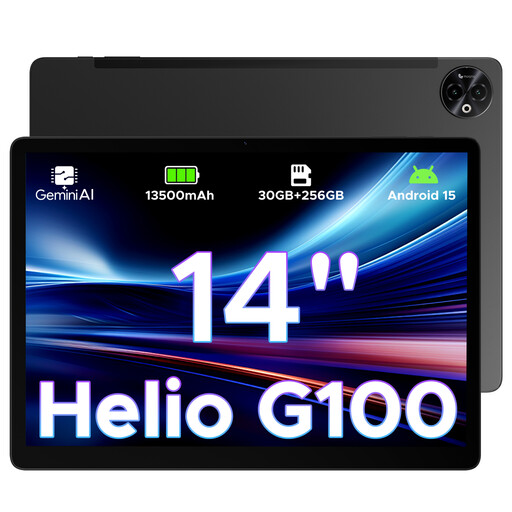 Image unavailable
DOOGEE Tab E3 Max 14-inch, 32GB RAM + 256GB ROM
The large screen could suit you if you’re looking at cards with others, but it’s less compact to take with you.
14-inch screen with 2160 × 1440 pixels, Android 15, 4G LTE and a battery capacity of 13.500 mAh according to the product information. The product information advises against prolonged gaming at high temperatures and recommends using the original 33W charger.
View at Joybuy
Frequently asked questions
Can I play card games on a tablet at the campsite without internet access?
It depends on the game. Google Play Help lists built-in Solitaire in the Play Games app as playable offline on an Android phone or tablet; for any other game, check whether it will launch without a connection after installation.
Do I need a tablet with a SIM card?
Not if your card game works offline. If the game needs internet access, you can compare a mobile model with Wi-Fi through a phone hotspot; check coverage and any data costs for both options.
How should I use a tablet outdoors at the campsite?
Bear direct sunlight in mind, and follow the guidance for your model and charger. Apple gives a recommended operating ambient temperature of 0 to 35 °C for iPads and warns that overheating can dim the screen or slow down or stop charging; this isn’t a temperature limit for other brands.
What are my rights when buying online in the Netherlands?
According to the Dutch government, online purchases from a business generally come with a 14-day cooling-off period, subject to exceptions. You’re also entitled to a product that meets reasonable expectations. The Netherlands doesn’t have a fixed statutory two-year guarantee period for every product; if something is faulty, contact the seller.
Does a new tablet need an EU energy label?
According to the European Commission, energy labelling rules have applied since 20 June 2025 to slate tablets placed on the EU market from that date. They don’t apply to every computer described as a tablet; check the product category and exact model.


