
Vandaag of morgen in huis

Kwaliteit gegarandeerd

Welkomstaanbiedingen ontgrendelen: GRATIS bezorging | Tot 80% korting | Gratis 30 dagen JoyPlus-proefperiode
Download de app
A tablet might seem easy to pick at first glance. Yet many people pay for features they barely use, or only realise after buying that the storage fills up quickly. If you want to buy a tablet, it’s worth looking beyond just screen size and memory.
The key pitfalls are:
An 11-inch tablet is a practical sweet spot for browsing, studying, video calls and streaming. A 7- or 8.7-inch model is lighter and easier to hold, but offers less room for documents and split-screen views. A screen of 12.1 inches or larger is ideal if you read a lot, draw, or work with multiple windows.
Beyond the diagonal, pay attention to resolution:
A refresh rate of 90Hz, 120Hz or 144Hz delivers smoother motion. For email and reading, 60Hz is often enough; for gaming, scrolling and films, a higher rate can be noticeable.
If you’re after a tablet with lots of storage, distinguish between internal storage and expandability. 64GB can fill up quickly with apps, downloads and offline streaming. 128GB is a useful starting point for many families and students. 256GB or 512GB is better suited to large photo, video and project files.
A microSD slot is handy, but not every app or game can run entirely from a memory card. Always check:
A tablet with 4G or LTE can go online on the move with a SIM card. That’s convenient for commuting, travel or places without reliable Wi‑Fi. Note that an LTE model may mean extra subscription costs.
For Wi‑Fi-only tablets, dual-band Wi‑Fi on 2.4 and 5GHz is useful. Bluetooth matters for keyboards, headphones and mice. Also check the USB‑C features: not every USB‑C port supports video output or the same charging speed.
Battery capacity is quoted in mAh, but actual runtime depends on brightness, processor, network and apps. Claims like “up to 11 hours of video” come from the product description or the brand’s own testing; don’t treat them as guaranteed runtime in every situation.
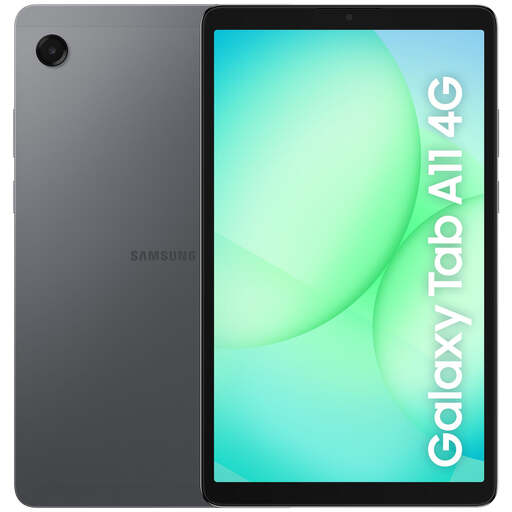
Why this fits the profile: A compact Android tablet for browsing, videos, e‑books and mobile use thanks to LTE support.
The specifications list 4GB RAM and 64GB storage separately. Storage is expandable via microSD; do check whether the card needs to be bought separately.
8.7‑inch display, 90Hz, 4G LTE, microSD support and a 3.5mm jack.
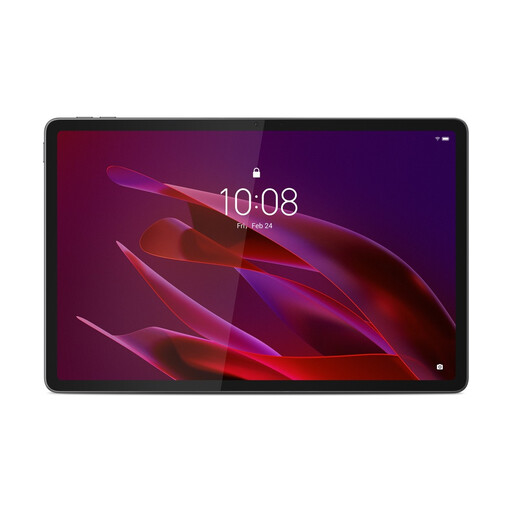
Why this fits the profile: A powerful Android tablet for creative work, demanding apps, gaming and multitasking.
The configuration lists 12GB LPDDR5X memory and 256GB UFS 4.0 storage as separate specifications. The Tab Pen Pro is included.
Snapdragon 8 Gen 3, 11.1‑inch 3.2K display with 144Hz, 256GB storage and Wi‑Fi 7.
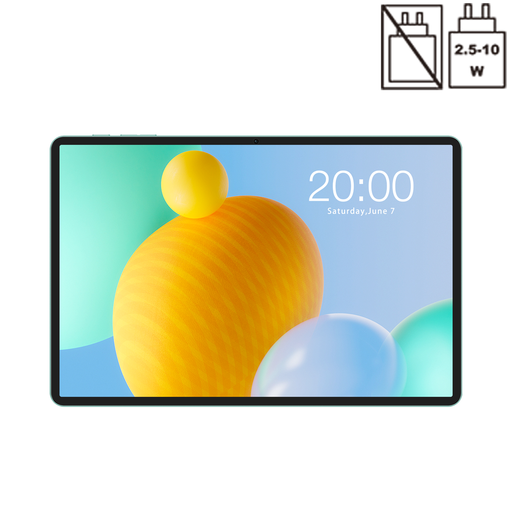
Why this fits the profile: Handy for students, travellers and anyone who wants a study or streaming tablet with mobile connectivity.
The product details list 128GB ROM, expandability, dual‑SIM 4G LTE and GPS separately. That makes it clear what each feature is for.
11‑inch IPS display with 90Hz, 8000mAh battery, 4G LTE, dual SIM and Widevine L1 according to the product listing.
We’ve put together a complete, up‑to‑date list of products that fully meet these strict selection criteria and comply with current European safety regulations.
An Android tablet generally offers lots of choice in screen sizes, storage and price. Brands such as Lenovo, Samsung, DOOGEE and TECLAST use Android, but performance, updates and included accessories vary by model.
An iPad is a good fit if you already use Apple devices or need specific iPadOS apps. According to the product information, the Apple iPad Air M4 has 128GB storage, 12GB memory, Wi‑Fi 7 and support for Apple Pencil Pro. The charger is not included; check the box contents.
Don’t look at the Samsung name alone. The Galaxy Tab A11, for example, is compact and has LTE, while models with a larger screen, more storage or a stylus suit different needs. A tablet with pen only makes sense if you actually take notes, draw or sign documents.
For basic use, 64GB is possible, but 128GB gives more room for apps, documents and offline video. Choose 256GB or more for large photo and video files. A microSD slot can help, but check the maximum capacity and compatibility.
Yes, especially models from 10 or 11 inches with at least 4GB of physical RAM and a USB‑C port. A Bluetooth keyboard is useful for many tasks. If you work with handwritten notes, look for a tablet with a pen. Check in advance whether the apps you want are available for Android or iPadOS.
With a Wi‑Fi model there are usually no fixed connectivity costs, but you will need a charger, case and possibly a memory card. A tablet with 4G or LTE may require a separate data plan or extra SIM. Also check whether the charger is included and use a compatible, certified adapter.
