
Vandaag of morgen in huis

Kwaliteit gegarandeerd

Welkomstaanbiedingen ontgrendelen: GRATIS bezorging | Tot 80% korting | Gratis 30 dagen JoyPlus-proefperiode
Download de app
Buying a tablet seems simple until you start comparing specifications. Screen size, RAM, storage, 4G, battery capacity and stylus support often appear together in a single product description. But a big number doesn’t always tell you how useful a tablet will be day to day.
If you mainly want to stream, you’ll have different requirements from a student who edits documents. A tablet with a SIM card is more practical than a Wi-Fi model when you’re out and about, while a large screen can be harder to fit in a bag. Use these checks to avoid buying a tablet that no longer suits your needs after a few months.
Product pages sometimes list impressive memory figures, such as 20 GB, 32 GB or 48 GB RAM. Always check how the figure is made up. A listing such as 8 GB + 12 GB virtual RAM means that 8 GB of physical memory is available. The extra amount uses storage space as a temporary extension.
Virtual RAM can help keep apps open, but it doesn’t replace physical RAM. For browsing, watching videos and light study, 4 to 8 GB of physical RAM is often easier to assess. For demanding apps, multitasking or gaming, the processor, storage type and physical RAM are just as important.
128 GB of storage sounds like plenty, but the operating system and pre-installed apps already take up some space. Offline films, large games and study files can also fill up your storage quickly.
So check:
A tablet for streaming may be fine with 64 or 128 GB if you mainly watch online. For creative work or lots of offline content, 256 GB is more practical.
A tablet with a large screen is great for films, spreadsheets and split-screen use. However, a 13- or 14-inch model is less convenient to handle on public transport or on the sofa. As well as the diagonal measurement, check the resolution, brightness, refresh rate and weight.
A 90Hz or 120Hz screen can make scrolling and animations feel smoother. That doesn’t automatically mean better picture quality: resolution and screen technology still matter. For reading and productivity, an aspect ratio such as 16:10 is often a good choice, as it gives you relatively more vertical workspace.
A 4G tablet or a tablet with a SIM card can connect to the mobile network independently. That’s useful for train journeys, holidays, field work or studying somewhere without reliable Wi-Fi. Check in advance which type of SIM card it uses and whether your provider supports the relevant LTE bands.
A Wi-Fi tablet is usually enough for home use. You can also use your smartphone’s hotspot when you’re out, but this uses extra battery and means your phone needs to stay nearby.
A larger battery, measured in mAh, can help a tablet last longer between charges. Actual battery life also depends on screen brightness, the processor, mobile connectivity and apps. A manufacturer might quote a certain number of hours of video playback, but this is based on the brand’s own tests in its own conditions and isn’t a guarantee for every use case.
Check the charging speed and accessories, too. Some models support USB-C Power Delivery, while you may need to buy the adapter separately for certain models. Use a suitable, certified charger and don’t charge your tablet in a hot or damp environment.
An entry-level processor is usually enough for streaming video and browsing the internet. For photo editing, demanding games or running lots of apps at once, a more powerful chipset and faster storage are more relevant. Don’t just look at the number of processor cores or the maximum clock speed.
Also check:
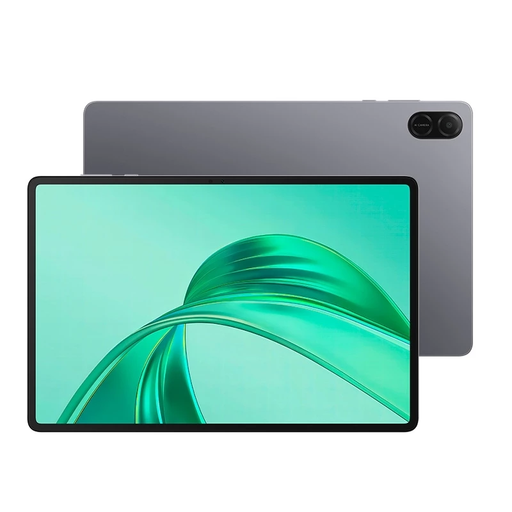
Why it suits this user: This 11-inch Wi-Fi tablet with 64 GB of storage is ideal for browsing, watching videos, using basic apps and home use without a mobile data plan.
The storage capacity and Wi-Fi configuration are clearly listed, so you don’t pay for mobile connectivity you don’t need.
11-inch screen, 64 GB of internal storage and a compact Wi-Fi design.
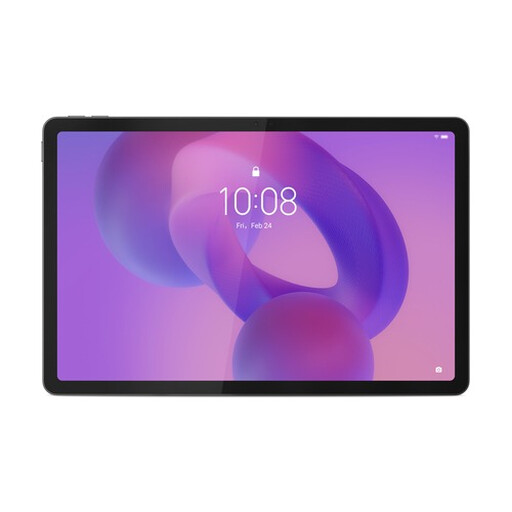
Why it suits this user: This model combines a 12.7-inch 3K screen with 8 GB of LPDDR5X, 256 GB of storage, Wi-Fi 6E and a Lenovo Tab Pen Plus included in the box.
The combination of physical RAM, 256 GB of storage and a clearly specified screen means your choice isn’t driven by marketing claims about memory alone.
3K resolution, 144Hz refresh rate, 256 GB UFS 4.0 and a stylus included.
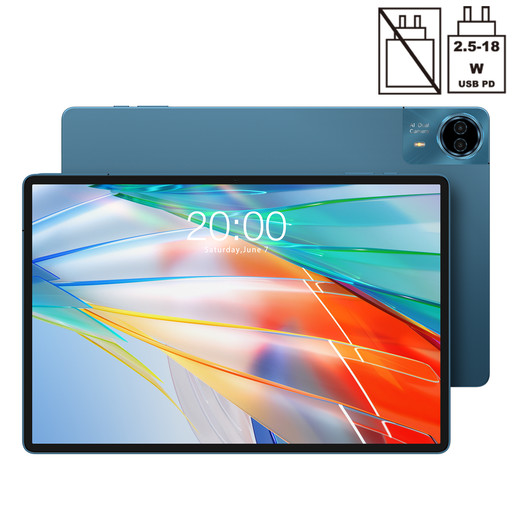
Why it suits this user: The 14-inch 2.2K screen, Dual SIM 4G, 10,000mAh battery and 18W PD charging make it well suited to working on the go, streaming and extended use.
Mobile connectivity, screen size and battery capacity are listed separately. This makes it easier to decide whether the large screen is worth the trade-off in portability.
14-inch screen, Dual SIM 4G, 128 GB of storage and a 10,000mAh battery.
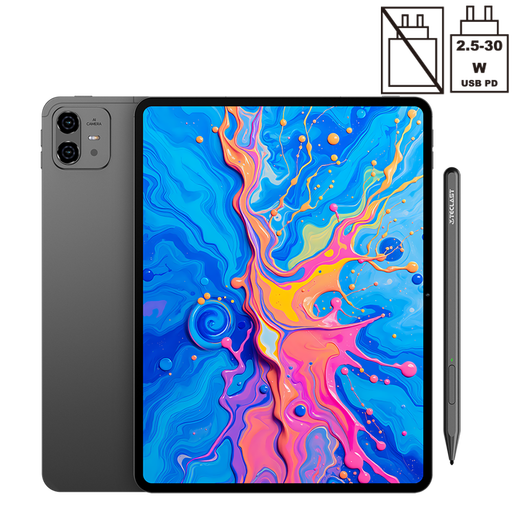
Why it suits this user: The combination of a 12.7-inch 2K display, 256 GB of storage and a stylus included in the box is ideal for taking notes, sketching and using study apps.
The stylus is included in the product listing. Check in advance which apps and features support the pen.
12.7-inch 2K screen, 256 GB of storage and a stylus included.
We’ve put together a complete, up-to-date list of products that meet these strict selection criteria and current European safety regulations.
Only if you regularly use the internet without Wi-Fi. A Wi-Fi model is often enough for home, school or the office. For travel, delivery work or studying on the move, 4G can be more practical. Remember to factor in the cost of an extra data plan or using your existing SIM card.
A tablet’s lifespan depends on battery wear, software support, storage space and how you use it. A model with expandable storage and up-to-date software may remain useful for longer. Avoid charging it in hot conditions, use suitable accessories and don’t put unnecessary physical pressure on the screen.
Yes, as long as the tablet gives you access to the apps and streaming services you need. Before buying, check the screen resolution, Widevine support, battery capacity, storage and any stylus compatibility. For working with lots of documents and using split-screen mode, a screen of 11 inches or larger is usually more practical than a compact model.
