Start with the file formats and software your course requires. An iPad or Android tablet is only suitable if the necessary app can handle your local files and the edits you need to make. A Windows 2-in-1 is a sensible choice only if you need Windows software and it works on the exact model you’re considering. Then compare screen space, offline access and included accessories. Apple says the 13-inch iPad Air weighs more than the 11-inch model, and stylus support doesn’t necessarily mean a stylus is included.
Who is this choice relevant to?
Student with local project files
This student wants to be able to open drawings and related files, even without an internet connection. First, identify the file formats and apps you need. Apple Support explains how to access supported external storage using Files, while Autodesk outlines how to work offline with AutoCAD Mobile.
Reader of detailed bridge drawings
This reader wants to view details and dimensions without constantly zooming in, and weighs up a larger screen against weight and portability. Apple, Samsung and Lenovo list different screen sizes for the tablets covered here.
Student who annotates drawings
This student wants to add notes directly to a drawing and needs to check that the stylus, app and exact model work together. Apple, Samsung and Microsoft describe stylus support for their own product ranges; also check what’s in the box and what your drawing app can do.
What should you look for when choosing?
First, check that the files and software you need will work. Then compare screen space, stylus use and offline access.
| What to consider |
What should you check? |
Who is this important for? |
| File and software compatibility |
Make a note of the file types, required app and any plug-ins. Test a representative project file and the edits you need to make. |
If I need a particular app or editing function for my course, I want to know in advance whether it works on the tablet. Around 33% of consumers say compatibility is their top priority. |
| Readability of large drawings |
View one of your own drawings at the actual screen size and decide how much zooming you’re happy with. Balance a larger viewing area against carrying and holding the tablet. |
If I want to view dimensions and details clearly, screen space matters more to me than a compact size. Around 27% of consumers prioritise screen space. |
| Handwritten notes |
Check which stylus works with the exact tablet model, whether it’s included and whether your app can save annotations. |
If I want to add comments directly to parts of a drawing, I need a stylus workflow that works with my app. Around 20% of consumers say annotation is their top priority. |
| Offline files and portability |
Work out how much space your project folder takes up and test whether files open without an internet connection. Autodesk says that, with AutoCAD Mobile, you need to download a drawing while online before you can use it offline. |
If I want to carry on studying somewhere without a connection, I need my project files to be available beforehand. Around 20% of consumers prioritise offline access. |
Common buying mistakes
-
Assuming a mobile DWG app is the same as the desktop software your course requires
An app for viewing or editing drawings doesn’t guarantee that all the features you need for your project workflow will be available. Microsoft Learn says Windows 11 on Arm can emulate many x86 and x64 apps, but doesn’t support associated drivers.
Check the required features, plug-ins and peripherals, and test a representative file on the exact processor model.
-
Assuming stylus support means a stylus is included
Apple lists compatible Pencil models for iPad Air, but doesn’t say they’re included in the box. Microsoft says the Slim Pen and keyboard are sold separately for the Surface Pro model described.
Compare what’s included with the exact model against the accessories you need.
-
Waiting until you lose your connection to try working offline
Autodesk says that, with AutoCAD Mobile, you need to download a drawing while online before you can use it offline. Any changes will sync once you reconnect.
Download a sample drawing in advance, then test whether you can open and annotate it without an internet connection.
Brands to compare
Apple
iPad Air is an iPadOS option for anyone using a suitable project-file app and looking for more screen space or stylus input.
- Apple lists 11-inch and 13-inch models, Apple Pencil support and access to supported external storage using Files.
- Apple says the 13-inch iPad Air weighs more than the 11-inch model. Also check the drive format and whether a Pencil is included with your chosen model.
Samsung
The Galaxy Tab S10 FE and FE+ are Android options for viewing drawings and taking notes in a suitable app.
- Samsung lists a 13.1-inch screen for the Galaxy Tab S10 FE+ and says it works with the S Pen.
- A product specification doesn’t confirm that your DWG or PDF workflow will work. Check the exact model and app.
Lenovo
The Tab P12 is an Android option for anyone who wants to view drawings and study notes on a larger screen.
- Lenovo lists a 12.7-inch screen and support for the Tab Pen Plus.
- Check whether the stylus is included with your chosen model and whether the support period suits how long you plan to use it.
Microsoft
Surface Pro is a Windows 2-in-1 option if your project requires a Windows programme or a laptop-style setup.
- Microsoft lists a 12-inch touchscreen for the Surface Pro model described.
- Microsoft says the Slim Pen and keyboard are sold separately for the model described. If you’re considering a Snapdragon model, also check that your required software and drivers work with Windows on Arm.
Joybuy tablets for drawings and project files
This Joybuy selection includes iPadOS, Android and e-ink tablets for viewing documents and taking notes. Check that the required project app and file workflow work on each model. A compact e-ink screen gives you less room for detailed drawings than a larger tablet.
 No image available
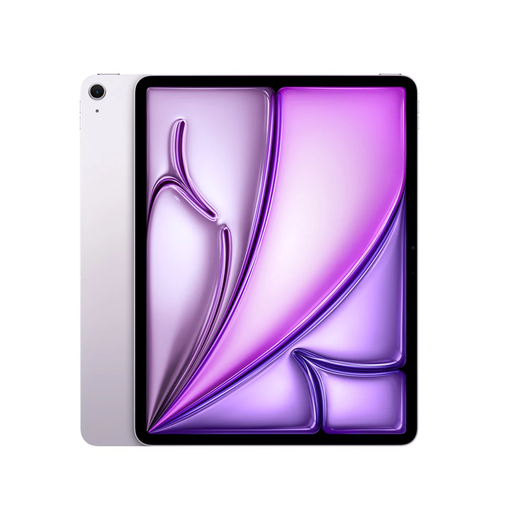
Apple 13-inch iPad Air (M4), Wi-Fi, 128 GB, purple (2026)
The 13-inch screen is well suited to viewing detailed drawings. Check that your required app and files work on iPadOS.
13 inch; 128 GB; Wi-Fi. Apple Pencil sold separately.
View at Joybuy
 No image available
Apple 13-inch iPad Air (M4), Wi-Fi, 256 GB, space grey (2026)
The 13-inch screen gives you more room to view your work. Check that the project app and file editing you need suit your workflow.
13 inch; 256 GB; Wi-Fi. Apple Pencil sold separately.
View at Joybuy
 No image available
TECLAST ArtPad Pro, 12.7 inch, 256 GB
The 12.7-inch screen is worth considering if you want to view drawings on a larger display. Check that the app and file editing you need are supported.
Android 15; 12.7 inch; 256 GB; 20 GB RAM (8 GB + 12 GB virtual); compatible with T Pen.
View at Joybuy
 No image available
TECLAST ArtPad Pro, 12.7-inch 2K, 256 GB, with stylus
The larger screen and included stylus may suit viewing and annotating drawings. Check that your project app supports your files.
12.7-inch 2K; 256 GB; 20 GB RAM (8 GB + 12 GB virtual); stylus included.
View at Joybuy
 No image available
iFLYTEK AINOTE Air 2, 8.2-inch e-ink tablet with stylus
The product description mentions reading PDFs and taking notes with a stylus. The 8.2-inch screen gives you less room for detailed drawings than larger tablets.
8.2 inch; e-ink screen; stylus.
View at Joybuy
Frequently asked questions
Can I study a bridge drawing without an internet connection?
Yes, if the drawing is saved locally beforehand and the app you’re using supports offline access. Autodesk explains that, with AutoCAD Mobile, you need to download a drawing while online first. Any changes will sync once you reconnect.
How do I connect a USB drive with project files to an iPad?
Use a connection or adapter that’s compatible with your iPad and drive, then open supported files in Files or a suitable app. Apple has requirements for things like drive partitions and formatting, so check these before relying on the drive.
Do I always need a paid subscription for DWG files?
Not for every type of access: Autodesk says you can view and download DWG files with an active account, even without a subscription. Editing isn’t available, so check which features your course requires.
What rights do I have when buying a tablet online in the Netherlands?
According to ACM ConsuWijzer, when you buy as a consumer online, you generally have up to 14 days after delivery to change your mind. You’re also entitled to a product that meets reasonable expectations. If there’s a fault covered by the legal guarantee, the seller must put it right appropriately and free of charge.


