
For people who type a lot
You work on longer drafts in a café and mainly want a stable set-up with a compatible physical keyboard.


For longer reviews, a tablet with a compatible physical keyboard is a practical choice; choose a pen if you mainly want to highlight and annotate passages. E-paper may suit reading and focused writing, but first check that your book file and writing apps work, and that the keyboard layout is right for you.
You work on longer drafts in a café and mainly want a stable set-up with a compatible physical keyboard.
You read a digital book or document and want to capture quotes and thoughts with a pen before writing up your review.
You take your tablet with you often, so you weigh up screen space against the size of the complete set-up and the space available on the table.
Best if: you mainly type longer drafts and want to use a familiar tablet workflow.
Trade-off: the keyboard may be a separate accessory; check compatibility and keyboard layout for the exact model.
Best if: you want to highlight passages and make notes as you read; Samsung says the S Pen is included with the Galaxy Tab S10 FE.
Trade-off: the compatible keyboard is a separate accessory; check the bundle and layout.
Best if: you like having more room to view a book and your draft side by side; Lenovo lists the Idea Tab Plus as having a 12.1-inch screen.
Trade-off: a larger screen takes up more table space; the Dutch Consumers' Association notes that larger tablets can be less practical to hold for long periods.
Best if: reading and annotating are your priorities, and your book file and writing workflow work on the device.
Trade-off: reMarkable says DRM-protected e-books and Kindle books cannot be opened directly; also check specific keyboard compatibility and layout.
| What to consider | What should you check? | Who should pay particular attention? |
|---|---|---|
| Typing longer texts | Check that the keyboard fits the exact tablet model, what layout it has and what is included in the box. | If I write longer reviews in a café, I want a comfortable, compatible keyboard set-up. Around 36% of consumers put typing first in this situation. |
| Reading and annotating passages | Check that your book file opens, whether a pen is included and how you can transfer your notes to your draft. | If I base my review on highlighted passages, I want to capture them as I read. Around 29% of consumers give annotating the highest priority. |
| Taking it with you and working in a café | Compare the tablet and accessories as a complete set; prepare any files you need in advance and decide how you will get online. | If you often take your tablet with you and work at a small table, you need to weigh portability against access to your files. Around 21% of consumers put this combination first. |
| E-paper and book files | Test your own book file and check that the apps, keyboard layout and editing features you need are suitable. | If I mainly want a calm reading and writing workflow on e-paper, I want to know first whether my files and apps work. Around 14% of consumers choose this as their main consideration. |
Compatibility and keyboard layout vary by model. So, choosing a tablet on its own won’t tell you whether you can start typing comfortably straight away.
Compare the tablet, a compatible keyboard and the pen you want as one set. Also check the exact version and what’s included.
reMarkable says DRM-protected e-books won’t open and Kindle books can’t be read directly.
Before buying, check the file format of the book you want to review and how you can transfer passages to your draft.
More screen space can be useful for viewing a book and your draft, but it also takes up more room on the table. The Dutch Consumers' Association notes that larger tablets can be less practical to hold for long periods.
Weigh up the space needed for the tablet and keyboard against how easy they are to carry and hold.
A manufacturer’s warranty does not replace your right to a product that is fit for purpose. The Government of the Netherlands explains that there is no fixed statutory warranty period in the Netherlands and that you should contact the seller if there is a fault.
Keep your proof of purchase and consider what additional cover a separate warranty provides.
The iPad (A16) is an 11-inch option if you want to type on an iPad and perhaps annotate with Apple Pencil.
The Galaxy Tab S10 FE offers an Android option for reading, writing and annotating with a pen.
The Idea Tab Plus is a larger Android option if you want more screen space and plan to use a pen or keyboard.
The Note Air5 C is an e-paper option for reading and note-taking, with Android and support for keyboard input.
Paper Pro with its dedicated Type Folio is suited to reading and annotating compatible documents, then writing up your text.
These Joybuy picks are suited to writing, reading and note-taking on the go; some models are listed with a pen or keyboard.
 No image available
An option if you want to make notes with a pen as you read and work on your review too.
The Joybuy product listing specifies an 11.1-inch touchscreen, 3.2K, 144 Hz, Snapdragon 8 Gen 3, 12 GB LPDDR5X, 256 GB UFS 4.0, Wi-Fi 7 and Android 15. Tab Pen Pro is included.
 No image available
A compact option for reading in a café and tackling lighter productivity tasks.
The product name lists Wi-Fi, 4 GB RAM and 128 GB storage.
 No image available
An option if you want to type a draft and annotate passages; the product information lists support for Magic Keyboard and Apple Pencil.
According to the product information, Magic Keyboard and Apple Pencil are sold separately.
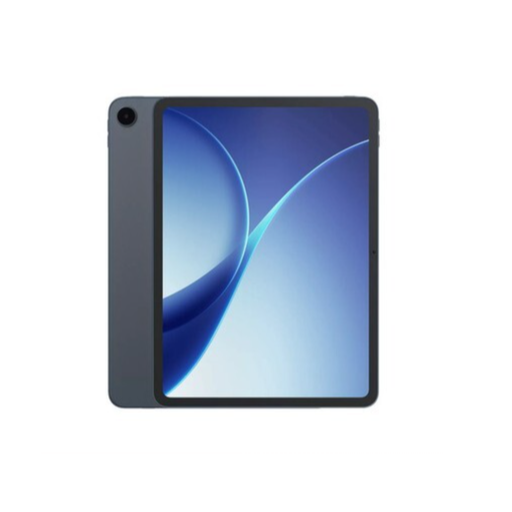 No image available
An option to consider if you want to combine working with documents and other productivity tasks on a tablet.
 No image available
The listed keyboard and stylus combination is suited to typing and note-taking; check that the set-up works for your table.
The Joybuy product name lists an 11-inch 2K FHD screen, 90 Hz, 24 GB (8+16) RAM, 128 GB ROM, 8800 mAh, Dual SIM 4G, Wi-Fi 5G, GPS and OTG.
Choose a compatible physical keyboard if you mainly type longer drafts, and give a pen more consideration if you highlight passages first. Check what’s included with each version and whether the accessory fits the exact model.
Get your book and draft ready before you leave, and check how you’ll sync your files. The Safe Internetting service advises using a VPN or a mobile data hotspot on public Wi-Fi; this is security advice, not a legal requirement specific to tablets.
No. reMarkable says DRM-protected e-books won’t open and Kindle books can’t be read directly. Compatible EPUB and PDF files can be used, so check the file format of the book you want to review.
For online purchases from a business, you usually have a 14-day cooling-off period, according to the Government of the Netherlands. You’re also entitled to a product that is fit for purpose; the Government of the Netherlands explains that there is no fixed statutory warranty period in the Netherlands and that you should contact the seller if there is a fault.