First, choose a tablet that lets you open camera files using your card reader and photo app. Then compare the screen where you plan to review your photos. A compact model is easier to carry, while a larger screen gives you more room to look at details together. Claimed peak brightness and water resistance don’t guarantee hassle-free use in sunshine, sand or salt water.
Who is this guide for?
Photographer selecting photos on location
Wants to transfer camera photos during the workshop, check their sharpness and save an initial selection. The photo app you want to use and the right card reader are important too; Apple Support Netherlands and Adobe describe different ways to import photos from a camera or memory card.
Participant discussing photos outdoors
Views images in different outdoor locations and weighs screen visibility, portability and protection against moisture and dirt. Manufacturer specifications are a point of comparison, not a guarantee that the screen will be readable in coastal sunshine or protected against seawater.
Participant sharing work with the group
Prefers more screen space for looking at composition and details together, even if that makes the tablet less portable. De Rooij Fotografie explains that workshop photos can be shared for review.
What should you consider when choosing?
First check that your camera, card reader, files and photo app work together. Then choose a screen size that suits viewing on your own or discussing photos as a group.
| What to consider |
What should you check? |
Who should pay particular attention? |
| Transferring photos |
Check your camera’s card type, the right card reader, supported file formats and whether your app works with the network connection you want to use. |
If you want to open and select your camera photos on location, the whole transfer process needs to work. Around 33% of consumers prioritise transferring and viewing files. |
| Reviewing photos outdoors |
Compare screen size, claimed brightness modes and reflections. If possible, test the screen in similar lighting and consider the tablet’s weight. |
If you want to look at details outdoors, both visibility and ease of handling matter. Around 27% of consumers prioritise outdoor viewing and portability. |
| Discussing photos together |
Compare a screen around 11 inches with one around 13 inches, and also consider the weight and where you’ll place the tablet. |
If several participants are looking at composition and sharpness at the same time, you’ll want enough screen space. Around 20% of consumers prioritise group discussions. |
| Storage and useful life |
Check the storage option, any expandable storage, the accessories you’ll need, app purchases and the update policy for the exact model. |
You’ll want to know in advance which tablet and accessories suit your existing apps and storage needs. Around 20% of consumers focus on the total cost of purchase and useful life. |
Common buying mistakes
-
Confusing a microSD slot with a camera card reader
Expanding storage and reading your camera’s memory card are two different things. Without the right card reader and a compatible app, you may not be able to open your photos on location.
Check the card type and test the entire transfer process before you leave.
-
Assuming peak brightness means the screen will be readable in coastal sunshine
Manufacturers quote different brightness specifications and usage modes; these don’t provide a direct comparison of how readable a screen will be where you’re using it.
If possible, view the screen in similar lighting and plan to find a shaded spot for carefully selecting your photos.
-
Assuming IP68 means protection against seawater
Samsung describes the IP68 test for the Galaxy Tab S10 FE as being carried out in laboratory conditions using fresh water. This doesn’t prove protection against salt and sand.
Protect the tablet and its ports from seawater and sand. Don’t connect a charger or accessory until a wet device is completely dry.
-
Comparing the tablet alone
Your chosen storage option, card reader, case and photo app all affect how well a tablet suits your workflow. According to the Consumers’ Association, switching operating systems may mean you have to buy paid apps again.
Before choosing, make a list of your camera, card reader, storage needs, existing apps and how long you want to use the tablet.
According to the Consumers’ Association, you may have to buy paid apps again if you switch operating systems.
Brands to compare
Apple
The iPad Air comes in 11- and 13-inch versions, for anyone who wants to use the Photos app or stick with an existing iPad workflow.
- Apple Support Netherlands describes how to import from a camera or SD card using a compatible card reader. Apple lists P3 display support for the iPad Air (M4).
- For the Wi-Fi versions of the iPad Air (M4), Apple quotes 500 nits for the 11-inch model and 600 nits for the 13-inch model.
- You’ll need to buy a compatible card reader separately for this import method. The claimed brightness isn’t a test of readability in coastal sunshine.
Samsung
The Galaxy Tab S10 FE and FE+ are worth comparing if you’re looking at Android, different screen sizes and expandable storage.
- Samsung lists microSD expansion for the FE series and up to 800 nits in High Brightness Mode.
- The IP68 rating for the Tab S10 FE and the included S Pen is based on laboratory conditions using fresh water; don’t treat it as protection for use at sea.
Xiaomi
The Pad 7 is an Android alternative with a screen around 11 inches and several storage options to compare.
- Xiaomi specifies an 11.2-inch screen, DCI-P3 support and several storage options for the Pad 7.
- The claimed maximum brightness of 800 nits isn’t a measured test of how readable bird photos will be in coastal sunshine.
Lenovo
The Tab P12 is a larger Android alternative if viewing photos together matters more than holding the tablet for long periods.
- Lenovo lists a 12.7-inch screen for the Tab P12.
- Lenovo lists security updates for this model through to June 2027. If you plan to use the tablet for longer, check the update policy for the version you choose.
Tablets at Joybuy
These tablets are options for viewing photos during a workshop on a compact to mid-sized screen and storing files locally. Check for yourself which camera, card reader and app work with the model you choose.
 No image available
Blackview Active 8 Pro, 16 GB (8 GB + 8 GB) + 256 GB, 10.36-inch
An option if you want to view photos on a 10.36-inch screen and need 256 GB of storage.
The product name lists Android 13 and an HD screen.
View at Joybuy
 No image available
Blackview Active 5, 22 GB (6 + 18 GB virtual) + 128 GB, 8.68-inch
Its compact screen size suits anyone who wants to take a small tablet along to a workshop.
The product name lists Android 15, a 90 Hz IPS screen and 128 GB ROM.
View at Joybuy
 No image available
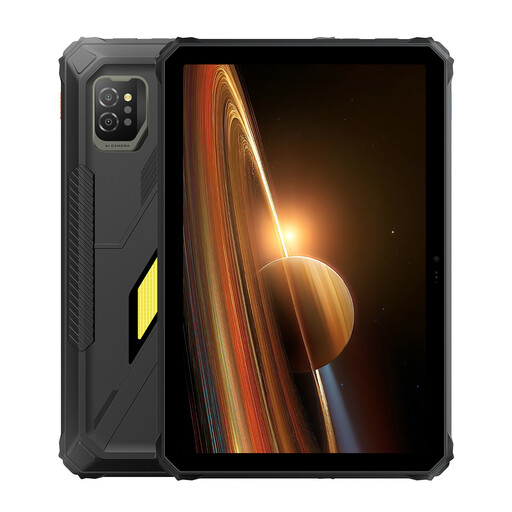
Blackview Active 7, 24 GB (8 + 16 GB) + 128 GB, 11-inch
An 11-inch option if you want to view photos and take your files with you during a workshop.
The product name lists an IPS screen, Android 15 and a 10,000 mAh battery with 45 W charging.
View at Joybuy
 No image available
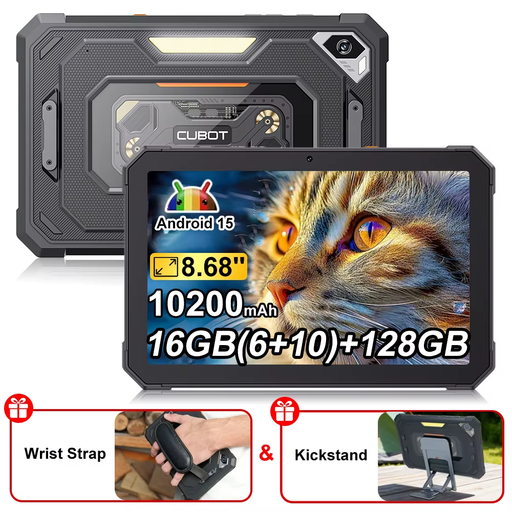
CUBOT Tab KingKong Mini, 16 GB (6 + 10 GB) / 128 GB, 8.68-inch
A compact option if you want to take a smaller screen with you for viewing photos.
The product name lists Android 15 and a 90 Hz screen.
View at Joybuy
 No image available
Lenovo Idea Tab, 256 GB, 11-inch, grey
An option if you want to view photos on an 11-inch screen and store files locally.
The description lists a 2.5K IPS screen, microSD expansion and Android 15. It warns against excessive moisture, standing water and liquids.
View at Joybuy
Frequently asked questions
How do you transfer photos from your camera to an iPad?
Apple Support Netherlands explains how to import photos into Photos from a camera or SD card using a compatible camera adapter or card reader. Before the workshop, test that your camera, card, reader and chosen files all work together.
Can you view RAW files in Lightroom on a tablet?
Adobe explains how to import files directly from cameras or memory cards into Lightroom for mobile. According to Adobe’s FAQ, RAW import and editing on mobile devices require a Creative Cloud membership. Check in advance that your files and preferred workflow are supported.
Is an IP68-rated tablet suitable for use at sea or on a wet beach?
Not on the basis of the rating alone. Samsung describes the IP68 test for the Galaxy Tab S10 FE as a fresh-water test carried out in laboratory conditions, not as protection against salt and dirt. Don’t connect a charger or accessory until a wet device is completely dry.
What are my rights when I buy a tablet online in the Netherlands?
According to ACM ConsuWijzer, online purchases come with a statutory cooling-off period of up to 14 days after delivery. You’re also entitled to a legal guarantee if the tablet doesn’t perform as you could reasonably expect under normal use; the seller is responsible for this. This guarantee isn’t automatically limited to two years.


