Who is this choice relevant to?

Star chart reader

You often look at illustrated pages, diagrams or small labels, and want to use your own book to see whether a larger colour screen is comfortable to read at your usual distance. The Consumers’ Association highlights screen size as something to consider when choosing a tablet.

Reader who holds their tablet

You mainly read text with the tablet in your hands, and portability matters more to you than having room for a full-page chart. The Consumers’ Association describes smaller tablets as compact and handy for taking out and about.

Reader with their own digital library

You want to open your existing books or PDFs in a café and make sure in advance that the files you need are available offline. Apple Support explains how PDFs you receive can be opened and saved in Books on an iPad; check separately that your book titles and apps are compatible.

What should you look for when choosing?

What to consider What should you check? Who is this important for?
Charts and small text Open a page from your own book and check the small labels at your usual reading distance, ideally in lighting similar to that of a café. I want to assess illustrations and chart labels at my usual reading distance before choosing a screen size. Around 36% of consumers give the readability of charts and illustrations top priority.
Holding and carrying Compare the weight of the exact tablet and case, and try holding the device as you would while reading. If I mainly read text with the tablet in my hands, portability matters more than fitting a full chart on screen. Around 29% of consumers put holding and carrying first.
Your own books and PDFs Check your reading app, file format and any usage restrictions. Download a book in advance and try opening it without Wi-Fi. I want to be able to open my existing books without café Wi-Fi, and to know in advance which app I’ll need. Around 21% of consumers give access to their own books and PDFs top priority.
Overall cost and use Check what comes with the model and whether you can use the accessories and apps you want. When choosing a tablet for everyday use, I also want to consider accessories and the apps I already have. Around 14% of consumers put overall cost and support first.

Common buying mistakes

  • Choosing based only on screen size or brightness

    A specification won’t tell you whether small star chart labels are easy for you to read, or how distracting reflections from lamps and windows will be where you usually read.

    Look at a page from your own book at your usual reading distance, and try the screen in similar lighting. Also check how comfortable the tablet is to hold.

  • Assuming your existing purchases will automatically work on a different tablet system

    The Consumers’ Association warns that if you switch systems, you may have to buy some paid apps again.

    Before choosing, make a note of the bookshops, apps and file formats you use, and check whether your purchases are available on the system you’re considering.

    You may have to buy a paid app again if you switch systems. Check this for the apps you use.

  • Confusing the manufacturer’s warranty with your statutory rights

    According to the Authority for Consumers & Markets, there is no fixed time limit for the statutory guarantee in the Netherlands. A commercial manufacturer’s warranty is different.

    Keep your proof of purchase and discuss any fault with the retailer, based on what you could reasonably expect from the product during normal use.

Brands to compare

Apple

The iPad (A16) is a colour tablet of around 11 inches for anyone who wants to use books and illustrated PDFs in iPadOS.

  • For the Wi-Fi model, Apple specifies a resolution of 2360 × 1640 pixels and a weight of 477 g. Apple Support explains that PDFs you receive can be opened and saved in Books.
  • This doesn’t confirm that every e-book bought elsewhere will work in Books. The stated weight is for the tablet without a case.

Samsung

The Galaxy Tab S10 FE is an Android option of around 11 inches for anyone also considering taking notes with an S Pen.

  • Samsung lists a 10.9-inch screen and S Pen support for the Dutch Wi-Fi model.
  • Check the exact model and what’s included in the box. Don’t assume regional specifications are the same based on the series name alone.

Lenovo

The Tab One is a compact Android option for readers who mainly read text while holding their tablet.

  • Lenovo lists an 8.7-inch screen and a weight of around 320 g for its Dutch product range. One model has a resolution of 1340 × 800 pixels.
  • A compact screen offers less room for a full star chart. Check the specifications and what’s included with the model you’re considering.

Xiaomi

The Redmi Pad 2 is an Android option of around 11 inches for anyone who wants to view colour illustrations on a larger screen.

  • Xiaomi lists a resolution of 2560 × 1600 pixels, a reading mode and a standard brightness of 500 nits; the stated brightness in outdoor mode is 600 nits.
  • These specifications aren’t an independent assessment of reflections or reading comfort in a café.

TCL

The NXTPAPER 11 Plus is a colour tablet worth comparing if screen reflections are an important factor in your choice.

  • TCL lists an 11.5-inch screen with 2.2K resolution for the NXTPAPER 11 Plus.
  • The screen’s positioning isn’t an independent comparison of reflections or reading comfort against other models. Try it with your own book in similar lighting.

Tablets at Joybuy

This selection includes tablets for digital reading and viewing illustrated pages. Check the screen size, reading app you want and support you need for each model.

Apple 11-inch iPad Air (M4), Wi-Fi, 256 GB, Space Grey

Apple 11-inch iPad Air (M4), Wi-Fi, 256 GB, Space Grey (2026)

An option to compare if you want to view illustrated pages on a tablet of around 11 inches.

11 inches; Wi-Fi; 256 GB storage; Space Grey.

View at Joybuy

Xiaomi Pad 8 Pro, grey, 12 GB RAM, 512 GB storage

Xiaomi Pad 8 Pro, grey, 12 GB RAM, 512 GB storage

A model to compare if you want to store and view digital books and other files on a tablet.

12 GB RAM; 512 GB storage; grey model.

View at Joybuy

TECLAST P50, 11-inch Android 16 tablet with IPS screen

TECLAST P50, 11-inch Android 16 tablet

The product title lists an 11-inch screen, a size to consider when comparing tablets for illustrated pages.

IPS screen; 90 Hz; 32 GB RAM (6 GB + 26 GB virtual); 128 GB ROM; 8000 mAh; 4G LTE; dual SIM; 5GHz Wi-Fi; GPS; Widevine L1; BT5.0.

View at Joybuy
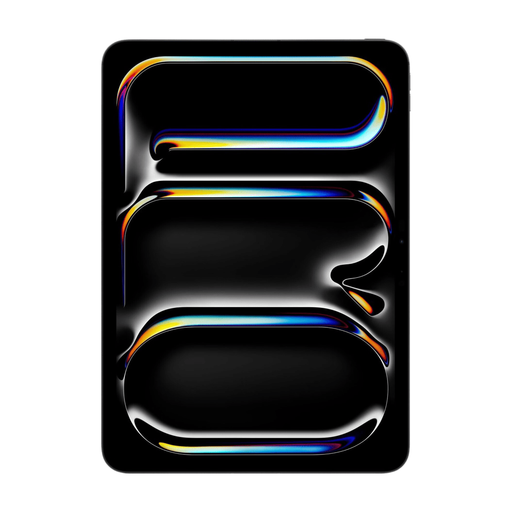
Apple 11-inch iPad Pro, Wi-Fi and cellular, 512 GB, Space Black

Apple 11-inch iPad Pro, Wi-Fi + cellular, 512 GB, Space Black (2025)

A tablet of around 11 inches to compare if you want to view illustrated pages on a larger screen.

Wi-Fi + cellular; 512 GB storage; Space Black. The product description lists an 11-inch OLED screen with a resolution of 2420 × 1668.

View at Joybuy

Lenovo Idea Tab Plus, Wi-Fi, 12.1 inches, 2.5K, 256 GB, with pen, pink

Lenovo Idea Tab Plus, Wi-Fi, 12.1 inches, 2.5K, 8 GB RAM, 256 GB, with pen, Rose

The 12.1-inch size is worth comparing if you want extra screen space for star charts. Also consider how it will fit in your bag and on the table.

Wi-Fi; 12.1 inches; 2.5K; 8 GB RAM; 256 GB storage; with Lenovo Pen.

View at Joybuy

Frequently asked questions

Is a smaller screen big enough for your astronomy book?

A compact screen that’s easier to hold can work well if you mainly read continuous text. For small labels or a chart spanning a full PDF page, it’s best to view a sample page at the screen size you’re considering first; screen diagonal alone won’t tell you enough.

How can you prepare for a reading session without reliable café Wi-Fi?

Check in advance which app and usage rights your book requires, download it where permitted, and try opening it offline. Apple Support explains how to save PDFs you receive in Books on an iPad; this doesn’t mean every commercial title can be opened there.

What can you do if the screen reflects light?

Try adjusting the brightness and screen angle with a real page from your book in a place with similar lighting. A reading mode or stated brightness doesn’t compare screen reflections; follow the tablet manufacturer’s instructions for cleaning the screen.

Are you automatically entitled to exactly two years of statutory cover in the Netherlands?

No. According to the Authority for Consumers & Markets, there’s no fixed time limit for the statutory guarantee in the Netherlands: the retailer is responsible if a product doesn’t meet what you could reasonably expect during normal use. A stated manufacturer’s warranty is different.

Can you return a tablet after buying it online, and which EU rules apply?

When you buy from a business online, you’ll often have 14 days to change your mind; applicable exceptions and conditions may vary. According to the European Commission, energy labelling rules apply to slate tablets placed on the EU market from 20 June 2025.
