Joybuy products for astronomy books and PDFs
This selection includes tablets for larger digital pages and a compact colour e-reader. Compare the screen size with the way you use star charts, photos and longer texts.
 Image unavailable
Blackview Active 8 Pro, 10.36 inches, 16 GB + 256 GB, black
The 10.36-inch screen is worth considering if you want to read digital astronomy books on a tablet. Try one of your own PDFs to see how much zoom you need.
The product name lists an HD screen and Android 13.
View at Joybuy
 Image unavailable
Lenovo Yoga Tab ZAG60028PL, 11.1 inches, 3.2K, 256 GB, Luna Grey, with Tab Pen Pro
This tablet may suit you if you want to view digital pages and make notes. Try one of your own astronomy PDFs to see how small labels appear.
The product name lists an 11.1-inch touchscreen and a Tab Pen Pro included in the box.
View at Joybuy
 Image unavailable
Apple 11-inch iPad Pro, Wi-Fi + Cellular, 256 GB, Space Black (2025)
A colour tablet may suit you for digital astronomy books. Try one of your own pages to see how the fixed layout and small chart details look on this screen.
The product information lists an OLED screen with a resolution of 2420 × 1668 pixels.
View at Joybuy
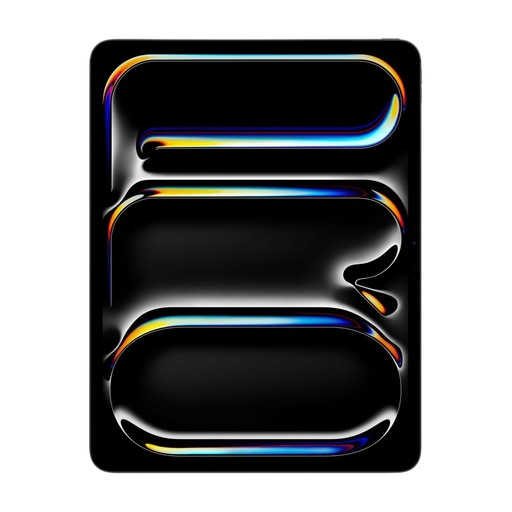 Image unavailable
Apple 13-inch iPad Pro, Wi-Fi + Cellular, 256 GB, Space Black (2025)
The 13-inch screen may suit fixed page layouts and full-page PDFs. Try your own file to check small labels and reflections in the light you’ll be reading in.
The product information lists a Tandem OLED screen with a resolution of 2752 × 2064 pixels. According to Apple, nano-texture glass is only available as an option on models with 1 TB or 2 TB of storage. The screen information provided is not an independent test in sunlight.
View at Joybuy
 Image unavailable
Bigme HiBreak Pro Color Display, 6.13 inches, 8 GB + 256 GB
The product name describes this as a colour e-ink reader for digital reading. Its compact screen is less suited to a full star chart or A4 PDF.
The product information lists Android 14 and a Kaleido 3 screen with 300 PPI for black and white and 150 PPI for colour. The Dutch Consumers’ Association notes that A4 PDFs can be difficult to read on smaller e-readers.
View at Joybuy
Frequently asked questions
Can I read an astronomy PDF as easily on an e-reader as on a tablet?
Not necessarily: A4 PDFs can be difficult to read on smaller e-readers. The Dutch Consumers’ Association points out that reflowing text can disrupt the fixed layout. Try one of your own star charts or book pages on the device you’re considering.
How can I check whether my books will work on the device?
Before buying, check the file format and any DRM restrictions on your books. For the InkPad Color 3, PocketBook lists EPUB, EPUB with DRM, PDF and PDF with DRM, among other formats. This doesn’t mean every bookshop or library will work without extra steps.
What battery and repair information should I compare?
Compare the battery and repair information for the exact model, and don’t assume that all screen types have the same battery life. For applicable tablets placed on the EU market from 20 June 2025, the European Commission describes rules on energy labels and repairability. Check whether those rules apply to the product.
What are my rights if I’m not happy with a tablet bought online or it breaks?
For online purchases, ACM ConsuWijzer says you generally have a 14-day cooling-off period after delivery, subject to legal exceptions. In the Netherlands, there is no fixed general two-year period for the legal guarantee: what matters is what you can reasonably expect from the product.
What should I look for in a tablet or e-reader for the Dutch market?
Check that the model on offer meets the applicable product safety requirements and has the required CE marking. Applicable USB-C rules apply to new tablets and e-readers placed on the Dutch market from 28 December 2024. These general rules don’t confirm that an individual listing complies with them.


