
Reader of archive scans
You want to look at documents and maps between lectures, and need a tablet that’s easy to carry while offering enough room to read.


If you mainly read scans and carry your tablet between campus and the archive, a compact screen is a sensible starting point. Choose a larger screen if extra room for documents matters more than portability. If you take lots of notes, check pen compatibility and what’s included with the exact model. A tablet won’t automatically give you access to restricted archive material, so check the rules for the collection you’re using.
You want to look at documents and maps between lectures, and need a tablet that’s easy to carry while offering enough room to read.
You regularly annotate sources and want to know in advance which pens work with your tablet and whether one is included with the version you choose.
Your course may require Windows software. Check this requirement before choosing a tablet with a different operating system.
| What to consider | What should you look for? | Who is this important for? |
|---|---|---|
| Reading scans and maps | View a representative scan on the screen and compare sizes, including the case. | If I want to view scans or maps, I need enough room to read without the tablet becoming awkward to carry. Around 28% of consumers give reading space top priority. |
| Taking notes | Check compatibility with the full tablet model, what’s included in the box and whether your annotation app supports it. | Anyone who annotates sources by hand will want to know whether the pen works with the exact model and is included. Around 22% of consumers put handwritten notes first. |
| Taking it with you and carrying on working | Compare the weight of the version you’ve chosen with accessories, and check that saved files open offline. | If I travel between campus and the archive during the day, I want to carry documents easily and keep reading on the move. For around 22% of consumers, portability and being able to carry on working come first. |
| Total cost | Check which pen, case or keyboard is included with the exact version, and only add the accessories you need. | I don’t want to pay for accessories that don’t suit the way I work. Around 17% of consumers put the cost of their complete study set-up first. |
| Required software | Find out which programmes you need and check that they work with the operating system on the exact model. | If my course requires specific Windows software, the tablet needs to run those programmes. Around 11% of consumers prioritise Windows compatibility. |
The Utrecht Archives describes material that, for reasons including copyright, can only be viewed on computers in the reading room. So check the access rules for the collection you want to consult.
Ask in advance about access, whether you need to book and the rules for making copies of the collection in question.
A mistaken assumption could mean a wasted journey or an extra visit to the reading room.
Compatibility varies between tablet models and pens. For example, the iPad models reviewed don’t all support the same Apple Pencils.
Compare the full model name with the pen’s compatibility information and check what’s included in the box.
You may need to buy a pen, keyboard or case separately. For example, the Lenovo version reviewed is a specific bundle, while Microsoft lists the pen and Type Cover for the Surface Go 4 as separate add-ons.
Check what’s included with the exact version and only add the accessories you need for your studies.
The 11-inch iPad (A16) and iPad Air (M4) are models to consider for reading and annotating with a pen. Apple Netherlands and Apple Support list different pen compatibility for each model.
The Galaxy Tab S10 FE series is worth comparing if you do a lot of handwritten work.
The Tab P12 with a matte screen is a model to compare if you view larger documents at a desk.
The Xiaomi Pad 7 is an 11.2-inch Android tablet worth comparing if detail in scans matters to you.
The Surface Go 4 for business is a specialist option if you need Windows software for your studies.
These Joybuy products include tablets and E-Ink note-taking devices for reading documents and taking study notes with you. Check the screen type, which pen you need and whether you can open files offline for each model.
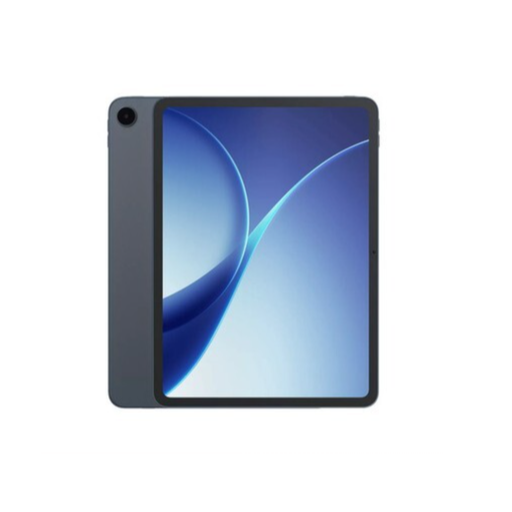 Image unavailable
An option if you mainly view documents in places with Wi-Fi; this model is Wi-Fi-only.
 Image unavailable
The product information lists an 11-inch Android 15 tablet and an included Lenovo Tab Pen for writing and drawing.
The charger isn’t included as standard and must be purchased separately.
 Image unavailable
The title lists an 11-inch IPS screen, 4G LTE and 128 GB of storage; consider this model if mobile connectivity matters to you.
The listed 32 GB RAM consists of 6 GB RAM and 26 GB virtual RAM.
 Image unavailable
An E-Ink note-taking device worth comparing if you want to combine reading and note-taking.
The product information lists speech-to-text and transcription in 16 languages; the speech-to-text feature mentioned requires an internet connection.
 Image unavailable
The product information lists PDF reading and annotation, an included stylus and a weight of 230 g; the smaller screen offers less reading space than larger scan formats.
No, not automatically. The Utrecht Archives describes material that, for reasons including copyright, can only be viewed on computers in the reading room. Check the access rules for your collection and book a research space if necessary.
Don’t assume you have general permission; rules may differ between collections. The Utrecht Archives explicitly stated that photography was not allowed for digital CABR files. For other material, ask the archive in question about its current rules.
Only if your way of working requires one. First check pen compatibility and what’s included with the exact model; Microsoft lists the pen and Type Cover for the Surface Go 4 reviewed as separate add-ons.
Check in advance that a saved document opens without an internet connection, and use a consistent system for file names and backups. Follow the archive’s rules for restricted material; general storage advice doesn’t give you permission to copy it.
According to the Dutch government, when you buy as a consumer you’re entitled to a product that’s fit for purpose; there’s no fixed statutory guarantee period in the Netherlands. When buying remotely from a business, you’ll usually have a 14-day cooling-off period, with some exceptions.