Which factors matter most?
The Consumers’ Association notes that larger tablets can be less practical to hold for long periods. Place one of your own essay pages next to the device, then try holding it as you would while reviewing.
| What to consider |
What should you check? |
Who should pay particular attention? |
| Portability |
Compare the dimensions and weight of the model, ideally with the case you use. Try your usual reading and carrying positions. |
If I move between rooms often, I want to be able to pick up the tablet comfortably without giving up too much page space. Around 29% of consumers put portability first. |
| PDF notes |
Check pen compatibility and what comes with the exact model. Import one of your own PDFs, add notes, then export or share the result. |
If you need to add handwritten comments to PDF pages, you’ll want to be able to send them back too. Around 29% of consumers prioritise this PDF workflow. |
| Images and captions |
View one of your own pages at your usual zoom level, including fine lines, small text and any relevant colour differences. |
For essays with drawings and small captions, I want to be able to assess the details without constantly zooming in. Around 24% of consumers prioritise image quality and readability of detail. |
| File workflow |
Test importing, opening files offline if needed, exporting and receiving them on a second device. Check any subscription terms for the features you need. |
If I need to open and send files back between devices, I want to know that every step works. Around 18% of consumers make this workflow their top priority. |
Joybuy products
These tablets are suited to reading essay pages and, depending on the model, taking notes with a pen. In particular, compare the screen space, pen support and included accessories with your own review workflow.
 Image unavailable
Lenovo Idea Tab Plus WiFi, 12.1 inch, 2.5K, 8 GB RAM, 256 GB, with pen, Rose
The included pen mentioned and 12.1-inch screen make this a good fit for making and viewing notes on documents.
Screen: 12.1 inch, 2.5K. Memory: 8 GB RAM. Storage: 256 GB. The product name mentions a pen.
View on Joybuy
 Image unavailable
Apple 11-inch iPad Air (M4) Wi-Fi, 256 GB, Space Grey, 2026
This mid-sized model may suit you if you read essays and want to make notes with a pen. Check first that the page is large enough for your captions.
Apple lists support for Apple Pencil Pro and Apple Pencil (USB-C). The product description says the Pencil is sold separately.
View on Joybuy
 Image unavailable
Lenovo IdeaTab with MediaTek Dimensity 6300, 11 inch, 8 GB RAM, 128 GB, Android 15
The product description lists a Lenovo Tab Pen included for writing and drawing on the 11-inch screen.
Screen: 11-inch IPS, 90 Hz, 500 nits. Weight: 480 g. Memory: 8 GB RAM. Storage: 128 GB. Android 15. Charger not included.
View on Joybuy
 Image unavailable
DOOGEE Tab G6 Plus, Android 15, 11 inch, 32 GB RAM and 256 GB storage, Black
The product name describes an 11-inch tablet for viewing essay pages as you move between rooms.
Storage: 256 GB, expandable to 2 TB according to the product name. Also listed: SIM card slot, 8000 mAh battery, T7280 octa-core, Widevine L1, 4G, Wi-Fi, Bluetooth 5.0 and GPS.
View on Joybuy
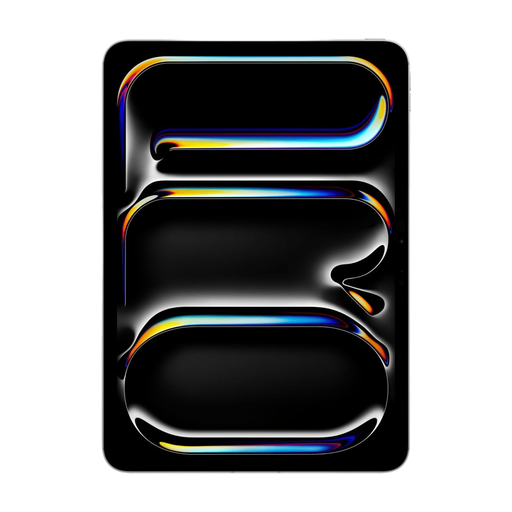 Image unavailable
Apple 11-inch iPad Pro Wi-Fi and Cellular, 512 GB, Silver, 2025
This model may suit you if you want to view colour images and make notes with a pen. Assess the display using your own essay materials.
Screen: 11-inch OLED, 2420 × 1668 pixels. Storage: 512 GB. The product description lists Apple Pencil support and says the Pencil is sold separately.
View on Joybuy
Frequently asked questions
How can I check that my essay is still usable after annotation?
Import one of your own PDFs, add notes to a page with images and export the file. Also open the result on the recipient’s device. reMarkable lists PDF among its supported import and export formats; Samsung describes importing, annotating, saving and sharing PDFs in Notes.
Is a pen included as standard?
It depends on the model. Samsung lists an S Pen in the box with the Dutch Galaxy Tab S12+. Apple lists compatible Pencils for the 11-inch iPad Air (M4), but they are not listed in the stated box contents. Check the exact Lenovo configuration.
Which features of a paper tablet are included with Connect?
According to reMarkable, Connect includes features such as unlimited cloud storage and handwriting search. Check the subscription terms and decide whether you need these features for the way you save and retrieve essays.
What rights do I have as a Dutch consumer when buying a tablet online?
According to the Government of the Netherlands, when you buy online from a business, you usually have a 14-day cooling-off period, with some exceptions. Products must also match the contract. The Government of the Netherlands says there is no fixed statutory warranty period in the Netherlands; if there’s a problem with the product, contact the seller.
Should I choose a particular tablet brand for privacy reasons?
The Dutch Data Protection Authority’s guidance does not recommend a specific brand for this task. However, it points out that apps may be able to access personal data on a tablet. If your essays contain personal data, check app permissions and how you share files.


