
Vandaag of morgen in huis

Kwaliteit gegarandeerd

Welkomstaanbiedingen ontgrendelen: GRATIS bezorging | Tot 80% korting | Gratis 30 dagen JoyPlus-proefperiode
Download de app
By: Joybuy Product Recommendation Officer
You've just settled onto the couch, only to have the sun cast a glare right on your screen. Or perhaps you want to watch from the dining area, but the TV is facing the wrong way. Sound familiar? A traditional TV stand often takes up valuable floor space and offers little flexibility. A swivel and tilt tv wall mount solves these problems. Not only do you reclaim more floor space, but you can also effortlessly adjust the viewing angle for optimal comfort.
This guide is designed to help you choose the right television mounting bracket. We'll look at the most important specifications and provide concrete recommendations for various situations, ensuring you can make an informed decision.
Before purchasing a tv wall mount, it's wise to check a few key points. This ensures the mount is compatible with your TV and your living situation.
The two most critical specifications are the VESA size and the maximum weight capacity. The VESA size is a standard for the distance between the four mounting holes on the back of your television, measured in millimeters (e.g., 200 x 200 mm). You can find your TV's VESA size in the manual or by measuring the distance between the holes yourself. A universal tv mount is often compatible with multiple VESA patterns. Additionally, ensure the mount's maximum weight capacity is greater than the weight of your television.
The degree of flexibility determines how you can position your TV.
extending tv mount can be pulled away from the wall. This is useful for corner installations or if you temporarily want to sit closer to the screen. A mount that combines all these features is also known as a full-motion tv mount.Check the material of the wall where you plan to install the mount. Most mounts are designed for solid walls, such as concrete, brick, or walls with wooden studs. Installation on drywall alone is strongly discouraged unless you use special anchors and fasteners designed for that purpose. Safe and correct installation is crucial to prevent your TV from falling off the wall.
Based on functionality and specifications, we have compiled a list of popular choices for you.
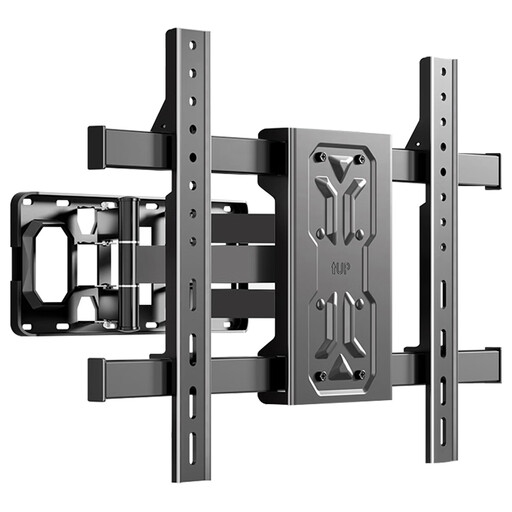
Why It Stands Out: This mount combines a wide range of compatibility with a practical extendable arm. When retracted, the TV sits flush against the wall, while it can be extended for a better viewing position.
Key Features:
Who Is It For? This is a versatile choice for those seeking a flexible and robust solution for a TV up to 55 inches, for example, in the living room or bedroom. The extendable feature makes it practical for various room layouts.
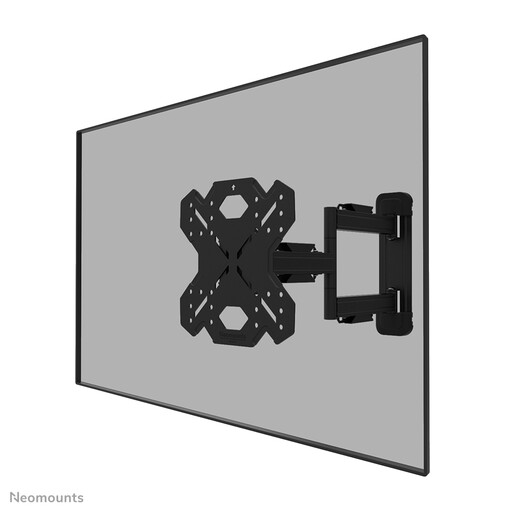
Why It Stands Out: Neomounts focuses on ease of installation. According to the manufacturer, the "Easy-release" system allows you to attach the TV to the mount effortlessly. The included spirit level and mounting template assist with correct placement.
Key Features:
Who Is It For? Ideal for those looking for a full-motion tv mount with a focus on a clean finish and a smooth installation process. The VESA compatibility is more limited, so double-check that it matches your vesa wall mount specifications.
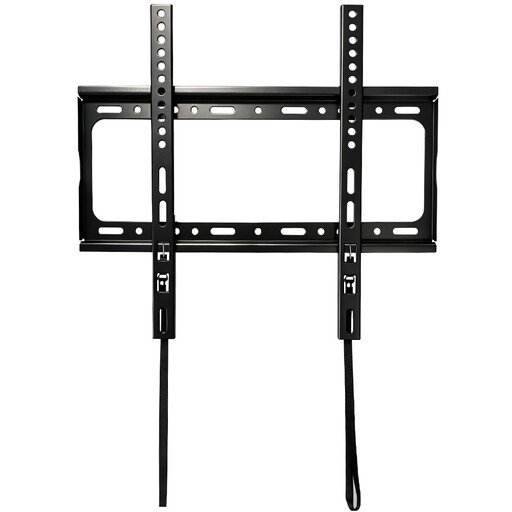
Why It Stands Out: Sometimes the simplest solution is the best one. This fixed mount doesn't swivel or tilt, but it excels at one thing: mounting your TV as flush and discreetly as possible against the wall.
Key Features:
Who Is It For? Perfect for situations where the viewing position is always the same and you want a sleek, modern interior. If you don't need swivel and tilt functions, this fixed mount offers a stable and space-saving solution.
Now that your TV is perfectly mounted, it might be time to furnish the rest of the room. For true film and series fans, we also have a unique collection of Cartoon Characters to add personality to your entertainment corner.
Almost every modern flat-screen TV can be mounted. It's essential to choose a vesa wall mount that is compatible with your television's VESA size and weight. This information is available in your TV's manual. Always check this before buying a mount.
A good rule of thumb is to mount the center of the television screen at eye level when you are seated on the couch. This usually translates to a height of about 100 to 110 cm from the floor. If you are using a tilting mount, you can hang it slightly higher, for instance, in the bedroom.
Yes, a swivel and tilt tv wall mount is safe, provided it is installed correctly and used within the specified limits. Ensure the mount is securely fastened to a suitable wall and that your TV's weight does not exceed the mount's maximum capacity. Periodically check that all screws and bolts are still tight after installation.
