What should you look for when buying?
Add up the ports needed for the print server, other wired devices and the connection to your existing network. Then decide whether you only need extra connections, or also network management or PoE.
| What to consider |
What should you check? |
Who is this important for? |
| Connection to the print server |
Check the Ethernet port, the connection to the existing network and the required IP settings. |
If my main priority is to connect the print server easily and make sure it’s accessible, I’ll check the basic connection first. Around 39% of consumers prioritise a simple, working print server connection. |
| Port capacity |
Count the network connection, print server and other devices, and allow for possible expansion. |
If my studio plans to connect more workstations, I want to avoid using up all the ports. Around 23% of consumers prioritise having enough connections for future expansion. |
| Network segmentation |
Check whether you need VLANs and who will configure the addressing, gateway and any routing. |
If I want to separate access for guests or user groups, I also need to control who can reach the print server. Around 23% of consumers prioritise controlled network access. |
| PoE for other devices |
Check the PoE standard and power requirements for each device, including the switch’s total power budget. |
If I want to power compatible additional equipment through the network cable, the switch must be suitable for those devices. Around 15% of consumers prioritise PoE for extra network devices. |
Joybuy products
This selection includes gigabit switches for a shared print server, with options for extra ports, VLAN management and PoE. Check that the model and its features suit your network configuration requirements.
 Image unavailable
TP-Link 8-port Gigabit Easy Smart Switch with 4 PoE ports
Suitable for a studio that needs several gigabit connections and PoE for compatible additional devices.
The product name specifies eight gigabit ports and four PoE ports.
Check the compatibility and power requirements of each device, as well as the available PoE budget.
View at Joybuy
 Image unavailable
NETGEAR GS108E-400EUS
Suitable for a studio that wants to connect several devices by cable and needs VLAN management.
The product information specifies eight 10/100/1000 Mbps ports and VLAN support.
VLAN support alone does not guarantee that users can reach the print server. Addressing and any routing must also be configured appropriately.
View at Joybuy
 Image unavailable
TP-Link TL-SG1008P 8-port unmanaged gigabit switch with 4 PoE ports
Suitable for a studio that needs extra wired connections and PoE for compatible devices, without managed VLAN features.
The product information specifies eight gigabit ports and four PoE ports.
Check the compatibility and power requirements of your PoE devices before connecting them.
View at Joybuy
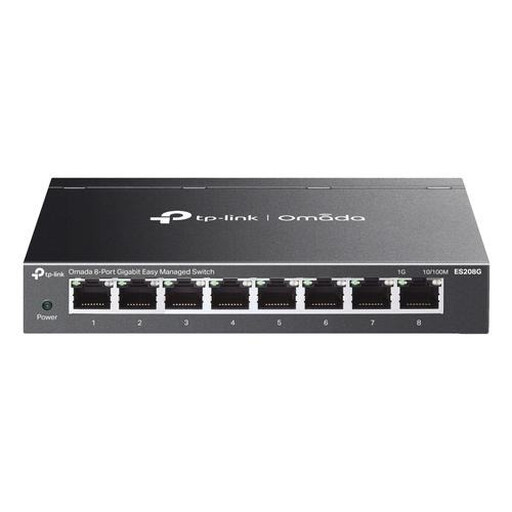 Image unavailable
TP-Link Omada ES208G
Suitable for a studio that wants to connect several wired devices and configure network segmentation.
The product information specifies eight gigabit ports, VLAN and QoS.
Check how to configure the network segments, addressing and any routing to maintain access to the print server.
View at Joybuy
 Image unavailable
TP-Link TL-SG105 5-port metal gigabit switch
Suitable for a print server and a few wired devices on the same network, when VLAN management isn’t required.
TP-Link specifies five gigabit ports and setup without configuration.
The connection to the existing network also uses a port, so remember to include it when counting the connections you need.
View at Joybuy
Frequently asked questions
Will a switch automatically make a print server available to everyone in the studio?
No. The print server must be connected to the network, and the network configuration must allow access for the intended users. Check the IP settings. On separate networks, additional gateway and routing settings may be needed, depending on the equipment.
How many ports do I need for a print server and workstations?
Count the print server and all other wired devices, plus the connection to your router or existing switch. That network connection also uses a port. Choose extra capacity if you expect to expand.
Does a standard print server need a PoE switch?
Not simply because the print server connects via Ethernet. Choose PoE only if the documentation for the device you want to power confirms that it supports the relevant PoE standard and power requirements. Also check the total power the switch can supply.
What should I check if the printer isn’t detected after connecting it?
Check the Ethernet cable, the port you’re using and the connection lights, then look at the printer’s network report or IP address. HP Support recommends these steps for setting up HP printers over a wired connection. For other print servers, refer to the relevant manual.
Does VLAN support automatically make a print server accessible across separate networks?
No. A VLAN switch provides options for network segmentation, but the addressing, gateway and any routing must also be configured appropriately. Decide in advance who will manage the configuration and which users need access to the print server.


