
Console gamer on the sofa
You play on a TV using a PS5, Xbox or Switch and want a controller that suits your system and game. PlayStation, Xbox and Nintendo provide details about their controllers’ platforms and features.


First, choose a controller that works with the console, PC or cloud gaming service you use, as well as with the game itself; a large screen doesn’t make controllers interchangeable. If you play from the sofa, check that the connection suits the distance from your seat. Extra feedback is only relevant if your game and connection support it.
You play on a TV using a PS5, Xbox or Switch and want a controller that suits your system and game. PlayStation, Xbox and Nintendo provide details about their controllers’ platforms and features.
You play Windows games on a big screen and want to choose between the freedom of wireless play, a USB receiver and a cable that reaches your seat. GameSir and 8BitDo offer details about various wired and wireless options.
You want vibration or distinctive trigger feedback during tense scenes, but it’s only useful if the game and connection support the feature. PlayStation and Nintendo provide details about their controllers’ feedback features.
Start with the device the game runs on. Then compare the connection from where you sit, the features supported by the game and what you need for longer sessions.
| What to consider | What to look for | Who is this important for? |
|---|---|---|
| Platform and game | Check the exact controller model and whether your device and game support it. | I want to make sure my console, PC or cloud gaming setup and the game support the controller. Around 33% of consumers put platform and game compatibility first. |
| Connection and distance from your seat | Measure the distance to your gaming device and check whether the model uses Bluetooth, a USB receiver or a cable. | I want to play from the sofa without a cable falling short; for wireless play, I want to know which connection is required. Around 27% of consumers give connection and distance from their seat top priority. |
| Vibration and feedback | Check which feedback features each game supports; according to PlayStation, DualSense haptics on PC require game support and a USB connection. | If I want to feel vibration or trigger feedback during tense scenes, I want to know whether my game and connection support those features. Around 20% of consumers prioritise tactile feedback. |
| Session length and costs | Check the stated battery life and the terms of use for any cloud gaming service. | For longer sessions, I want to know when I’ll need to recharge and whether access to cloud games comes with extra terms. Around 20% of consumers prioritise uninterrupted play and any potential access costs. |
A controller may use different connections on different platforms. For example, 8BitDo lists Bluetooth for Android and 2.4 GHz or a cable for Windows.
Before buying, check the full model name and the connection supported by your gaming device.
PlayStation says DualSense haptics on PC only work if the game supports them and the controller is connected via USB.
Check whether the specific game supports the feature and whether the required connection is practical for your setup.
The distance from your sofa to your gaming device determines whether a wired setup will work where you sit.
Measure the cable route and consider how you’ll run it around your furniture.
According to Samsung, the services and games available vary by TV model and country. Some cloud gaming libraries require a paid subscription.
Check your TV model, the service you want to use, the game and controller support separately. Bear in mind that some libraries require a subscription.
DualSense is a good option for PS5 and for PC games that support the controller.
The Xbox Wireless Controller is designed for compatible Xbox consoles, Windows PCs and mobile devices.
The Switch Pro Controller is an option for Switch players looking for a separate controller for TV-style gaming.
The G7 SE is a wired option for Xbox and Windows when the cable reaches your seat.
The Ultimate 2C Wireless is an option for Windows with a 2.4GHz receiver, and is also listed for Android via Bluetooth.
This selection includes controllers for PC, Xbox, Nintendo Switch and PS5. Check that each model’s connection and game support suit your setup.
 No image available
The product name mentions PC, Smart TV and Switch; check that your specific game and device are supported.
The product name lists Bluetooth 5.2 and 2.4G. Check which connection suits your setup.
 No image available
The product name mentions Xbox, PC and cloud gaming. Check that your game and chosen connection are supported.
Xbox lists Bluetooth for Windows 10 and Windows 11 on Xbox Wireless Controllers; check which connection suits your device.
 No image available
This controller is designed for playing on Nintendo Switch; Nintendo also describes pairing with Switch 2. Check which controls your game requires.
Nintendo lists HD Rumble and an estimated battery life of around 40 hours, depending on use.
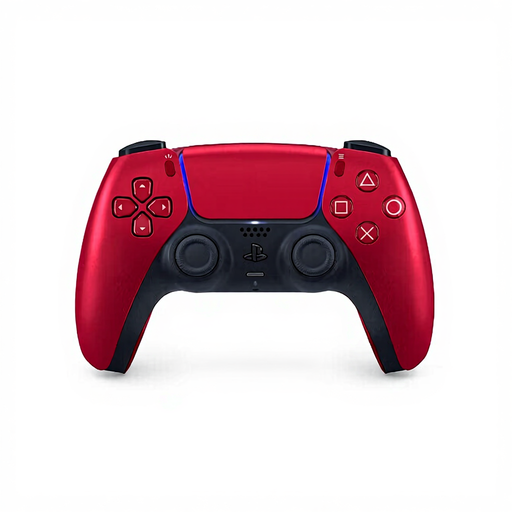 No image available
The product name mentions PS5. PlayStation lists haptic feedback and adaptive triggers; check whether your game supports these features.
According to PlayStation, haptic feedback on PC requires game support and a USB connection.
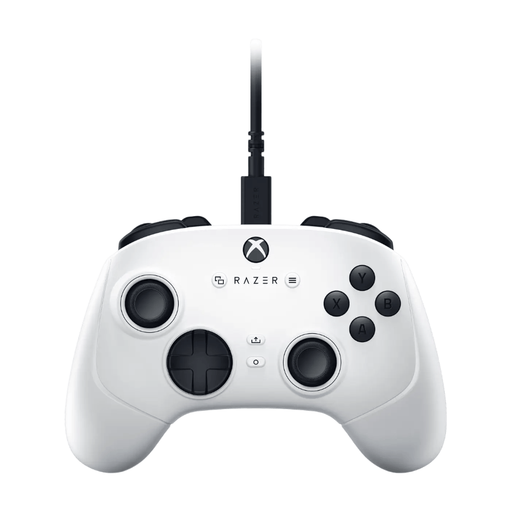 No image available
The product name mentions Xbox Series S, Xbox Series X and PC. Check that your game and device support the controller.
This is a wired option; check that the cable route reaches your seat.
Not if you’re playing through a connected console or PC: in that case, check the connection to that gaming device. For cloud gaming on a TV, you’ll also need to check the exact TV model, available service, controller support and access to the game; Samsung notes that availability varies by country and model.
Nintendo describes pairing with a Switch or Switch 2 using the dock and USB cable, or the SYNC button in the controller menu. The system must be switched on; according to Nintendo, pairing won’t work when the system is switched off or in sleep mode.
First, check whether the game supports the feature. For haptic feedback on PC, connect the controller via USB. A successful Bluetooth pairing alone doesn’t confirm that the feature is working.
It depends on the service and game. Samsung says Gaming Hub is free to use on compatible TVs, but some cloud gaming libraries require a paid subscription.
According to the Dutch government, you’re entitled to a product that works as it should; the Netherlands has no fixed statutory warranty period. If a fault is covered by the statutory guarantee, the seller is your point of contact. An additional manufacturer’s warranty doesn’t replace these rights.