If you mainly play survival horror in a dark room and value deep blacks and small highlights, OLED is a natural choice. RTINGS explains that OLED pixels emit light individually, so they don’t produce the LCD-like glow around bright objects. A mini-LED or other LCD monitor may be a better fit if you use the screen for lots of static content or want to avoid the risk of OLED burn-in. For any model, also check black uniformity, VRR performance and the video modes supported by your PC or console over your chosen connection.
Who is this choice relevant to?
Players who prioritise dark scenes
You mainly play story-driven horror games in a dark room and pay close attention to black levels, shadow detail and glow around highlights. RTINGS discusses black uniformity as a factor to consider in dark gaming scenes.
Players with fluctuating frame rates
You want a steady picture when the camera moves and frame rates fluctuate. Compare the response time and VRR performance of the specific model; RTINGS notes that VRR flicker can occur on the OLED and VA monitors it tested.
People who also work for long periods or watch other content
You use the same screen with fixed interface elements and want to weigh up OLED contrast, panel care and the risk of burn-in. LG explains that static elements left on OLED monitors for long periods can leave image retention.
Which factors matter most?
OLED
Best for: playing in the dark, when deep blacks and individual highlights are your priorities.
Consider: if you display lots of static content, bear panel care and model-specific warranty terms in mind. VRR flicker may also be a consideration when frame rates fluctuate.
LCD, including mini-LED
Best for: mixed use or if you’d rather not factor in the risk of OLED burn-in.
Consider: local dimming can improve LCD contrast, but the amount of blooming around bright details varies by model. Mini-LED describes the backlighting; the underlying panel may be VA, IPS or another type.
| Factor |
What to look for when buying |
Who should prioritise this |
| Black levels in dark scenes |
Look for a test of the exact model’s black uniformity and local dimming. View dark scenes with small bright objects. |
When I play in the dark, I want to assess black backgrounds and highlights without distracting glow. Around 40% of consumers put black levels first. |
| Motion and VRR flicker |
Compare response-time tests at different refresh rates and tests for VRR flicker. Don’t rely on a quoted millisecond figure alone. |
During fast camera movements, I want a steady picture and as little distraction as possible when the frame rate fluctuates. Around 23% of consumers give smooth, steady motion top priority. |
| Static images and OLED care |
Read the care instructions and burn-in terms for the exact model; distinguish manufacturer terms from your statutory rights. |
If I use the screen for long periods with fixed menus or work windows, I want to know what care it needs and which terms apply. Around 15% of consumers prioritise static-image use and the risk of burn-in. |
| Resolution, size and connections |
Check the space available on your desk, the port and the modes supported over the connection used by your PC or console. |
I want the size and connection to suit my gaming system and the modes I can actually use. Around 15% of consumers put system compatibility first. |
| HDR and energy information |
Check independent HDR measurements and the EU energy label for the exact model, including the separately listed HDR information. |
If HDR performance and energy use matter most to me, I want to consider both highlights and energy information. Around 7% of consumers put HDR and running costs at the top of their list. |
Things to watch out for when buying
-
Assuming an HDR logo means dark scenes will look great
On LCD monitors, the glow around bright objects depends partly on how local dimming is implemented; mini-LED monitors vary in this respect.
Compare tests of the exact model showing dark images and small light sources, rather than relying on the HDR claim alone.
-
Choosing based only on response time or refresh rate
An advertised figure doesn’t tell you how motion and VRR flicker perform at different refresh rates.
Check tests of the model at several refresh rates and see which video modes are available over your connection.
-
Confusing burn-in cover with unlimited protection
Burn-in cover may come with care requirements. These terms are not the same as your statutory rights.
Read the terms and follow the care instructions for the exact model.
-
Assuming the same model number is proof that specifications match
For the AOC AGON PRO AG276QZD2, AOC Netherlands lists 280 Hz, while the Joybuy product listing states 240 Hz. This is a difference in a key specification.
Ask for confirmation of the model variant and supported refresh rate before treating the listings as having the same specification.
Brands to consider
LG
The UltraGear 27GX704A-B is a 27-inch QHD OLED monitor for anyone looking for dark-room contrast in a more compact size.
- LG lists a 240 Hz refresh rate and QHD over HDMI 2.1 for this model.
- The reflective panel is worth considering if there are light sources in the room. The stated specifications alone don’t tell you anything about VRR flicker or burn-in resistance.
Samsung
The Odyssey Neo G7 LS32BG750NPXEN is a curved 32-inch 4K mini-LED monitor.
- Samsung specifies a 165 Hz refresh rate and mini-LED backlighting with local dimming.
- Check an independent test of the exact model for blooming and dark motion smearing; the technology listed alone doesn’t predict how it will perform.
BenQ
The European MOBIUZ EX321UX is a 32-inch 4K mini-LED monitor with connections for PC and console use.
- BenQ lists 1,152 dimming zones, HDMI 2.1, DisplayPort 2.1 and eARC.
- The number of dimming zones alone doesn’t show how much blooming you’ll notice in a horror game.
AOC
The AGON PRO AG276QZD2 is a QHD QD-OLED option with information on panel care and burn-in cover.
- AOC lists a 280 Hz refresh rate and a three-year OLED warranty, with burn-in cover subject to prescribed screen care.
- The Joybuy product listing states 240 Hz over DisplayPort for the AG276QZD2. Confirm the model variant and port mode before comparing these refresh rates.
ASUS
The ROG Swift OLED PG32UCDM Gen3 (PG32UCDM3) is a 32-inch 4K QD-OLED monitor.
- ASUS specifies a 240 Hz refresh rate, HDMI 2.1 and DisplayPort 2.1.
- Check the plug, availability and purchase terms for the specific model and your location.
Joybuy products
These Joybuy products are OLED gaming monitors for players who value dark-room contrast.
 No image available
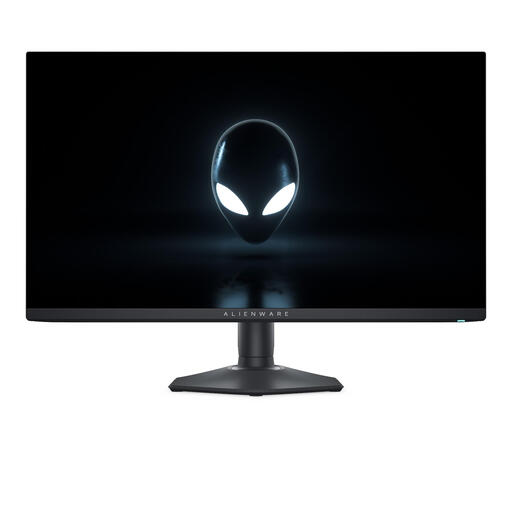
Alienware AW2725DF
QD-OLED is a good fit for players who value black levels in dark scenes.
27 inches; QHD (2560 × 1440); 360 Hz; 0.03 ms; HDMI 2.1.
View at Joybuy
 No image available
MSI MAG 272QP QD-OLED X24
QD-OLED technology makes this a good match for the OLED option when gaming in a dark room.
26.5 inches; WQHD; 240 Hz; 0.03 ms; Adaptive Sync.
View at Joybuy
 No image available
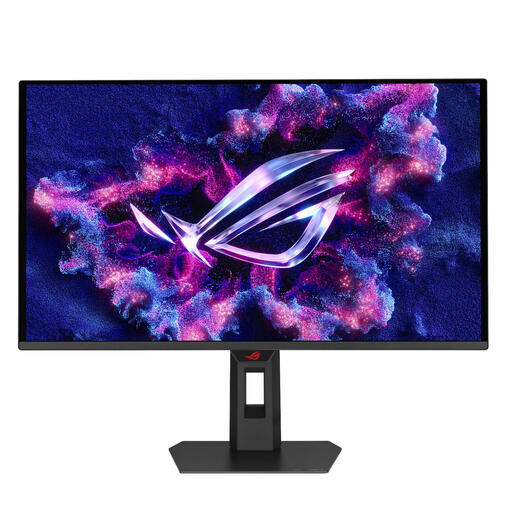
ASUS XG27AQDPG
The QD-OLED model is a good fit for players looking for OLED black levels in dark scenes.
26.5 inches; QHD; 500 Hz; 0.03 ms; HDMI 2.1.
View at Joybuy
 No image available
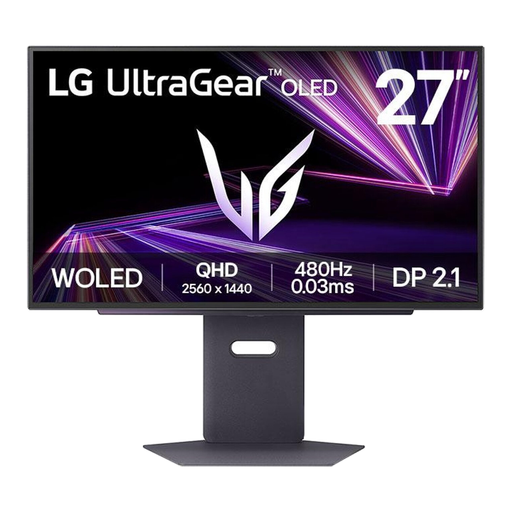
LG 27GX790A-B
OLED is a good choice if deep blacks in dark scenes are your priority.
27 inches; QHD; 480 Hz; 0.03 ms; DisplayPort 2.1.
View at Joybuy
 No image available
MSI MAG 341CQP QD-OLED
The QD-OLED model is suited to dark-room contrast; its widescreen format is another factor worth considering.
34 inches; curved 21:9 screen; UWQHD; 175 Hz; Adaptive Sync; HDMI 2.1.
View at Joybuy
Frequently asked questions
Can a PS5 use every advertised monitor refresh rate?
No. The usable refresh rate depends on the game, console settings, cable, connection and monitor mode. PlayStation describes 4K video output up to 120 Hz and a test for supported 1440p modes, including 120 Hz and VRR.
What should you do about fixed menus or visible marks on an OLED monitor?
Follow the care instructions for the exact model. LG explains that static elements left on screen for long periods can leave marks, and recommends running Pixel Cleaning through the monitor settings on its OLED monitors. This doesn’t guarantee that permanent burn-in can be fixed.
Does paid extra cover replace your statutory rights in the Netherlands?
No. According to the Dutch government, when you buy a product you’re entitled to one that works properly, and the seller must provide a solution if it doesn’t. There is no fixed statutory guarantee period in the Netherlands; check separately what a manufacturer’s warranty or extra cover includes.
How long do you usually have to return a monitor bought online?
For distance purchases from a business, the Dutch government says you’ll usually have a 14-day cooling-off period. Check the returns terms and any exceptions that apply to the seller and product before buying.
What official energy information applies to a monitor in the EU?
The European Commission states that computer monitors come under the rules for electronic displays and receive an energy label from A to G. The label and model information help you compare energy use, including in HDR mode.


