First, choose a controller that works with your console or PC and your game. Then decide whether you’d rather use a spare USB port or play wirelessly with batteries. Playing wired means you won’t need to stop to charge your controller, but you’ll need a free port and a cable that reaches your seat. Wireless play gives you more freedom to move, but you’ll need to replace the batteries or recharge the controller.
Who is this relevant to?
Gamers with few spare sockets
If you’d rather not use a separate power adapter, weigh up using a spare USB port, the distance to your seat and battery power. Microsoft describes an Xbox version that supports both wireless play and a supplied USB-C cable.
Wireless horror gamers
If you want to play from the sofa, weigh the extra freedom to move against the need to replace batteries or recharge your controller. Nintendo and Microsoft describe different battery options for their controllers.
Gamers looking for in-game feedback
If haptic feedback, vibration or triggers matter to you, check that the game and platform support those features. PlayStation and Nintendo specify which games or software support particular features.
What should you look for when choosing?
First check that the controller is compatible with your system and game. Then compare the power source, playing distance and the features you actually want to use.
| Consideration |
What should you check? |
Who is this important to? |
| Compatibility |
Check the exact controller model, your console or PC, and whether the game supports it. GameSir says the G7 SE is designed for Xbox Series X|S, Xbox One and Windows 10/11. |
If I want to avoid finding out that my controller doesn’t work with my system or game, I check that they’re compatible before buying. Around 25% of consumers put compatibility first. |
| No extra socket |
Check whether you have a suitable USB port free, or choose a battery-powered controller. A USB connection uses a port; according to Xbox Support, AA batteries do not charge inside an Xbox controller. |
If there’s no spare socket for an extra adapter, I look for USB or battery power. Around 25% of consumers make avoiding a separate power adapter their top priority. |
| Play for longer without a charging break |
Weigh up keeping a cable plugged in against using replaceable batteries or a rechargeable battery pack. Nintendo estimates that the older Switch Pro Controller lasts around 40 hours on a charge, depending on use. |
If I want to keep playing for a long session without stopping to charge, I look for a cable or a suitable battery option. Around 20% of consumers prioritise uninterrupted play. |
| In-game feedback |
Check whether the specific game supports the vibration feedback or triggers you want. PlayStation says DualSense haptics and adaptive triggers are available only in supported games. |
If feedback matters in my horror game, I want to know whether the game actually uses that feature. Around 15% of consumers prioritise in-game feedback where supported. |
| Range and controls |
Measure the distance to a USB port and check the button layout. Microsoft lists a supplied 2.7 m USB-C cable for a wired Xbox version. |
If I play from a fixed seat, I consider the cable length and whether the controls suit me. Around 15% of consumers prioritise playing distance and controls. |
Common pitfalls
-
Assuming USB-C charges rechargeable AA batteries
Xbox Support says rechargeable AA batteries do not charge inside the Xbox controller.
Choose between replaceable AA batteries, a separate rechargeable Xbox battery pack or playing wired.
Relevant brands to consider
Microsoft Xbox
The Xbox Wireless Controller with USB-C cable lets you play wirelessly or use a wired connection with supported Xbox consoles and Windows PCs.
- Microsoft lists a supplied 2.7 m cable for the version with a USB-C cable.
- AA batteries are replaceable, but Xbox Support says rechargeable AA batteries do not charge inside the controller. Check what’s included with the version you choose.
Sony PlayStation
DualSense is designed for PS5 and can also be paired with certain other devices; on PC, the availability of extra features depends on the game.
- PlayStation lists haptic feedback and adaptive triggers for supported games.
- PlayStation says some PC features may require a USB cable. Charging via PS5 uses a USB connection.
Nintendo
The Switch Pro Controller and Switch 2 Pro Controller are designed for different Switch generations, so choose the one that matches your console.
- Nintendo estimates that the older Switch Pro Controller lasts around 40 hours on a charge, depending on use.
- Nintendo says the Switch 2 Pro Controller is compatible only with Switch 2; the quoted battery-life estimate doesn’t automatically apply to this model.
GameSir
GameSir says the wired G7 SE is compatible with supported Xbox systems and Windows 10/11.
- GameSir lists Hall Effect sticks and two adjustable rear buttons.
- The controller requires a USB cable. The manufacturer’s claim that the sticks prevent stick drift isn’t an independent guarantee of their lifespan.
8BitDo
According to 8BitDo, the Ultimate 2C Wired is designed for supported Windows and Android devices.
- 8BitDo lists Hall Effect sticks and extra adjustable buttons.
- The controller is wired. Support for Xbox or PS5 isn’t listed for this version.
Joybuy products
This selection includes wireless controllers for Nintendo Switch and PS4, a wireless controller for PC and a wired option for Xbox and Windows. Before buying, check that the exact model works with your device and game.
 No image available
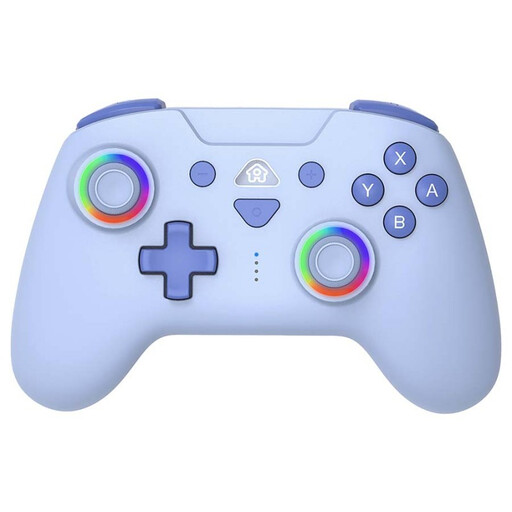
SUBSONIC Wireless Controller for Switch & Switch Lite, Blue
A wireless option for playing on Nintendo Switch or Switch Lite without a controller cable getting in your way.
The product name specifies a blue LED version.
View at Joybuy
 No image available
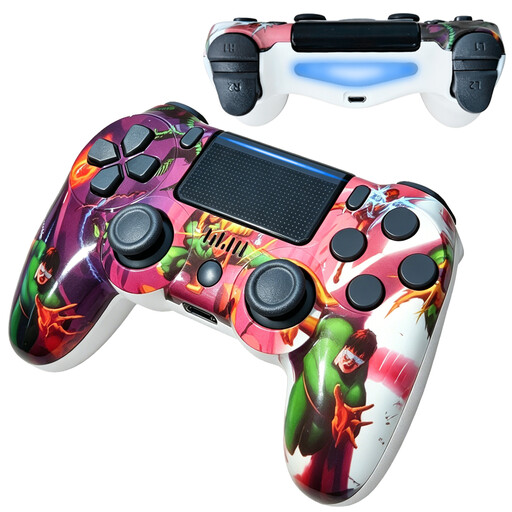
VIELLAN PS4 Wireless Bluetooth Controller
A wireless controller for PS4 players who want vibration feedback.
The product name specifies Bluetooth, dual vibration and a 600 mAh battery.
View at Joybuy
 No image available
VIELLAN Wireless Gaming Controller for PC
A wireless option for PC players who want extra adjustable buttons.
The product name specifies Hall Effect joysticks, 255-level triggers, programmable rear buttons, RGB lighting, a 1000 mAh battery and USB-C. The PS5 layout designation alone doesn’t confirm PS5 compatibility.
View at Joybuy
 No image available
Xbox Wireless Controller, Robot White
A wireless Xbox controller for playing from your seat without a controller cable.
The product name specifies the Xbox Wireless Controller in Robot White. Check which power options and accessories are included with this version.
View at Joybuy
 No image available
GameSir G7 SE Wired Xbox Game Controller, Dynamic Blue
A wired option for anyone using a supported Xbox or Windows PC who doesn’t want to recharge a controller battery while playing.
The product name lists Xbox Series X/S, Xbox One and Windows 10/11. GameSir specifies a wired USB connection for the G7 SE.
View at Joybuy
Frequently asked questions
Does a wired controller need to be plugged into a socket?
Not necessarily: according to GameSir, the G7 SE connects to a supported Xbox or PC via USB. Check that you have a suitable port free and that the cable reaches your playing area.
Does the USB-C port on an Xbox controller charge rechargeable AA batteries?
No. Xbox Support says rechargeable AA batteries don’t charge inside the controller. Use the charging method recommended by the battery manufacturer, or check whether a separate rechargeable Xbox battery pack would suit you.
Do DualSense haptics and adaptive triggers work in every PC horror game?
No. PlayStation limits these features to supported games. Some features on Windows may require a USB connection, so check support for the specific game.
Can you use a Switch 2 Pro Controller with the older Nintendo Switch?
Nintendo says the Switch 2 Pro Controller is compatible only with Nintendo Switch 2. Check your console version and the full model name before ordering.
How can you make sure the cable is long enough to reach your seat?
Measure the distance between your playing area and a suitable USB port, allowing for the route the cable will need to take. Microsoft lists a length of 2.7 m for an Xbox version supplied with a USB-C cable; check whether the version you choose includes one.


