
Console player who wants to be sure of compatibility
You play on PS5, Xbox or Switch 2 and want to check that the controller works with your system before buying. PlayStation, Microsoft and Nintendo set out compatibility by system and model.


Start by checking your console or PC and making sure both the controller and the specific game support the features you want to use. Then choose based on what matters to you: adjustable indicator lights, tactile feedback, a suitable headset socket or the freedom to play without a controller cable.
You play on PS5, Xbox or Switch 2 and want to check that the controller works with your system before buying. PlayStation, Microsoft and Nintendo set out compatibility by system and model.
You want to know whether the controller lights can be adjusted in a dark room. PlayStation documents a setting on PS5 for adjusting the brightness of controller indicators.
You’re looking for tactile effects in games that support them, or want to connect a compatible headset. Check the capabilities of the game, system and controller you choose.
| What to consider | What to check before buying | Who is this important to? |
|---|---|---|
| System and game compatibility | Check the full model name, your console or PC, and whether the game supports it. | When choosing a controller, I want to make sure it works with my system and game first. Around 33% of consumers prioritise compatibility above all else. |
| Controller lighting | Check whether brightness can be adjusted for each model and system; don’t assume the lights can be switched off completely. | In a dark room, I want to be able to control how noticeable the controller lights are. Around 27% of consumers prioritise reducing distracting light. |
| Tactile feedback and headset | Check whether the game supports the effects you want and whether the controller has a suitable socket for your headset. | If I want to feel the effects or play with a headset, the feature needs to work with my game and system too. Around 20% of consumers prioritise gameplay feel or audio above all else. |
| Power and freedom to move | Check whether the controller is wired or wireless, how it’s powered, and whether the cable or charging option suits your setup. | Without a controller cable, I want the freedom to sit where I like; with a wired controller, the cable needs to reach my gaming spot. Around 20% of consumers prioritise freedom of movement or power options. |
The name doesn’t mean a controller works with every system. Nintendo states that the Switch 2 Pro Controller can only be used with Nintendo Switch 2.
Before buying, compare the full model name with your console or PC and check the connection method.
PlayStation says these effects depend on game support. So, a feature being available on the controller doesn’t mean every survival horror game will use it.
Check the features available in the specific game on the platform you play on.
According to the Government of the Netherlands, you’re entitled to a product that works as it should; if it doesn’t, the seller is your point of contact. The Netherlands has no fixed statutory warranty period of two years.
Before buying additional cover, read which situations are and aren’t included, and compare this with your existing rights.
A relevant choice for PS5 players who want to use haptic feedback and adaptive triggers in supported games.
An option for Xbox players and for Windows PCs that Microsoft lists as supported.
An option for Nintendo Switch 2 players looking for a full-size controller with an audio socket.
A relevant choice for players who want to adjust controls and vibration strength on a platform listed by the manufacturer for the exact model.
A wired option for Xbox and PC players looking for extra mappable controls.
The product names in this selection mention PS5, PS4, Switch or PC. Check the exact platform compatibility, your game’s features and the available lighting settings for each model.
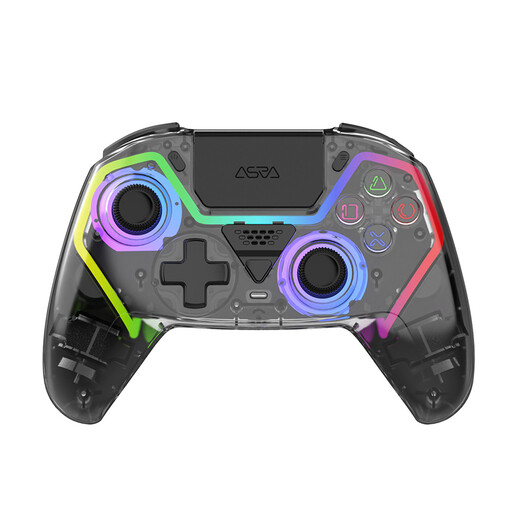 Image unavailable
The product name mentions PS5; check that the controller and the game features you want are suitable for your system.
The title lists Hall effect sticks, programmable buttons, RGB lighting and a 1000 mAh battery. The product name doesn’t confirm that the lighting can be switched off completely.
 Image unavailable
This DualSense variant is worth considering if you’re looking for a PS5 controller; check which features you want for your game.
The product name lists PS5, PC, Mac and mobile. PlayStation says haptic feedback and adaptive triggers depend on game support; check this for the version you play.
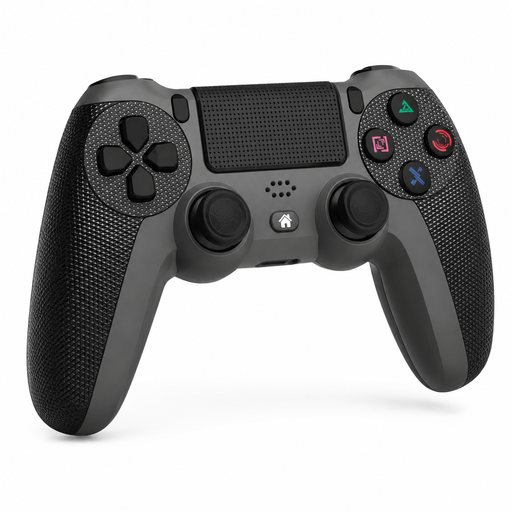 Image unavailable
The product name mentions PS4 Slim and Pro; check that this controller is suitable for your specific console.
The title lists a touchpad, dual vibration and a turbo function. Check which features your game supports.
 Image unavailable
The product name mentions Switch and PC; check compatibility with your device and the game you play.
The title lists dual vibration and a gyroscope. Don’t assume it’s supported by every game or Switch model.
 Image unavailable
This controller may suit players looking for extra programmable controls; check compatibility with your device before choosing.
The product name lists programmable rear buttons, RGB lighting, a 1000 mAh battery and a USB-C socket. The title mentions a PC and PS5 layout; this doesn’t confirm compatibility with both systems.
PlayStation documents a setting on PS5 for adjusting the brightness of controller indicators, but this doesn’t confirm that the lights can be switched off completely. Check the settings available on your system.
No. Nintendo says the Switch 2 Pro Controller only works with Nintendo Switch 2. Nintendo states that a full charge takes around three hours.
According to the Government of the Netherlands, when you buy from a business at a distance, you’re entitled to a 14-day cooling-off period in many cases. You’re also entitled to a product that works as it should; if it doesn’t, the seller is your point of contact. The Netherlands has no fixed statutory warranty period of two years.
Radio equipment on the EU market must meet requirements under the Radio Equipment Directive, including requirements for safety and electromagnetic compatibility, as described by the European Commission. CE marking is compulsory for product groups covered by applicable EU rules, according to Business.gov.nl. These general rules don’t in themselves confirm that a specific controller complies; check the product and seller information.