Stylus pens on Joybuy
This selection features individual stylus pens for use with a compatible tablet. Before buying, check that the pen works with your exact model.
 No image available
Apple Pencil Pro (2024), for iPad Air/iPad Pro
A standalone pen for taking notes on a compatible iPad, without adding a second tablet screen to your desk.
The product information lists magnetic attachment and pressure and tilt sensitivity. Check compatibility with your exact iPad model.
View on Joybuy
 No image available
Apple Pencil USB‑C, white
A standalone stylus for writing and taking notes on a compatible iPad.
The product information lists a USB‑C port, magnetic attachment and tilt sensitivity. Check whether your iPad model is supported.
View on Joybuy
 No image available
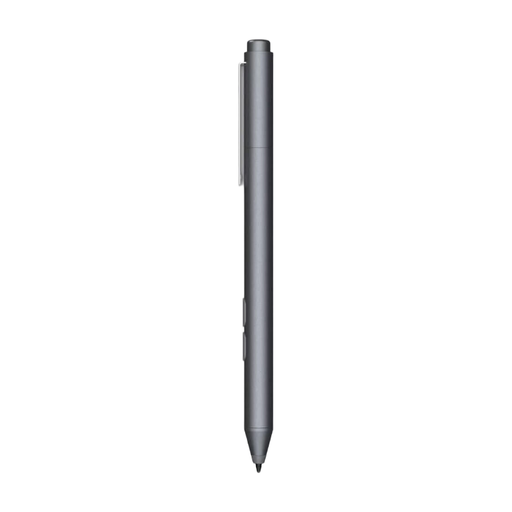
HP MPP 1.51 stylus pen for PC and tablet
This standalone pen is designed for writing and taking notes on compatible devices.
The product information lists MPP compatibility, customisable buttons and a replaceable pen tip. Check whether your tablet supports MPP.
View on Joybuy
 No image available
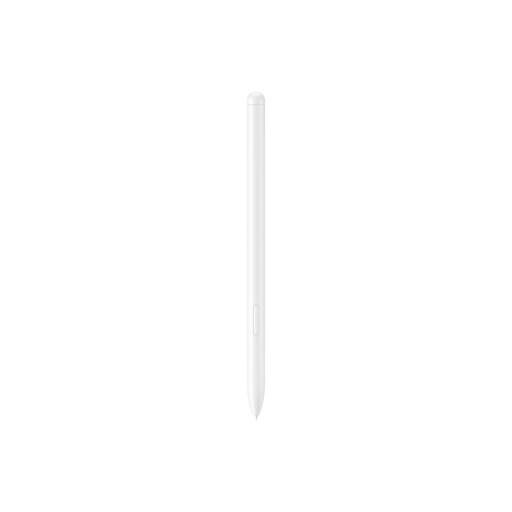
Samsung EJ-PX510 stylus pen, 8,7 g, beige
A standalone pen for writing and taking notes on the compatible Galaxy Tab models listed.
The product information lists the Galaxy Tab S9 FE and S9 FE+ as compatible models, and gives the weight as 8,7 g. Check whether your tablet is one of them.
View on Joybuy
 No image available
VoxorAI HL-U05 stylus pen, white
A standalone stylus for taking notes on a device that meets the compatibility requirements.
The product information lists a built-in battery and requires a capacitive touchscreen. Check support for your exact device.
View on Joybuy
Frequently asked questions
Can I simply buy any stylus for my current tablet?
No. First check compatibility with your exact tablet model. For the iPad mini (A17 Pro), Apple lists both Apple Pencil Pro and Apple Pencil (USB‑C); that doesn’t tell you whether another iPad model is supported.
Do I need to charge or set up a pen separately?
It depends on the pen and device combination. BOOX describes the InkSense Plus for the Go 10.3 (Gen II) as rechargeable via USB‑C; reMarkable says a Marker is included with the Paper Pro Move. Check the instructions for the version you’ve chosen.
Can I keep using a reMarkable without Connect?
Yes. According to reMarkable, notes stay on the tablet and several features are available without Connect. Cloud access is limited, though: unlimited cloud storage and searching handwritten notes are among the subscription features.
What warranty do I get when buying a tablet in the Netherlands?
When you buy as a consumer, the product must meet the standard you’re entitled to expect. According to the Dutch government, there’s no fixed statutory warranty period of two years in the Netherlands; if something goes wrong, you should generally contact the seller.
Can I return a tablet bought online within 14 days?
For many online purchases from a business in the Netherlands, you have a 14-day cooling-off period. This doesn’t automatically apply to online purchases from a private seller, so check the terms that apply to your purchase.


