
Sketcher with an existing tablet
You want to avoid buying a new pen that doesn’t work with your exact iPad, Galaxy Tab or Windows tablet. Apple, Samsung and Wacom publish compatibility information for specific devices.


Start with your exact tablet model and drawing app: a stylus suited to quick outlines won’t necessarily support pressure-sensitive line variation. Then decide whether you want more drawing controls or simpler charging and storage, and check whether your tablet already comes with a pen.
You want to avoid buying a new pen that doesn’t work with your exact iPad, Galaxy Tab or Windows tablet. Apple, Samsung and Wacom publish compatibility information for specific devices.
You care about varying line weight or brush strokes, so you check both the pen’s features and the support available in your drawing app. Apple, Adonit and Wacom describe features that can vary by pen and device.
You want to capture ideas straight away, then put your pen and tablet away neatly. Charging method and available workspace matter too; the Consumentenbond also points out that smaller tablets are more compact.
First, check that the pen, tablet and drawing app are compatible. Then compare the drawing features and see how the pen charges and can be stored on your desk.
A good choice if: your iPad and drawing app can use the more advanced controls of the Apple Pencil Pro.
Consider: the USB-C version charges by cable and attaches magnetically for storage, but attaching it this way won’t charge the pen.
A good choice if: your tablet supports the S Pen and you’ve checked that the version you’re considering is compatible.
Consider: S Pen versions differ; according to Samsung, the Creator Edition has no Bluetooth or Air Actions.
A good choice if: you mainly want to sketch outlines quickly on a supported iPad, or you’re looking for a specific pen-and-app combination.
Consider: Logitech describes tilt-based line variation, but the Crayon isn’t pressure-sensitive. With the Adonit Note⁺ 2, pressure sensitivity and shortcut buttons require support from specific apps.
A good choice if: your device supports the pen protocol used by your chosen stylus, such as Wacom AES or Microsoft Pen Protocol for the Bamboo Ink Plus.
Consider: Wacom says tilt support also depends on the device, and the Bamboo Ink Plus isn’t compatible with Apple products.
A good choice if: you mainly want to point or sketch rough ideas and don’t need confirmed active pen features.
Consider: the word ‘universal’ alone doesn’t confirm pressure sensitivity, palm rejection or compatibility with your drawing app.
| What to consider | What should you check? | Who is this important for? |
|---|---|---|
| Compatibility | Compare your exact tablet model and the required software version with the compatibility list; check app features separately. | If I want to be sure the pen works with my tablet, I check the drawing app too. Around 36% of consumers prioritise compatibility with their tablet and app. |
| Line control | Check pressure sensitivity, tilt recognition and app support separately. | If I want to vary outlines and brush strokes deliberately, I check which features my pen and app support. Around 29% of consumers give line control top priority. |
| Small desk | Measure the space available and check separately how the pen charges and whether it can be stored on your tablet. | If I sketch in a small space, I want to be able to put my pen and tablet away easily afterwards. Around 21% of consumers prioritise a compact workspace. |
| Purchase and replacement | Check whether a pen is included, which charging accessories are needed and whether the nibs can be replaced. | If I don’t want to buy a second pen or unnecessary accessories, I check what’s in the box and what I’ll need first. Around 14% of consumers mainly focus on avoiding unnecessary purchases. |
Apple Pencil generations, S Pen versions and Windows pen protocols all have different compatibility requirements. The wrong combination may make the pen unusable or limit the drawing features you want.
Before buying, compare the full model names of your tablet and pen with the manufacturer’s compatibility list.
Logitech describes tilt-based line variation for the Crayon, but the pen isn’t pressure-sensitive. These features therefore don’t offer the same kind of control when you’re sketching.
Check pressure sensitivity and tilt recognition separately, and see whether your drawing app supports them.
The Apple Pencil (USB-C) attaches magnetically for storage, but charges using a USB-C cable. According to Adonit, the Adonit Note⁺ 2 doesn’t attach magnetically to certain iPad models.
Check attachment and charging separately for your pen and tablet models.
If your pen charges via USB-C, you’ll need to be able to connect the charging cable while it’s charging.
Some Samsung tablets already come with an S Pen, and standalone versions vary in their features. You may not need a second pen.
First check which pen comes with your tablet, then decide which extra feature or replacement you need.
Apple Pencil models are designed for specific iPads. The Pro offers more advanced controls, while the USB-C version is aimed at sketching and annotating.
Samsung S Pen versions are designed for devices with S Pen support, including compatible Galaxy Tabs.
The Crayon (USB-C) is an iPad pen for writing, annotating and simple sketches.
The Note⁺ 2 is an alternative drawing pen for selected iPads.
The Bamboo Ink Plus is designed for compatible Windows devices with Wacom AES or Microsoft Pen Protocol.
This selection includes pens for compatible Surface and Windows devices, specific iPads and capacitive screens. Before buying, always check that your exact tablet model and drawing app are supported.
 No image available
An option for sketching on a compatible Surface device; check that your device supports the pen.
The product information lists pressure sensitivity with 4,096 levels and haptic feedback.
 No image available
For sketching with pressure and tilt sensitivity, provided your iPad and drawing app are compatible.
Apple lists squeeze and barrel roll controls, as well as magnetic charging. Check the compatibility list for your iPad model.
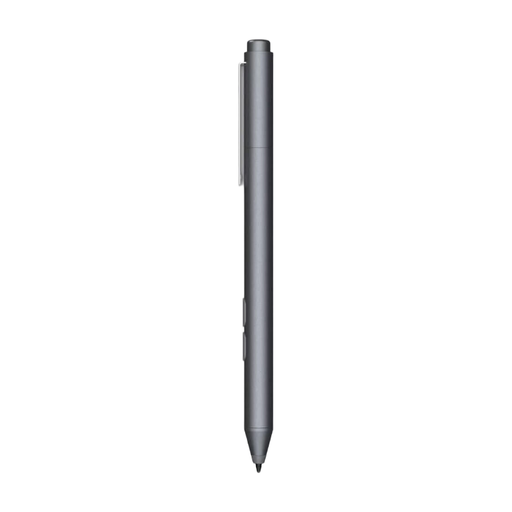 No image available
A pen for sketching on a device that supports the stated Microsoft Pen Protocol; check the exact device compatibility.
The product name lists one replaceable nib; the product information mentions customisable buttons.
 No image available
For sketching on the iPad models listed for this version; check whether your model is included.
The product information lists magnetic attachment, pairing and charging, plus double-tap to switch tools. Models listed include iPad Pro 12.9-inch (3rd to 6th generation), iPad Pro 11-inch, iPad Air (4th and 5th generation) and iPad mini (6th generation).
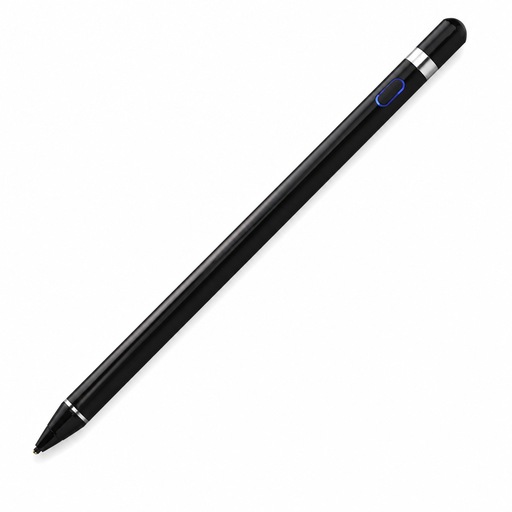 No image available
The product information says it can be used on capacitive screens; check that your tablet and drawing app work with this pen.
The description lists Bluetooth pairing with a companion app and pressure sensitivity. The exact feature support may depend on the combination of pen, device and app.
Find your exact tablet model and compare it with the pen manufacturer’s compatibility list. For Windows pens, also check the supported pen protocol. For app-dependent features, make sure your drawing app supports them.
No. Apple describes magnetic pairing and charging for the Pencil Pro, while the Apple Pencil (USB-C) can be stored magnetically but charges via a USB-C cable. Check these features separately for your pen and tablet.
Check the required software version and follow the manufacturer’s instructions for pairing or switching the pen on. Also check whether it has replaceable nibs and follow the instructions for replacing a worn or damaged nib.
For a consumer purchase in the Netherlands, the seller is responsible for the statutory guarantee. ACM ConsuWijzer lists repair, replacement or a refund as possible solutions if a product doesn’t perform as you could reasonably expect under normal use; this isn’t a fixed guarantee period of exactly two years.
According to the Dutch government, many online purchases from a business come with a 14-day cooling-off period. Check the applicable terms and exceptions before buying; the cooling-off period and statutory guarantee are separate rights.