
Poster illustrator
Draws images, lettering or brushstrokes on a tablet and wants to match pen features to their specific device and design app. Apple and Adonit describe features for their own compatible models.


Only choose a stylus once you’ve checked the exact tablet model and design app you use: compatibility comes before extra drawing features. For illustrations, what matters most is which features the app actually supports; simpler pen features may be enough for poster proofs and annotations. In a shared workspace, charging and storage, as well as the availability of replacement tips, matter too.
Draws images, lettering or brushstrokes on a tablet and wants to match pen features to their specific device and design app. Apple and Adonit describe features for their own compatible models.
Sketches variations and annotates poster proofs; straightforward controls may matter more than extra drawing tools. Apple and Logitech describe styluses for tasks such as sketching and annotating on compatible iPads.
Wants a stylus that works with the available device and is easy to find and charge after use. Charging and storage options vary by model, as Apple, Microsoft and Logitech explain.
A good fit if: you illustrate on a compatible iPad and want to use features such as squeezing or rotating in your app.
Bear in mind: Apple links Pencil Pro to specific iPad models and a system version; also check which features your app uses.
A good fit if: you mainly sketch, edit text or annotate poster proofs on a compatible iPad.
Bear in mind: Apple and Logitech specify tilt sensitivity for these models; don’t assume this means the pen also supports pressure-sensitive brushstrokes.
A good fit if: your workspace uses a Galaxy Tab that’s compatible with the S Pen model you’ve chosen.
Bear in mind: Samsung distinguishes between models according to compatibility; check the exact model against your tablet.
A good fit if: your poster workflow uses a Surface model that supports pen input.
Bear in mind: features vary by Surface model and you may need a separate charger; not every Surface Laptop supports pen input.
A good fit if: you’re looking for an iPad alternative with pressure sensitivity, palm rejection and programmable buttons, as specified by Adonit.
Bear in mind: check that both your iPad and app are compatible; Adonit says magnetic attachment doesn’t work with certain 2024 iPads.
| What to consider | What should you check? | Who is this important for? |
|---|---|---|
| Compatibility | Make a note of the tablet model, generation and, if necessary, system version. Check these details against the exact stylus model. | If I need to work on the office tablet, I want to know first whether the pen and app will work with it. Around 36% of consumers put compatibility first. |
| Drawing control | Check whether you need pressure sensitivity, tilt or buttons, and whether the app supports these features. | For detailed illustrations, I want to know which pen features my brush actually uses. Around 29% of consumers give drawing control top priority. |
| Charging and storage | Compare USB-C charging with the specific magnetic storage or charging option; attaching a stylus doesn’t automatically charge it. | When colleagues share the same desk, I want a designated place and charging routine for the stylus. Around 21% of consumers prioritise shared use. |
| Maintenance and parts | Check which charger is included or required, and whether suitable replacement tips are available. | I want to know in advance which parts I’ll need to keep using the stylus. Around 14% of consumers focus mainly on maintenance and the parts they’ll need. |
Apple links Pencil models to specific iPad models and may also specify a system requirement. The wrong combination will make the pen unusable in your intended workspace.
Before buying, check the exact model, generation and required system version.
Choosing the wrong one could cost you extra time while you exchange your purchase.
Manufacturers list different pen features for different models. Tilt sensitivity alone doesn’t confirm that a pen can produce pressure-controlled brushstrokes.
Decide what kind of line variation you need, then check the features of the exact pen and design app.
A pen may attach magnetically for storage without charging. The charging solution varies by device and accessory.
Check attachment and charging as separate features for the combination you’ve chosen.
A separate charging accessory may be needed for the Surface Slim Pen; Microsoft explains this for each compatible combination.
A product name alone doesn’t confirm that the colour, model code and version match the stylus you need. Nor should you assume there is a fixed legal guarantee period of two years: according to the Dutch government, what you can expect from a product depends, among other things, on the product and the sales information.
Compare the manufacturer’s full model code with the product information. Assess the guarantee based on the specific purchase, and contact the seller if the product is faulty.
Apple Pencil Pro and Apple Pencil (USB-C) are different options for iPads that Apple has confirmed are compatible.
S Pen models are relevant for a Galaxy Tab that supports the pen you’ve chosen.
Surface Slim Pen is designed for a Surface workspace with supported pen input.
The USB-C version of Crayon is designed for writing, sketching and annotating on compatible iPads.
Note⁺ 2 is an iPad alternative for anyone looking for the drawing features specified by Adonit.
These styluses are worth considering for drawing, sketching or annotating on compatible tablets. For poster work, always check that the exact tablet model and design app are compatible with the pen.
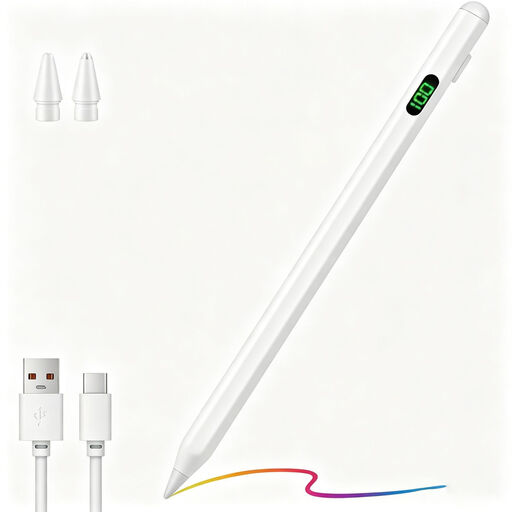 No image available
An option for drawing on capacitive screens; check compatibility with your exact device.
The product description lists a POM tip, USB-C charging, an LED indicator and two replacement tips. Magnetic attachment is specified for compatible iPads.
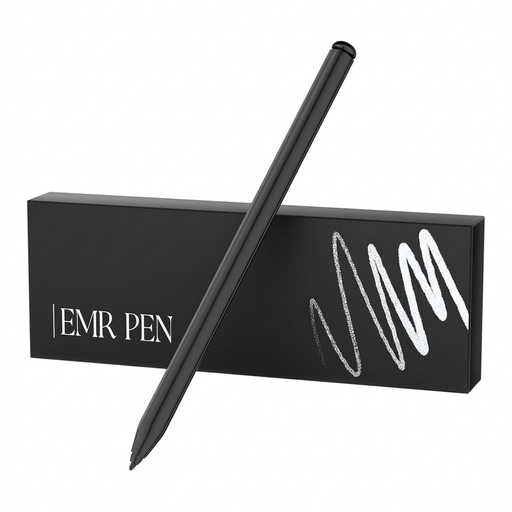 No image available
An option for drawing where pressure sensitivity matters, on a compatible device.
The product description lists EMR technology, 4096 pressure levels, palm rejection and magnetic attachment. The pen is designed for reMarkable 1 and 2 and Kindle Scribe.
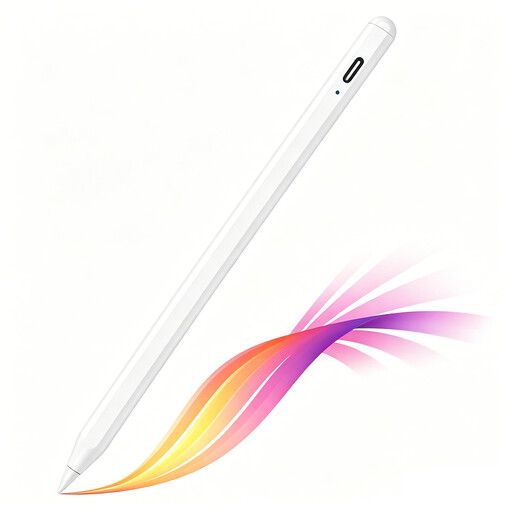 No image available
An option for sketching and shading on an iPad model that supports the stylus.
The product description lists tilt detection, palm rejection, USB-C charging, an LED indicator and magnetic attachment for storage on compatible iPads.
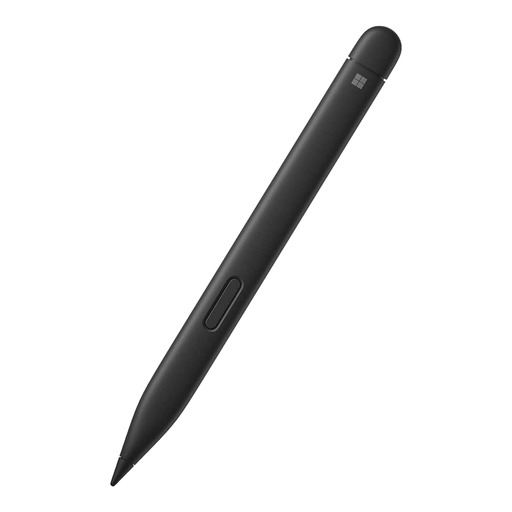 No image available
An option for illustrations and corrections on a Surface device that supports this pen.
The product description lists 4096 pressure levels, precise shading and haptic feedback. Check that your Surface model supports it.
 No image available
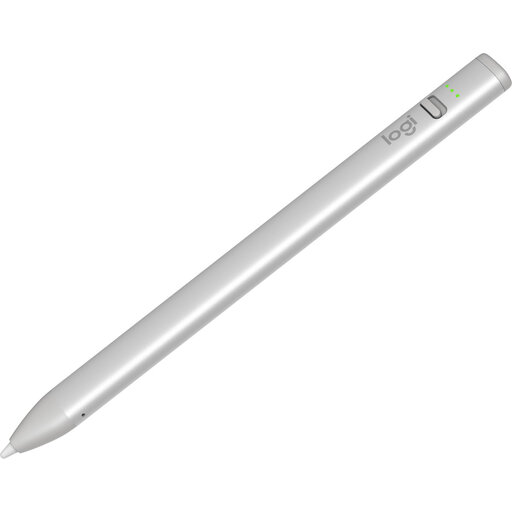
An option for sketching and annotating on a compatible iPad, including at a shared desk.
The product description lists tilt, palm rejection, USB-C charging and a battery indicator. According to the description, you can use the pen without pairing it.
Don’t assume so. Apple publishes compatibility information for each Pencil and iPad, Samsung distinguishes between S Pen models, and Microsoft specifies pen features for each Surface model. Check each device individually.
Agree on a designated storage place and charging routine that suit the model you’ve chosen. Apple describes magnetic attachment and charging for Pencil Pro, while Logitech specifies USB-C charging for Crayon. A compatible charging device or accessory may be needed for the Surface Slim Pen.
First check whether a suitable replacement tip is available. Logitech says a damaged or worn Crayon tip should be replaced. For a Surface pen, also check model compatibility and battery status.
No. According to the Dutch government, there is no fixed statutory guarantee period in the Netherlands; what you can expect from a product depends, among other things, on the product and the sales information. If a product is faulty, contact the seller. These consumer rights don’t automatically apply to a business purchase; check the relevant terms and rules.
For many distance purchases made by a consumer from a business, a 14-day cooling-off period applies, but there are exceptions. Check who the seller is and which terms apply to your purchase. Don’t assume this consumer right automatically applies to a business order.