
Vandaag of morgen in huis

Kwaliteit gegarandeerd

Welkomstaanbiedingen ontgrendelen: GRATIS bezorging | Tot 80% korting | Gratis 30 dagen JoyPlus-proefperiode
Download de app
Buying a stylus pen sounds simple—until you discover that not every pen works with every touchscreen. An inexpensive touchscreen pen may be perfectly adequate for navigation, yet unsuitable for precise writing or drawing. Terms such as “universal”, “pressure-sensitive” and “lag-free” only mean something when you understand the technology and compatibility behind them.
This buying guide helps students, professionals, creatives and tablet users in the Netherlands choose the right digital pen, active stylus or tablet pen.
A capacitive pen for a touchscreen often works with multiple phones and tablets, but it does not automatically offer features such as pressure sensitivity, palm rejection or tilt recognition. An active stylus generally uses a specific technology, such as Apple Pencil technology, Samsung technology, AES, USI or MPP.
Before buying, check:
A pen designed for a tablet is therefore not automatically suitable for a laptop, and vice versa.
A product with 4096 pressure levels differs from a pen without pressure recognition. However, you will notice the difference primarily in apps that support pressure sensitivity. For simple notes or navigation, a more basic feature set may be sufficient. For drawing, shading and calligraphy, pressure levels and tilt support are more important.
Pay attention to the wording, too. A brand’s claim of a “natural writing experience” is not a universal measurement. Base your decision on verifiable specifications and on the apps and devices you use.
A battery life of 12 months with a pen powered by an AAAA battery cannot be directly compared with 6.5 hours of use from a rechargeable stylus. Consider the type of power supply:
An iPad stylus must match your iPad’s generation and software version. According to the product information, the Logitech Crayon is compatible with iPad models from 2018 onwards and requires iOS 12.2 or later. This does not mean that every iPad feature or app will work identically.
For Samsung devices, the distinction between Galaxy Tab models is important. According to the product specifications, the Samsung EJ-PX510 S Pen is designed for the Galaxy Tab S9 FE and Tab S9 FE+. A Samsung S Pen intended for another model may have a different attachment method, charging method or feature support.
For Windows devices, pay attention to the pen standard. A Dell Active Pen based on AES is not automatically compatible with every Dell laptop. The PN5122W lists specific Inspiron, Latitude and XPS 2-in-1 models, among others. The same applies to an HP stylus pen or Microsoft Surface Pen.
For a stylus for drawing and note-taking, three features are particularly relevant:
The Microsoft Surface Slim Pen 2 specifies 4096 pressure levels, Zero Force Inking and palm rejection. According to the product information, the Logitech Crayon supports tilt for variable line thickness and palm rejection. However, check whether these features are available in your app and on your device.
For long lectures, meetings or drawing sessions, weight can affect comfort. According to the specifications, the Samsung EJ-PX510 weighs 8.7 grams, while the Acer ASA410 weighs 16.5 grams. The VoxorAI HL-U05 is listed at 59.4 grams—a substantial difference to consider if you use the pen for hours at a time.
Buttons can also be practical. The Dell PN5122W has buttons for quick access to functions. The Dell PN7522W features programmable buttons, and Bluetooth connectivity is required for certain functions. An additional button is only useful if you actually use it for erasing, right-clicking, shortcuts or presentations.
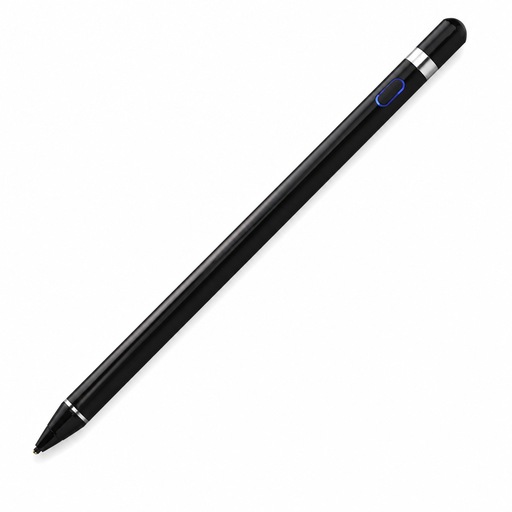
Why it’s a good fit: A practical choice for anyone looking for a touchscreen pen for navigation, simple note-taking and everyday use on compatible capacitive screens.
The product information states support for iOS, iPad, Android and other capacitive screens. Always check your specific model beforehand.
Built-in 140 mAh lithium battery and operation via a capacitive touchscreen.
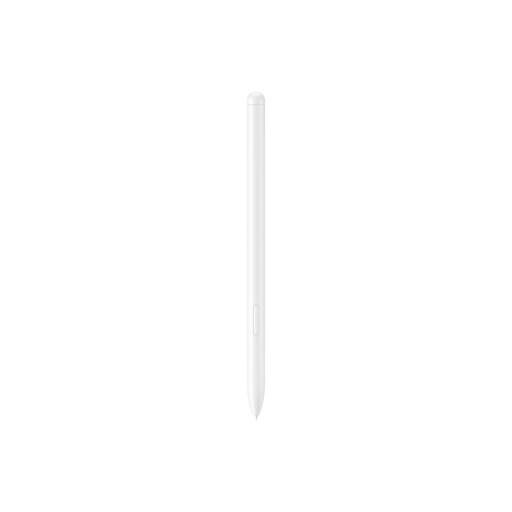
Why it’s a good fit: Designed for Galaxy Tab S9 FE and Tab S9 FE+ owners who take notes in Samsung Notes or draw in PENUP.
Compatibility is explicitly linked to two Galaxy Tab models rather than being advertised for all Samsung tablets.
8.7 grams, magnetic attachment and, according to the product description, IP68-certified water and dust resistance.

Why it’s a good fit: Designed for selected Dell 2-in-1 devices and suitable for users who value programmable buttons and extended use.
The product specifications list compatible Dell series and warn against use with other devices. Check the list before buying.
4096 pressure levels, Bluetooth, programmable buttons and, according to the product information, up to 40 days of battery life.
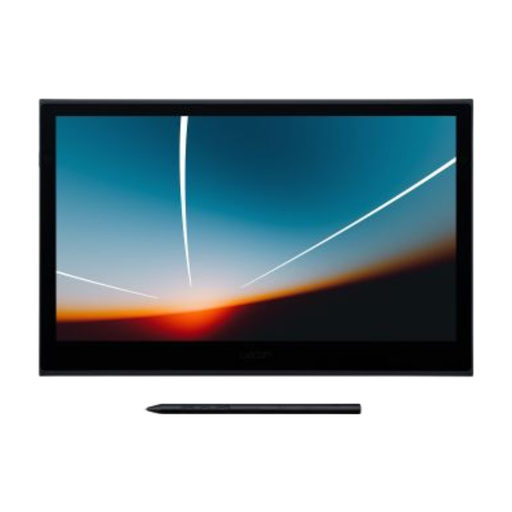
Why it’s a good fit: A solution for anyone seeking a portable pen display with touch control for Windows, macOS, Android or ChromeOS.
The pen is supplied with a specific 13.3-inch OLED device. You are therefore buying a complete system rather than a standalone pen with unclear compatibility.
8192 pressure levels, a 13.3-inch Full HD OLED display and USB-C for data and power.
Browse a current selection of PC-compatible tablet styluses and compare compatibility, features and intended use before placing your order.
No. A basic capacitive touchscreen pen can simulate touch input, but it does not always provide pressure sensitivity or palm rejection. According to the product information, the Logitech Crayon is compatible with iPad models from 2018 onwards running iOS 12.2 or later. Always check the exact iPad model and required software.
That depends on the type of pen. The Dell PN5122W uses an AAAA battery with a stated lifespan of up to 12 months. The HP MPP 1.51 specifies up to 18 months. According to the product specifications, the Logitech Crayon provides up to 6.5 hours of use per charge. Usage, Bluetooth, active features and standby time all affect actual battery life.
Not necessarily. For writing, navigation and simple annotations, compatibility, a precise tip and palm rejection are often more important. For drawing, shading and variable line widths, 4096 pressure levels or more can be valuable—provided your tablet and the app you use support the feature.
