
Vandaag of morgen in huis

Kwaliteit gegarandeerd

Welkomstaanbiedingen ontgrendelen: GRATIS bezorging | Tot 80% korting | Gratis 30 dagen JoyPlus-proefperiode
Download de app
A stylus pen can make writing, drawing and navigating on a touchscreen far more precise. However, not every digital pen works with every device. A pen that works on an iPad won’t automatically function on a Windows laptop or Android tablet.
The three most common buying mistakes are:
A touchscreen pen isn’t always an active stylus. A simple capacitive pen works like an extended finger. That’s fine for tapping, scrolling and basic navigation, but usually not for pressure-sensitive drawing or palm rejection.
An active stylus, digital pen or tablet pen communicates with the screen’s digitizer. You need to pay attention to the protocol used:
Always check the exact model number of your tablet or laptop before buying. Don’t just search by brand name: a pen for tablet that works with a Samsung Galaxy Tab won’t automatically fit every Samsung device. The same goes for a stylus pen for iPad or a stylus pen for laptop.
For notes and digital navigation, a simple pen is often sufficient. For drawing, sketching and designing, other features are more important:
According to the product information from Acer, the AES 2.0/USI 2.0/MPP2.5 Active ASA410 has 4096 pressure levels and a battery life of up to 96 hours. The AAAA battery is not included, according to the stated instructions. That’s relevant information for the total cost of use.
A rechargeable stylus pen means you don’t need loose batteries, but it does need to be charged regularly. A pen with an AAAA battery can be handy for students or employees who don’t want to carry a charging cable. Then check:
With heavy use, pen tips wear out faster, especially if you draw a lot or use the pen at a sharp angle. Replaceable tips are therefore a practical advantage. Don’t use a tip that isn’t specifically designed for your pen or screen.
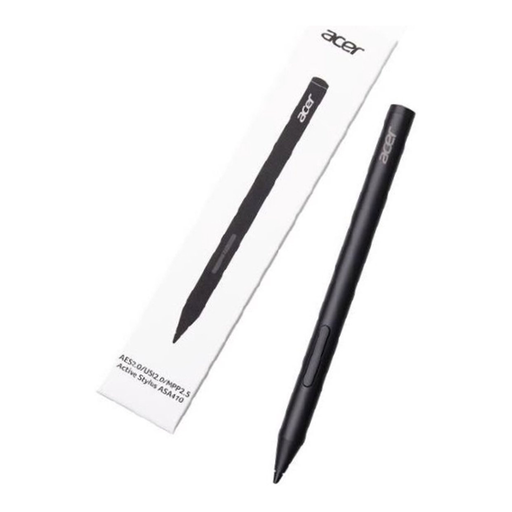
Why this fits the profile: This lightweight pen, weighing 16.5 grams, is aimed at compatible Acer devices and can be used for notes, navigation and simple sketches.
The AES, USI and MPP standards used are clearly stated. However, do check whether your Acer device supports one of these standards and bear in mind that an AAAA battery is not included.
16.5 grams, 4096 pressure levels and, according to the product information, a battery life of up to 96 hours.
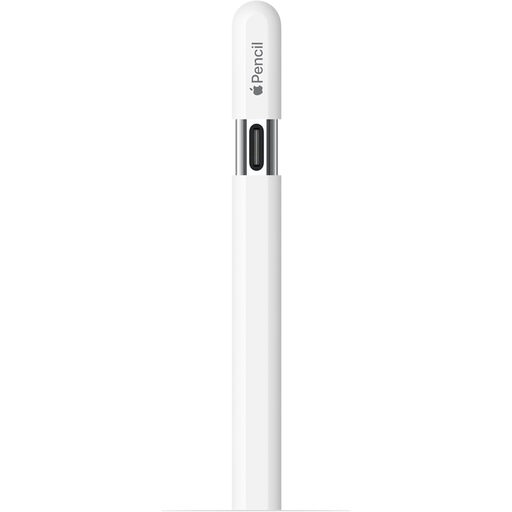
Why this fits the profile: A logical choice for iPad users who write, sketch and take notes with a pen that charges via USB-C.
The compatible iPad models are listed in the product information. This means you don’t have to rely solely on the name “Apple Pencil”.
USB-C charging, tilt recognition, magnetic attachment and hover support on certain iPads.
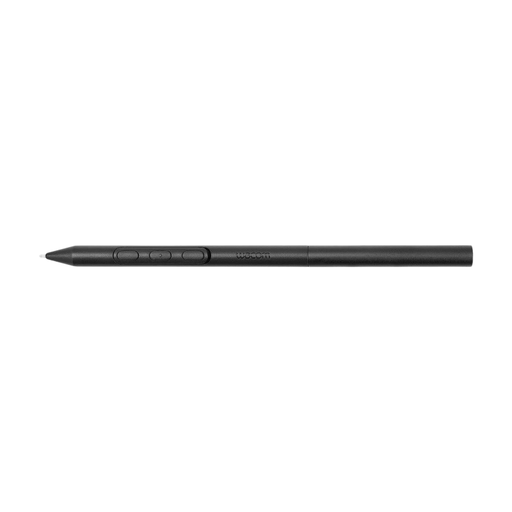
Why this fits the profile: Aimed at users of compatible Wacom devices who want to adjust their grip, weight, balance and pen buttons to suit their drawing work.
Compatibility is limited to the specified Wacom models. This prevents a wrong purchase based on the general term “Wacom stylus”.
Adjustable weight, grip thickness, balance point and pen buttons; battery-free EMR technology according to the product information.

Why this fits the profile: Suitable for users of compatible Dell 2-in-1 devices who value shortcuts and long-term use.
The product information mentions specific Dell models and features. Check this list before ordering; Bluetooth alone doesn’t make a pen compatible.
4096 pressure levels, programmable buttons and, according to the product information, up to 40 days of battery life; 80% charge takes 20 minutes according to the description.
We’ve put together a full, up-to-date list of products that fully meet these strict selection criteria and comply with current European safety regulations.
No. A capacitive universal stylus pen often works for basic navigation, but features such as pressure sensitivity, palm rejection and tilt recognition require compatible hardware and software. Check the tablet model and the protocol before ordering.
That depends on the type of battery, usage and maintenance. A pen with an AAAA battery can last a long time, while a rechargeable pen needs to be recharged after a certain number of hours. Pen tips wear out separately and may need replacing sooner with heavy drawing.
Usually, yes, when the pen is compatible with the device and the app you’re using. Pay attention to pressure levels, tilt recognition, palm rejection and the available pen tips. For scrolling and tapping only, a simple touchscreen pen may be sufficient.
